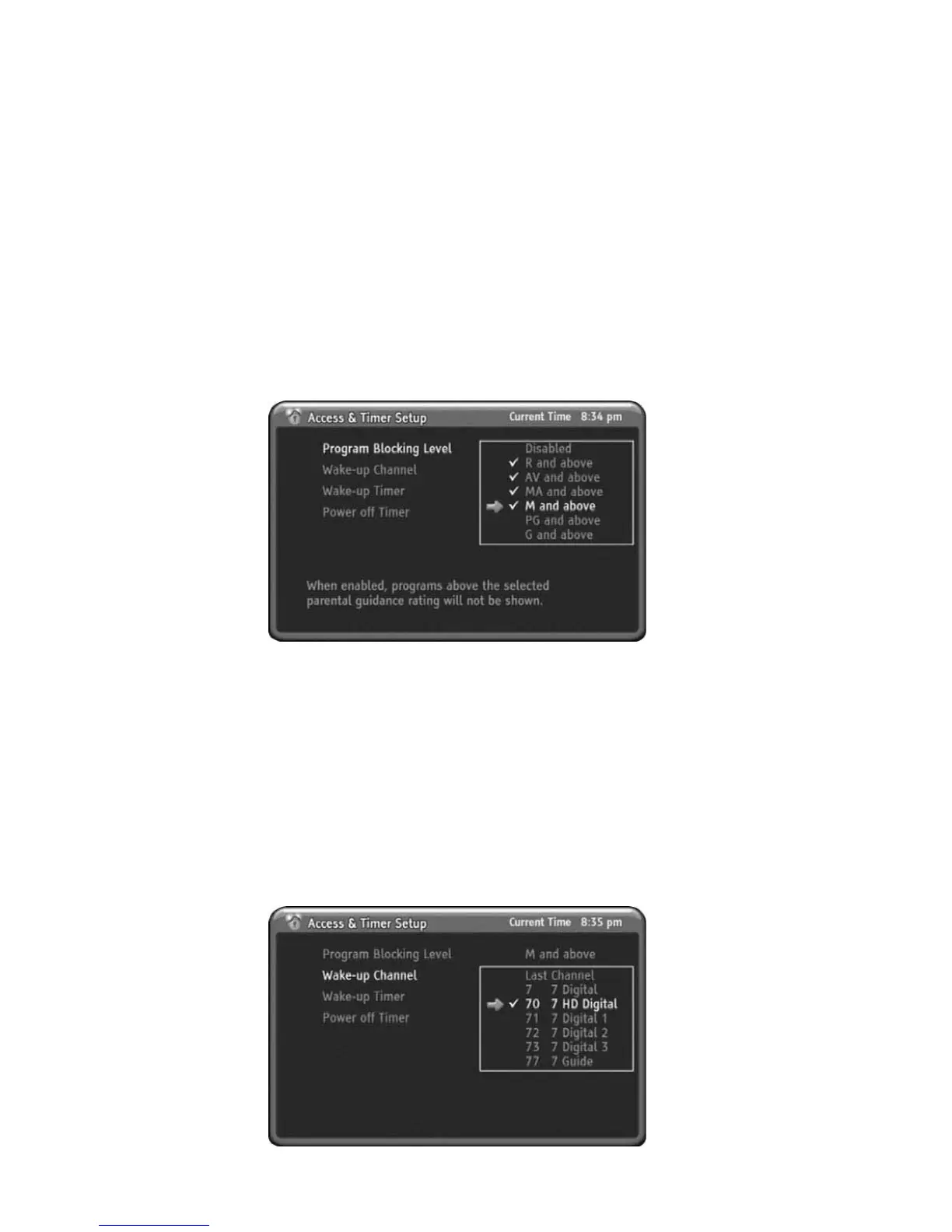
3. Access & Timer Setup
Program Blocking Level
You can setup channel blocking level with this item. If current channel having a
lower level than Program Blocking Level which you setting up previously then the
display will be blanked and shows blocked message with OSD. Whenever you enter
Program Blocking Level menu, HD-STB always asking you PIN code.
1) Press MENU to display the menu.
2) Press DOWN to select the Access & Timer Setup menu.
3) Press OK or RIGHT to select Access & Timer Setup menu.
4) Press OK or RIGHT to go to Sub menu.
5) HD-STB will ask you enter the PIN code.
6) Press UP or DOWN to select the Program Blocking Level you want to setup.
7) Press OK or RIGHT to change Program Blocking Level.
8) Press MENU to go back.
Wake-up Channel
You can select any channel when Wake-up Timer is turned on the HD-STB. The
default is last watched channel. For select the desired channel, you should setting
up the Wake-up Channel.
1) Press MENU to display the menu.
2) Press DOWN to select the Access & Timer Setup menu.
3) Press OK or RIGHT to select Access & Timer Setup menu.
4) Press DOWN to select Wake-up Channel menu.
5) Press OK or RIGHT to go to Sub menu.
6) Press UP or DOWN to select desired channel you want to setup.
7) Press OK or RIGHT to change desired channel.
8) Press MENU to go back.
24
Using the MENU System



 To Next Page