10
OpenSPR 1-Channel Operation Manual V4.1.01
1.1.4 Connecting and Turning on the OpenSPR
If a computer was provided with your instrument, it will have the OpenSPR software
already preinstalled. If a computer was not provided with your instrument, install the
Nicoya Lifesciences software per the directions provided in Section 1.2.
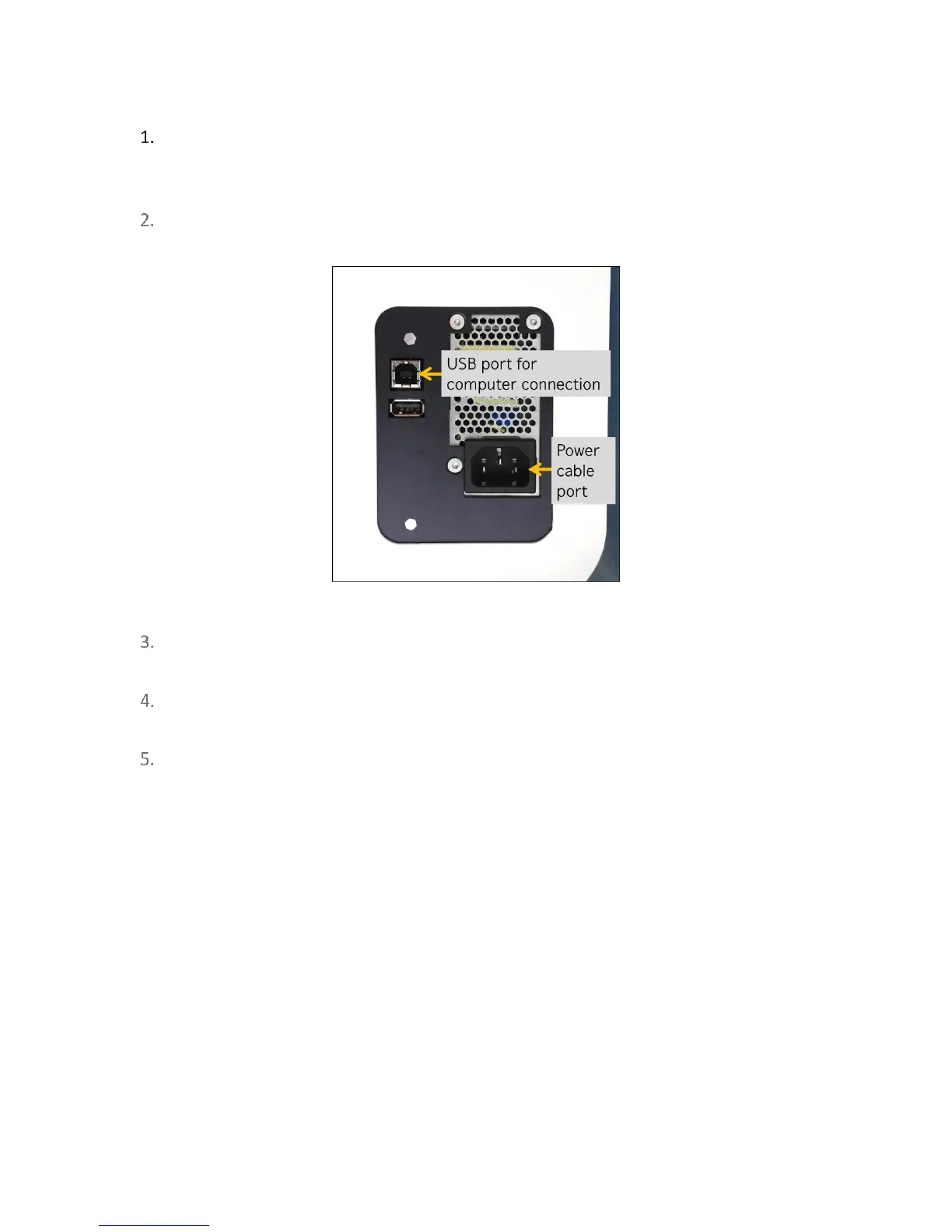
Plug the power cable into the back of the OpenSPR instrument [Figure 1.4] and connect
to the recommended power outlet.
Figure 1.4 USB and power cable ports on the back of the OpenSPR.
Plug one end of the USB Cable into the back of the OpenSPR [Figure 1.4: USB port for
computer connection] and connect the other to the computer.
Power on the OpenSPR using the button located on the front-right panel. Ensure the blue
light around the instrument’s power button turns on.
Prior to using your OpenSPR for the first time after unpacking, contact your Customer
Success Scientist to schedule a remote hands-on training session.



 To Next Page