17
OpenSPR 1-Channel Operation Manual V4.1.01
2.2 Beginning a Test
Prior to beginning a test for the first time after receiving and unpacking your OpenSPR Instrument,
ensure you complete a hands-on training with a Customer Success Scientist at Nicoya Lifesciences.
Verify the fluidic setup is complete (Section 2.1.2).
Ensure the USB is connected to both the OpenSPR and computer running the OpenSPR
software, and that the instrument is connected to an appropriate power source.
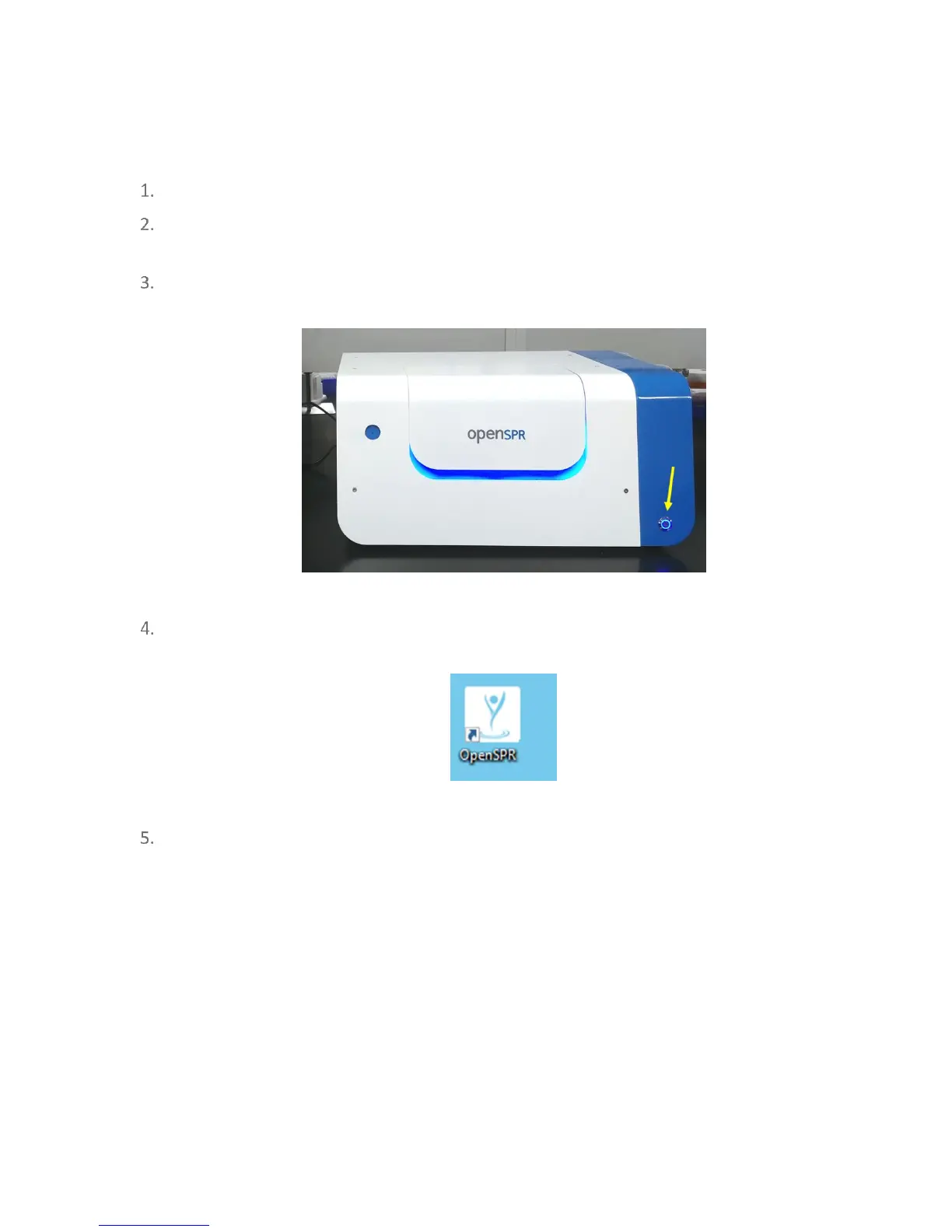
Power on the OpenSPR using the Power Button on the front of the instrument [Figure
2.4]. The blue lights of the OpenSPR should turn on, and the instrument will initialize.
Figure 2.4 Location of power button on the OpenSPR.
Run the OpenSPR software program by double-clicking on the desktop icon named
“OpenSPR” [Figure 2.5].
Figure 2.5 OpenSPR software desktop shortcut.
Upon opening the software, the communication connection to the OpenSPR instrument
will attempt to be established. It may take several seconds for the connection to
complete. During this time, the progress bar will be active [Figure 2.6]. Do not disconnect
or power off the OpenSPR during this time.



 To Next Page