13
OpenSPR 1-Channel Operation Manual V4.1.01
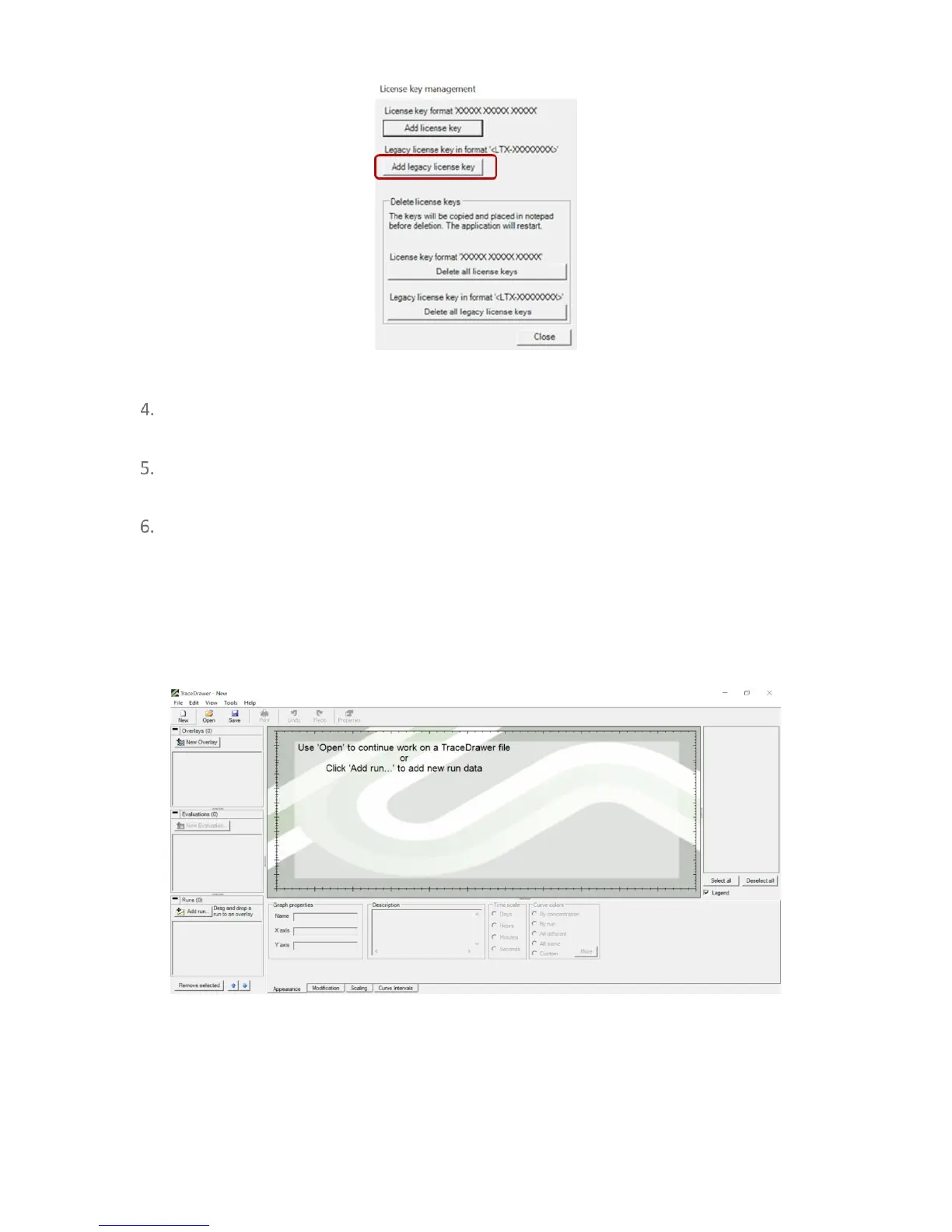
Figure 1.6 TraceDrawer license key management window. Select "Load Legacy License Key" only.
Insert your license key with the format <LTV-XXXXXXXX> (note the brackets are apart of
the key and need to be input as well).
Click “Close” in the window prompt. TraceDrawer will restart with your license key
activated.
The TraceDrawer software will now be ready to use and will display the home screen
[Figure 1.7]. For details on how to perform data analysis using TraceDrawer, please refer
to the TraceDrawer Data Analysis Handbook.
Tip: It is recommended to create a local file on your computer containing this license key. When
Windows Updates occur, you may be prompted to re-enter the TraceDrawer license key.
Figure 1.7 TraceDrawer home screen once activated with license key.



 To Next Page