32
OpenSPR 1-Channel Operation Manual V4.1.01
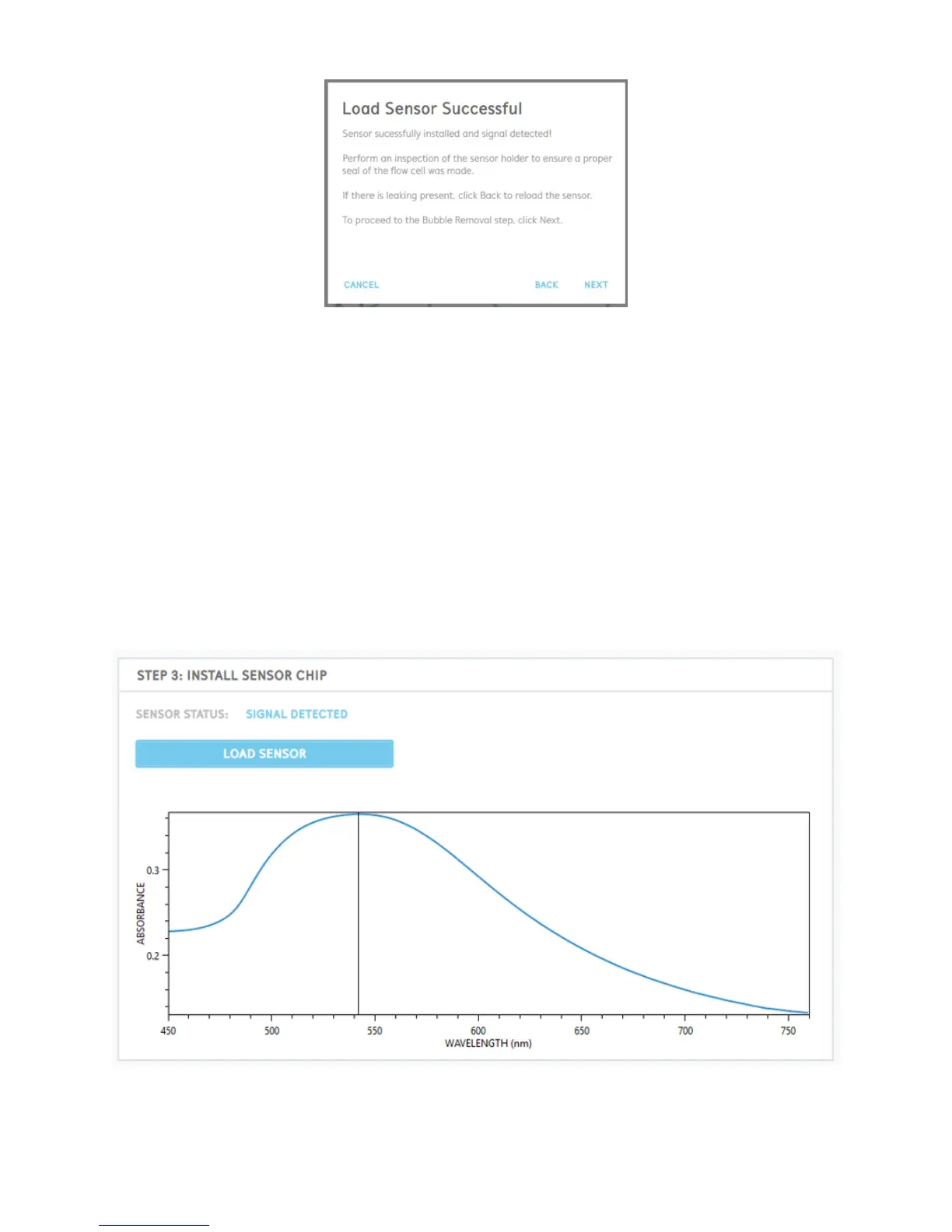
Figure 2.33 Prompt after flow cell has been filled with running buffer (sensor successfully detected).
If a signal is successfully detected, perform an inspection at the base of the flow cell for
any accumulation of running buffer and leaking.
Leaking may occur if a proper seal is not made between the sensor and flow cell. If liquid
is present outside of the flow cell, select “Back” to begin the process to re-load the sensor.
If no leaking is present, select “Next” to proceed onto the bubble removal step (Section
2.4.2).
Once a sensor is loaded into the OpenSPR, an absorbance peak should be seen in the graph on
the main screen [Figure 2.34]. The center position of the absorbance peak should be near
approximately 550 nm.
Figure 2.34 Absorbance graph of a sensor installed into the OpenSPR.



 To Next Page