148 Live View
The Live View Display
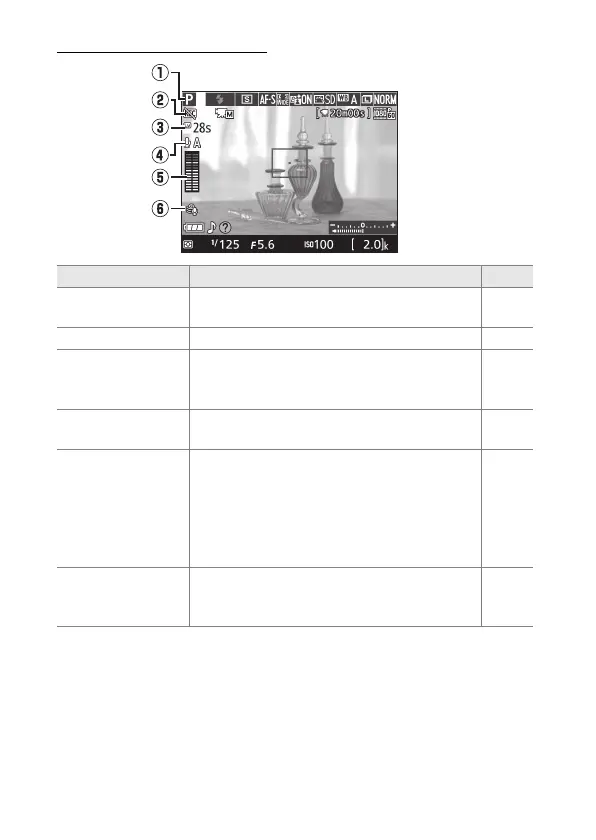
Item Description 0
q Shooting mode
The mode currently selected with the
mode dial.
25, 47,
50, 100
w “No movie” icon Indicates that movies can not be recorded. —
e Time remaining
The amount of time remaining before live
view ends automatically.
Displayed if
shooting will end in 30 s or less.
152, 161
r
Microphone
sensitivity
Microphone sensitivity for movie
recording.
158
t Sound level
Sound level for audio recording.
Displayed
in red if level is too high; adjust
microphone sensitivity accordingly. Left (L)
and right (R) channel indicators appear
when optional ME-1 or other stereo
microphone is used.
158
y
Wind noise
reduction
Displayed when On is selected for Movie
settings > Wind noise reduction in the
shooting menu.
159



 To Next Page
 Loading...









