7Introduction
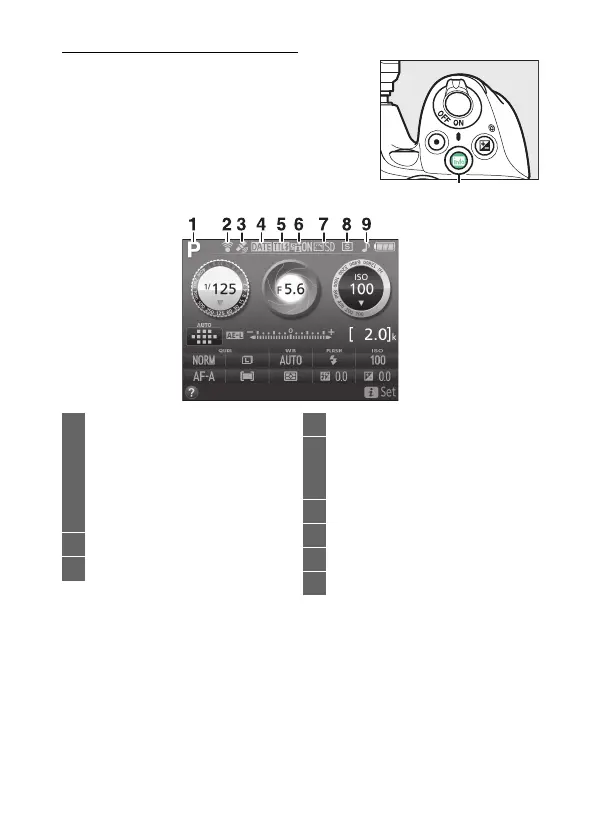
The Information Display
Viewing settings: To view the information
display, press the R button.
R button
1 Shooting mode
i auto/
j auto (flash off).................... 25
Scene modes............................ 47
Special effects mode.............. 50
P, S, A, and M modes .............100
2 Eye-Fi connection indicator .....261
3 Satellite signal indicator............260
4 Print date indicator .................... 254
5 Flash control indicator............... 229
Flash compensation indicator for
optional flash units................... 304
6 Active D-Lighting ....................... 122
7 Picture Control ............................ 135
8 Release mode ................................ 67
9 “Beep” indicator.......................... 247



 To Next Page
 Loading...









