284 N The Retouch Menu: Creating Retouched Copies
Create a copy in which only selected hues appear in color.
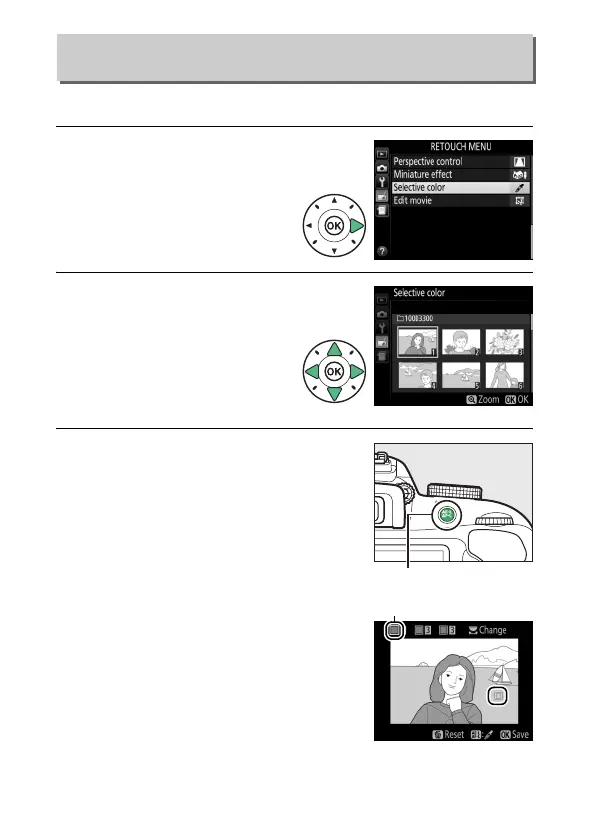
1 Select Selective color.
Highlight Selective color in
the retouch menu and press
2.
2 Select a photograph.
Highlight a photograph and
press J (to view the
highlighted photograph full
frame, press and hold the X
button).
3 Select a color.
Use the multi selector to position the
cursor over an object and press A
(L) to select the color of the object
as one that will remain in the final
copy (the camera may have difficulty
detecting unsaturated colors; choose
a saturated color).
To zoom in on the
picture for precise color selection,
press X.
Press W (Q) to zoom out.
Selective Color
G button ➜ N retouch menu
A (L) button
Selected color



 To Next Page
 Loading...









