73More on Photography
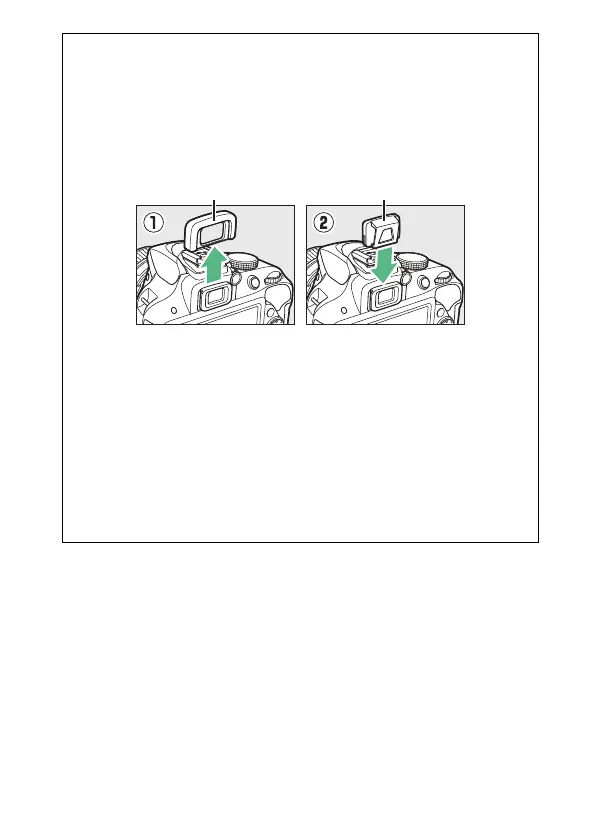
A Cover the Viewfinder
To prevent light entering via the viewfinder from appearing in the
photograph or interfering with exposure, we recommend that you
cover the viewfinder with your hand or other objects such as an
optional eyepiece cap (0 307) when taking pictures without your eye
to the viewfinder. To attach the cap, remove the rubber eyecup (q)
and insert the cap as shown (w).
A Using the Built-in Flash
Before taking a photograph with the flash in modes that require the
flash to be raised manually, press the M (Y) button to raise the flash
and wait for the M indicator to be displayed in the viewfinder (0 31).
Shooting will be interrupted if the flash is raised after the self-timer has
started.
A The Setup Menu Self-Timer Option
For information on choosing the duration of the self-timer and the
number of shots taken, see the Self-timer option in the setup menu
(0 246).
Rubber eyecup Eyepiece cap



 To Next Page
 Loading...









