79More on Photography
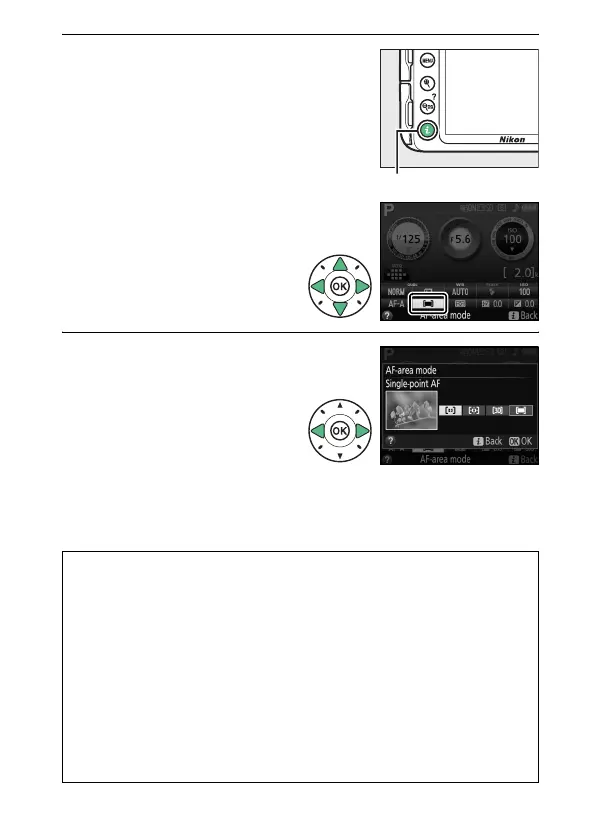
1 Display AF-area mode
options.
Press the P button, then
highlight the current AF-
area mode in the
information display and
press J.
2 Choose an AF-area mode.
Highlight an option and
press J.
A AF-Area Mode
AF-area mode selections made in shooting modes other than P, S, A, or
M are reset when another shooting mode is selected.
A 3D-Tracking (11 Points)
If subject leaves the viewfinder, remove your finger from the shutter-
release button and recompose the photograph with the subject in the
selected focus point. Note that when the shutter-release button is
pressed halfway, the colors in the area surrounding the focus point are
stored in the camera.
Consequently 3D-tracking may not produce the
desired results with subjects that are the same color as the
background.
P button



 To Next Page
 Loading...









