85
t
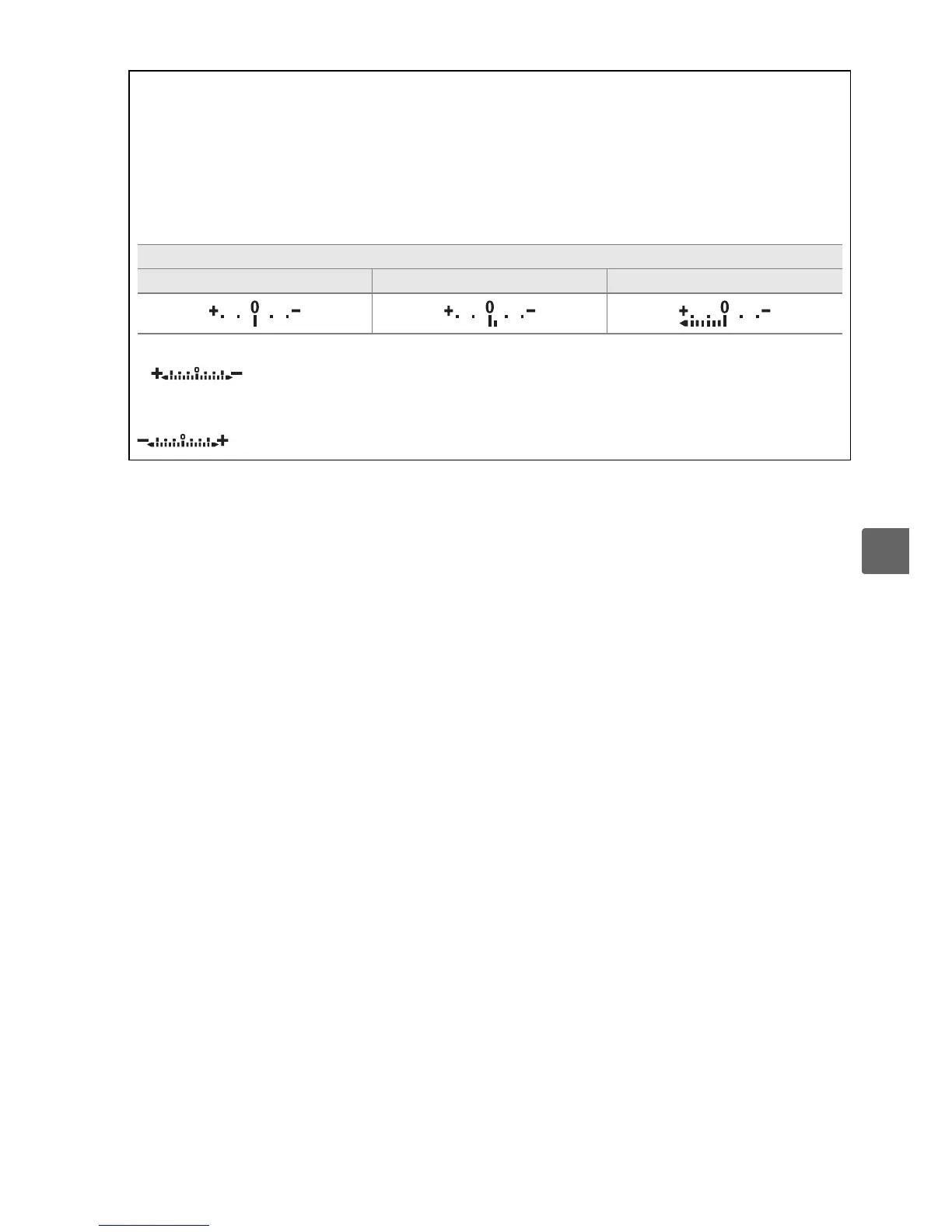
A The Exposure Indicator
If a CPU lens is attached and a shutter speed other than “bulb” or “time” is selected, the
exposure indicator in the viewfinder and information display shows whether the
photograph would be under- or over-exposed at current settings.
Depending on the option
chosen for Custom Setting b1 (EV steps for exposure cntrl.; 0 156), the amount of under-
or over-exposure is shown in increments of
1
/3 EV or
1
/2 EV.
If the limits of the exposure
metering system are exceeded, the indicator will flash.
Custom Setting b1 set to 1/3 step
Optimal exposure Underexposed by
1
/3 EV Overexposed by over 2 EV
A Reverse Indicators
If (V) (the default setting) is selected for Custom Setting f5 (Reverse
indicators, 0 164), the exposure indicators in the viewfinder and information display are
displayed with positive values on the left and negative values on the right.
Select
(W) to display negative values on the left and positive values on the right.



 To Next Page