194
n
Compatible Lenses
Compatible CPU Lenses
Autofocus is available with AF-S and AF-I CPU lenses only; autofocus is not supported
with other autofocus (AF) lenses.
IX NIKKOR lenses can not be used.
The features
available with compatible CPU lenses are listed below:
Camera setting Focus Mode Metering
Lens/accessory AF
MF (with electronic
rangefinder)
MF
Auto and scene
modes; P, S, A
M
L
M
N
3D Color
AF-S, AF-I NIKKOR
1
✔✔✔✔✔✔— ✔
2
Other type G or D AF NIKKOR
1
— ✔✔✔✔✔— ✔
2
PC-E NIKKOR series — ✔
3
✔✔
3
✔
3
✔
3
— ✔
2
,
3
PC Micro 85mm f/2.8D
4
— ✔
3
✔ — ✔✔ — ✔
2
,
3
AF-S/AF-I teleconverter
5
✔
6
✔
6
✔✔ ✔✔— ✔
2
Other AF NIKKOR (except lenses for F3AF) — ✔
7
✔✔ ✔— ✔✔
2
AI-P NIKKOR — ✔
8
✔✔ ✔— ✔✔
2
1 Use AF-S or AF-I lenses to get the most from your camera.
Vibration Reduction (VR) supported with VR
lenses.
2 Spot metering meters selected focus point (0 88).
3 Can not be used with shifting or tilting.
4 The camera’s exposure metering and flash control systems may not function as expected when the
lens is shifted and/or tilted or an aperture other than the maximum aperture is used.
5AF-S or AF-I lens required.
6 With maximum effective aperture of f/5.6 or faster.
7 When AF 80–200mm f/2.8, AF 35–70mm f/2.8, AF 28–85mm f/3.5–4.5 (New), or AF 28–85mm f/3.5–4.5
lenses are zoomed all the way in at the minimum focus distance, the in-focus indicator may be
displayed when the image on the matte screen in the viewfinder is not in focus.
Focus manually until
image in viewfinder is in focus.
8 With maximum aperture of f/5.6 or faster.
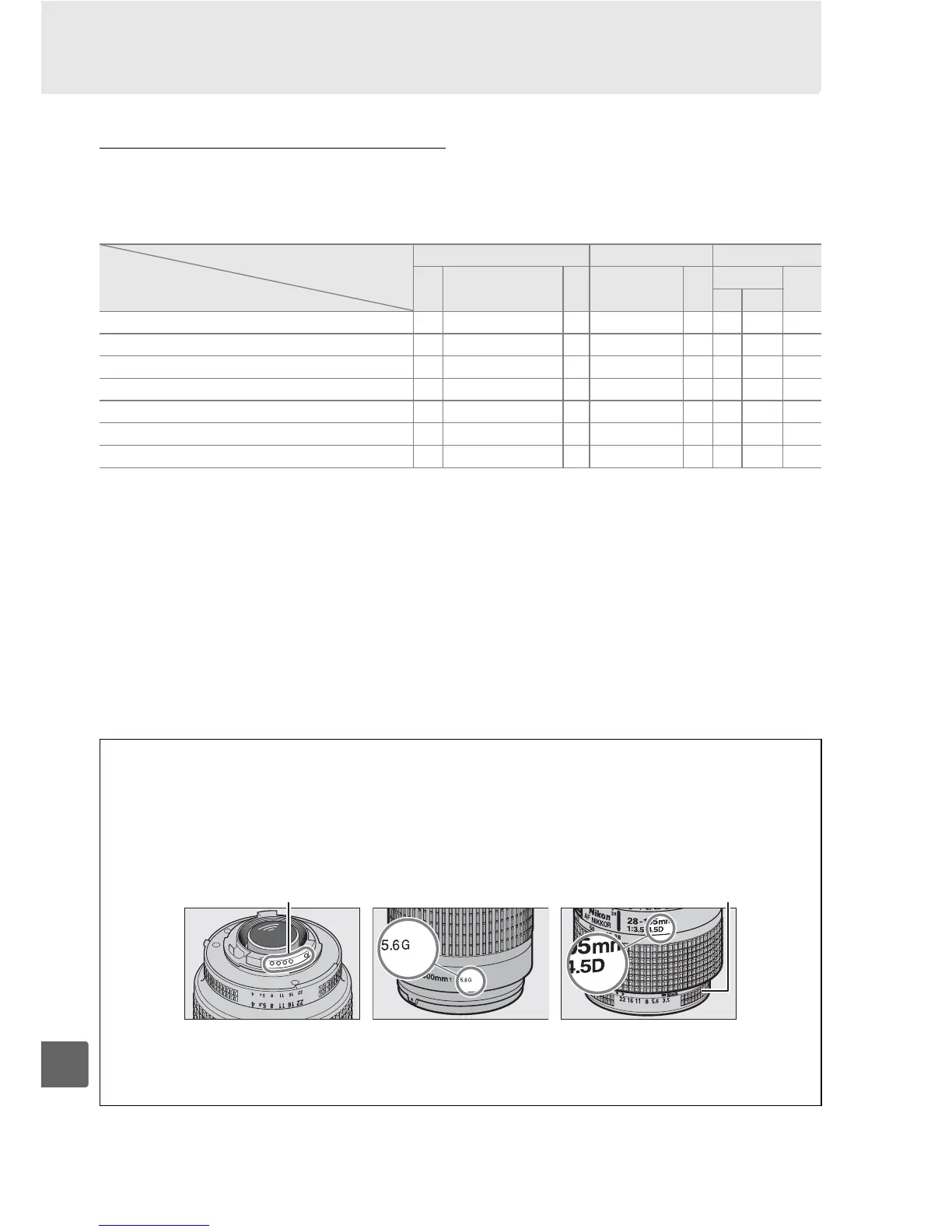
A Identifying AF-S and AF-I Lenses
AF-S lenses have names beginning with AF-S, AF-I lenses names beginning with AF-I.
A Identifying CPU and Type G and D Lenses
CPU lenses can be identified by the presence of CPU contacts, type G and D lenses by a letter
on the lens barrel.
Type G lenses are not equipped with a lens aperture ring.
CPU contacts Aperture ring
CPU lens Type G lens Type D lens
A Lens f-number
The f-number given in lens names is the maximum aperture of the lens.



 To Next Page