12
X
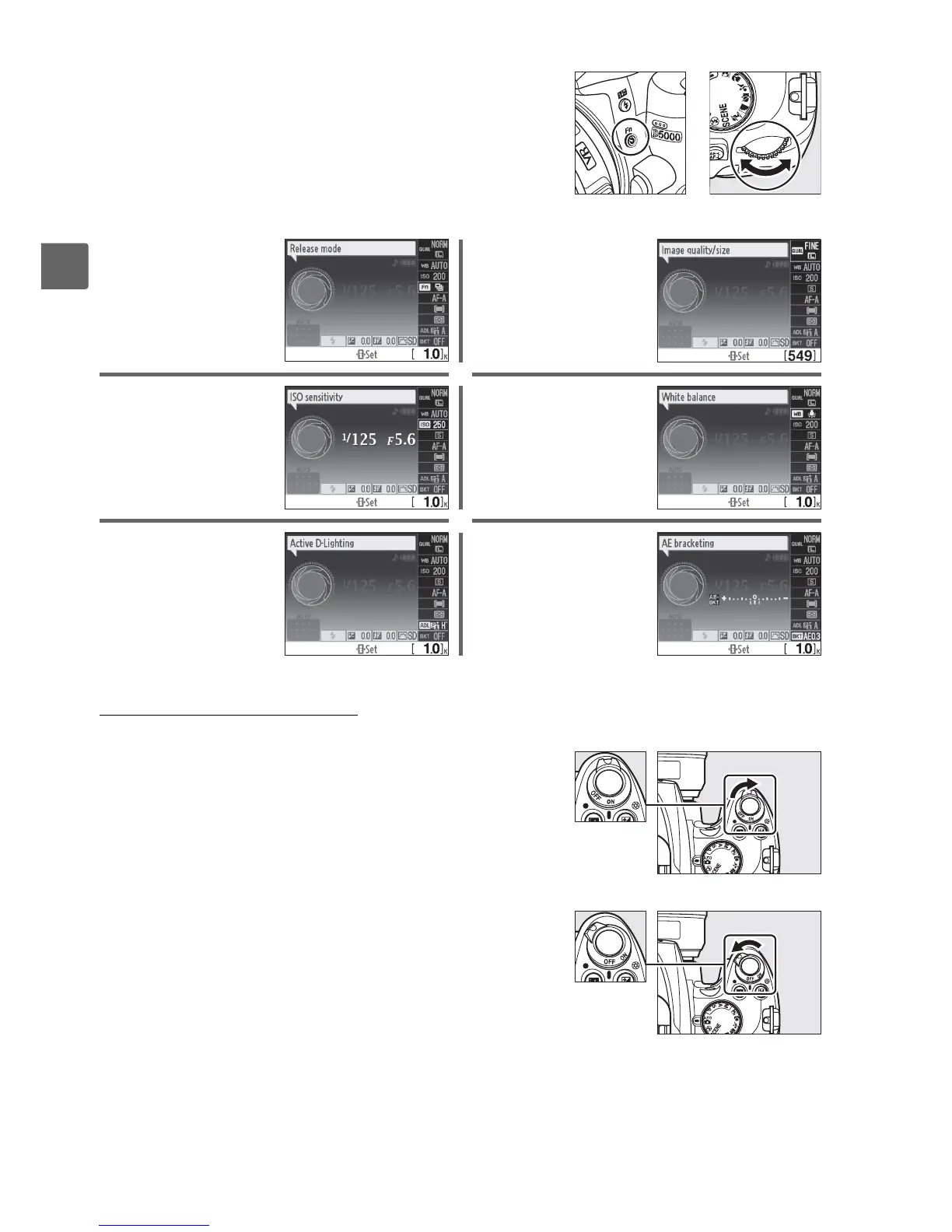
The Power Switch
Rotate the power switch as shown to turn the camera
on.
Rotate the power switch as shown to turn the camera
off.
The role of the Fn (E) button can be selected using
Custom Setting f1 (Assign
E/Fn button; 0 163),
allowing the following settings to be adjusted by
pressing the Fn (E) button and rotating the command
dial:
+
Fn (E) button Command dial
Release mode (0 65) Image quality and size
(0 62)
ISO sensitivity (0 74) White balance (0 96)
Active D-Lighting (0 94) Bracketing (0 103)
Power switch
Power switch



 To Next Page