42
x
Framing Photographs in the Monitor
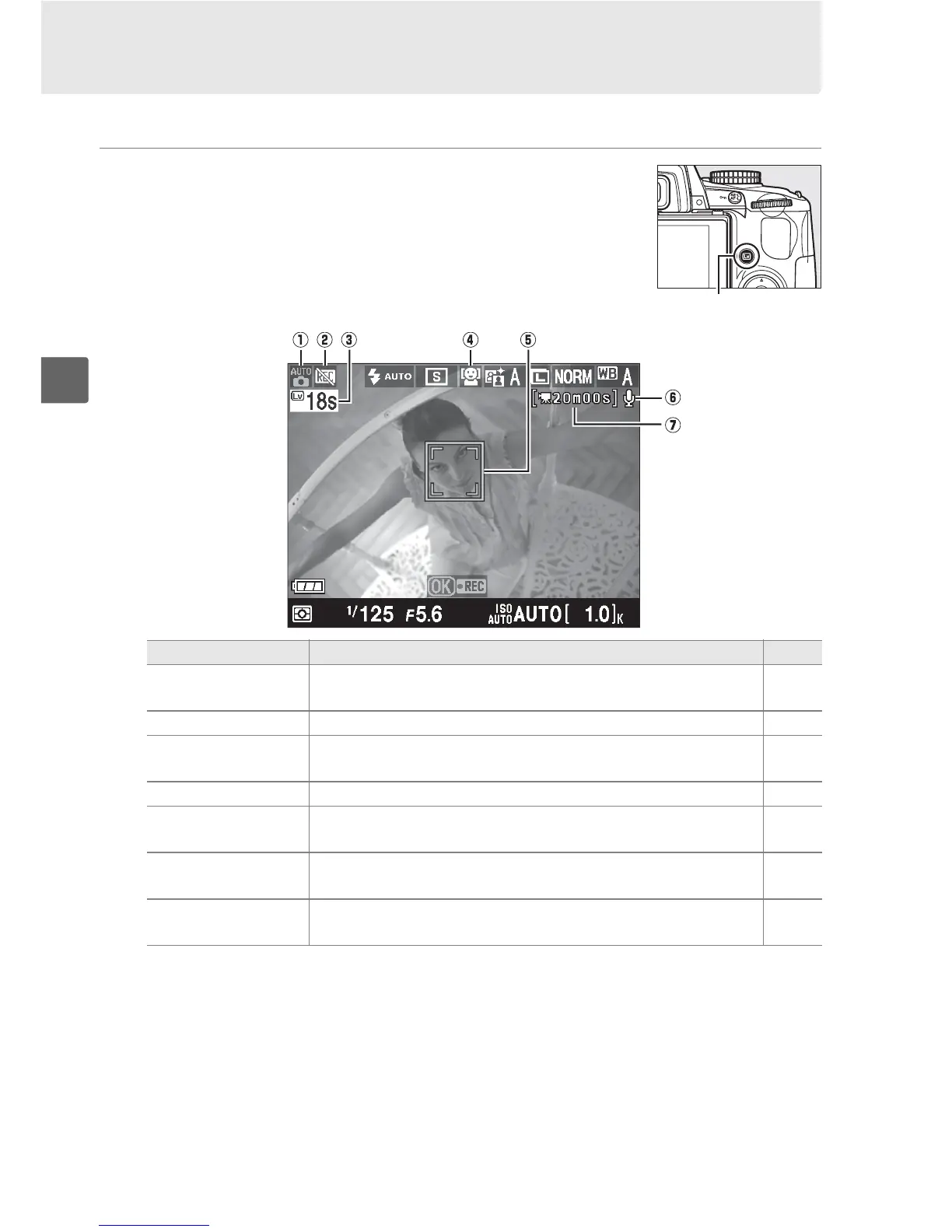
Follow the steps below to take photographs in live view.
1 Press the a button.
The mirror will be raised and the view
through the lens will be displayed in the
camera monitor.
The subject will no longer
be visible in the viewfinder.
Item Description 0
q
Shooting mode The mode currently selected with the mode dial.
30, 33,
80
w
“No movie” icon Indicates that movies can not be recorded. 50
e
Time remaining
The amount of time remaining before live view ends
automatically.
Displayed if shooting will end in 30 s or less.
46
r
Live view autofocus The current autofocus mode. 43
t
Focus point
The current focus point. The display varies with the option
selected for autofocus mode (0 43).
43
y
Audio recording
indicator
Indicates whether sound is being recorded with movies. 51
u
Time remaining
(movie mode)
The recording time remaining in movie mode. 50
a button



 To Next Page