166
g
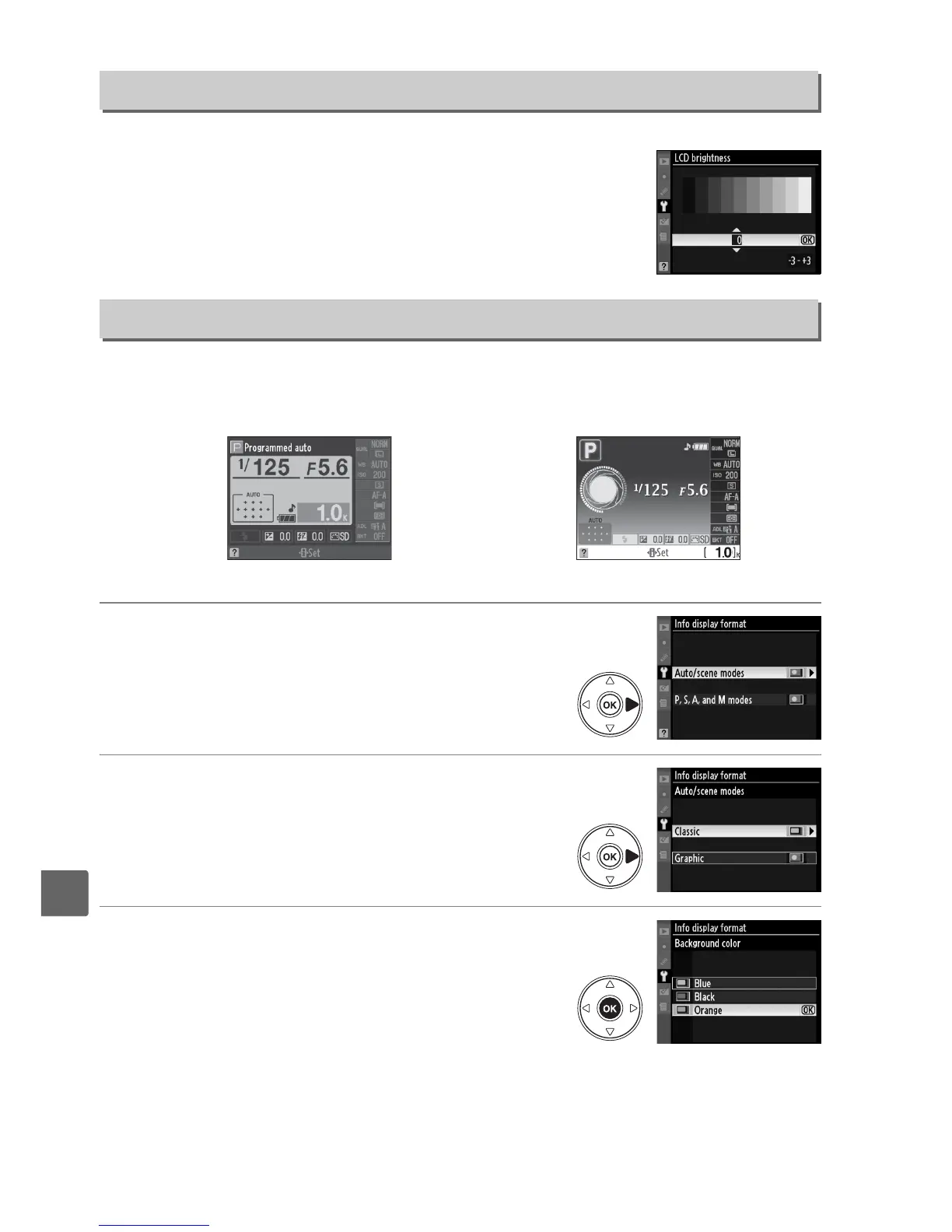
The LCD brightness menu contains the following options:
• LCD brightness: The menu at right will be displayed; press 1 or
3 to choose monitor brightness.
Choose higher values for
increased brightness, lower values for reduced brightness.
• Auto dim: If On is selected, the monitor will gradually dim while
shooting information is displayed.
Choose from the following two formats for the information display (0 8). Separate
formats can be selected for auto and scene modes on the one hand and for P, S, A, and
M modes on the other.
1 Choose the modes in which the selected
information display will be used.
Highlight Auto/scene modes or P, S, A, and M
modes and press 2.
2 Select Classic or Graphic.
Highlight Classic or Graphic and press 2.
3 Select a background color.
Highlight a background color and press J.
Choose from blue, black, or orange (Classic) or
green, black, or brown (Graphic).
LCD Brightness
G button ➜ B setup menu
Info Display Format
G button ➜ B setup menu
Classic (0 167) Graphic (0 8)



 To Next Page