146
o
D The Playback Menu: Managing Images
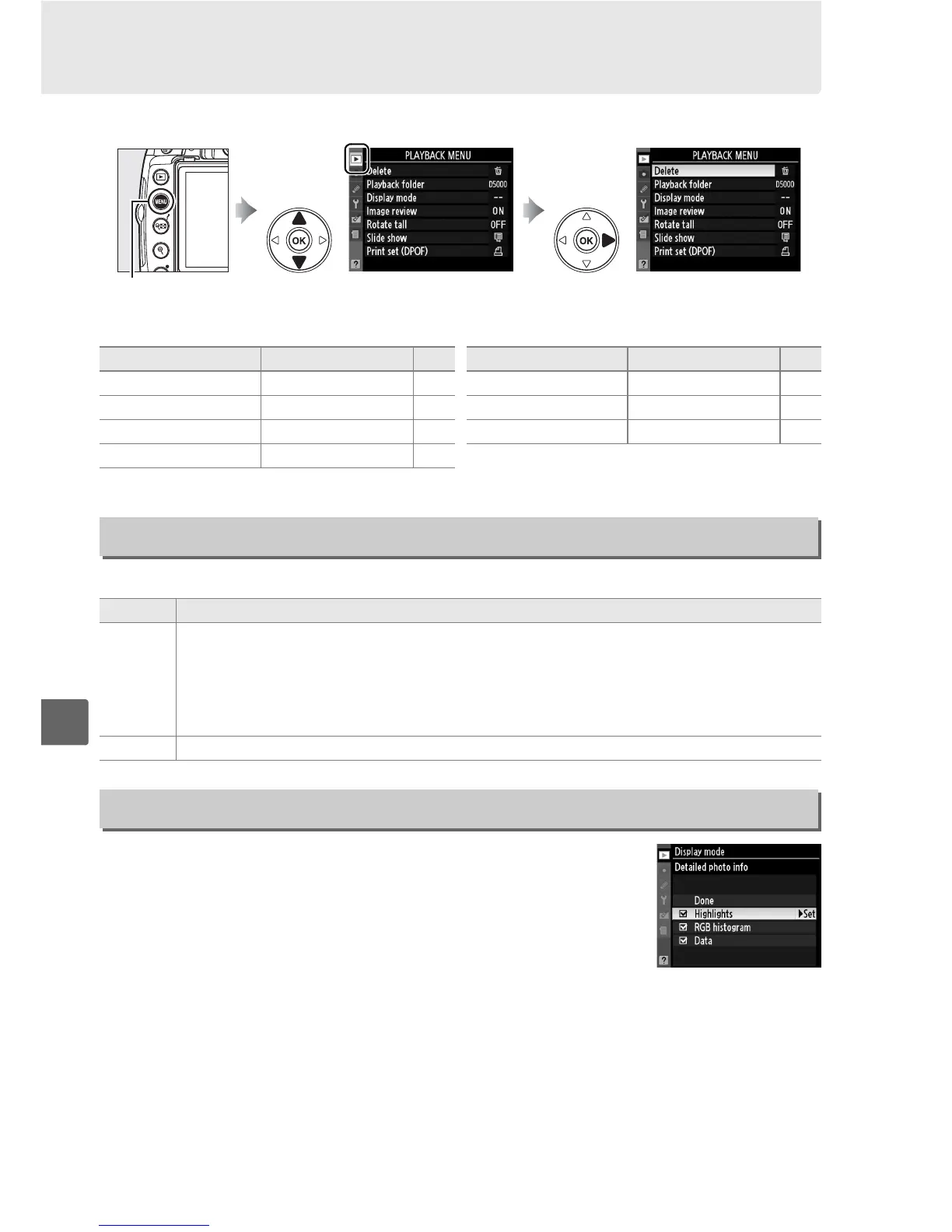
To display the playback menu, press G and select the D (playback menu) tab.
The playback menu contains the following options:
Choose a folder for playback:
Choose the information available in the playback photo
information display (0 117).
Press 1 or 3 to highlight an
option, then press 2 to select the option for the photo
information display.
A M appears next to selected items; to
deselect, highlight and press 2.
To return to the playback
menu, highlight Done and press J.
G button
Option Default 0
Delete — 127
Playback folder Current 146
Display mode — 146
Image review On 147
Rotate tall Off 147
Slide show — 129
Print set (DPOF) — 143
Option Default 0
Playback Folder
G button ➜ D playback menu
Option Description
Current
Only photos in the folder currently selected for Active folder in the shooting menu
are displayed during playback.
This option is selected automatically when a photo
is taken.
If a memory card is inserted and this option selected before photos have
been taken, a message stating that the folder contains no images will be displayed
during playback.
Select All to begin playback.
All Pictures in all folders will be visible during playback.
Display Mode
G button ➜ D playback menu



 To Next Page