28
s
“Point-and-Shoot” Photography
(i and j Modes)
This section describes how to take photographs in i (auto) mode, an
automatic “point-and-shoot” mode in which the majority of settings
are controlled by the camera in response to shooting conditions, and
in which the flash will fire automatically if the subject is poorly lit.
To
take photographs with the flash off while leaving the camera in
control of other settings, rotate the mode dial to j to select auto (flash off) mode.
Step 1: Turn the Camera On
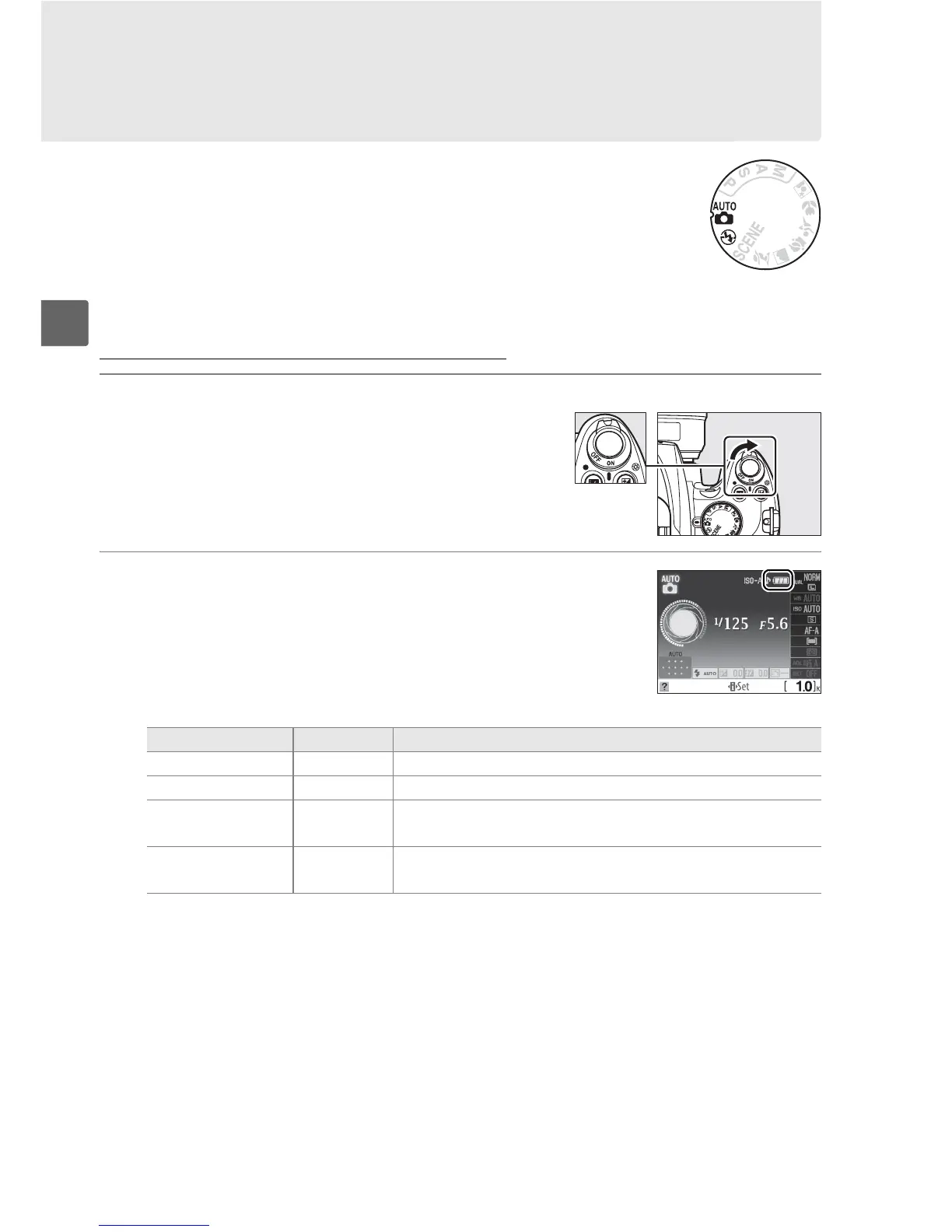
1 Turn the camera on.
Remove the lens cap and turn the camera on.
After a brief pause while the camera cleans the
image sensor, the information display will
appear in the monitor.
2 Check the battery level.
Check the battery level in the information
display or the viewfinder (if the monitor is off,
press the R button to view the information
display; if the monitor does not turn on, the
battery is exhausted and must be recharged).
Information display Viewfinder Description
L — Battery fully charged.
K — Battery partially discharged.
H d
Low battery.
Ready fully-charged spare battery or
prepare to charge battery.
H
(blinks)
d
(blinks)
Battery exhausted; shutter release disabled.
Charge or
exchange battery.
Power switch



 To Next Page