106
t
Picture Controls
Nikon’s unique Picture Control system makes it possible to share image processing
settings, including sharpening, contrast, brightness, saturation, and hue, among
compatible devices and software.
Selecting a Picture Control
The camera offers six preset Picture Controls.
In P, S, A, and M modes, you can choose
a Picture Control according to the subject or type of scene (in other modes, the
camera selects a Picture Control automatically).
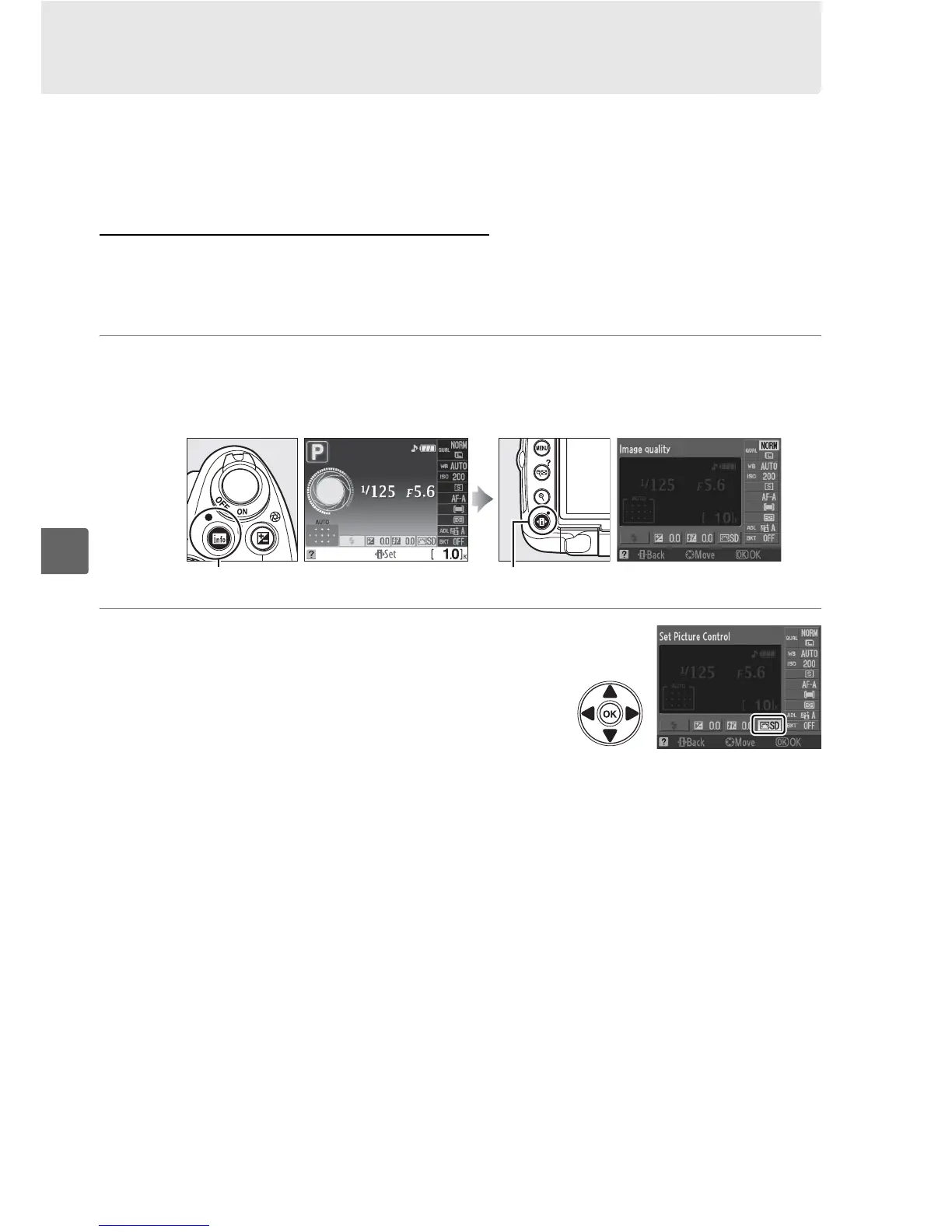
1 Place the cursor in the information display.
If shooting information is not displayed in the monitor, press the R button.
Press the P button to place the cursor in the information display.
2 Display preset Picture Controls.
Highlight the current Picture Control in the
information display and press J.
R button Information display P button



 To Next Page