104
t
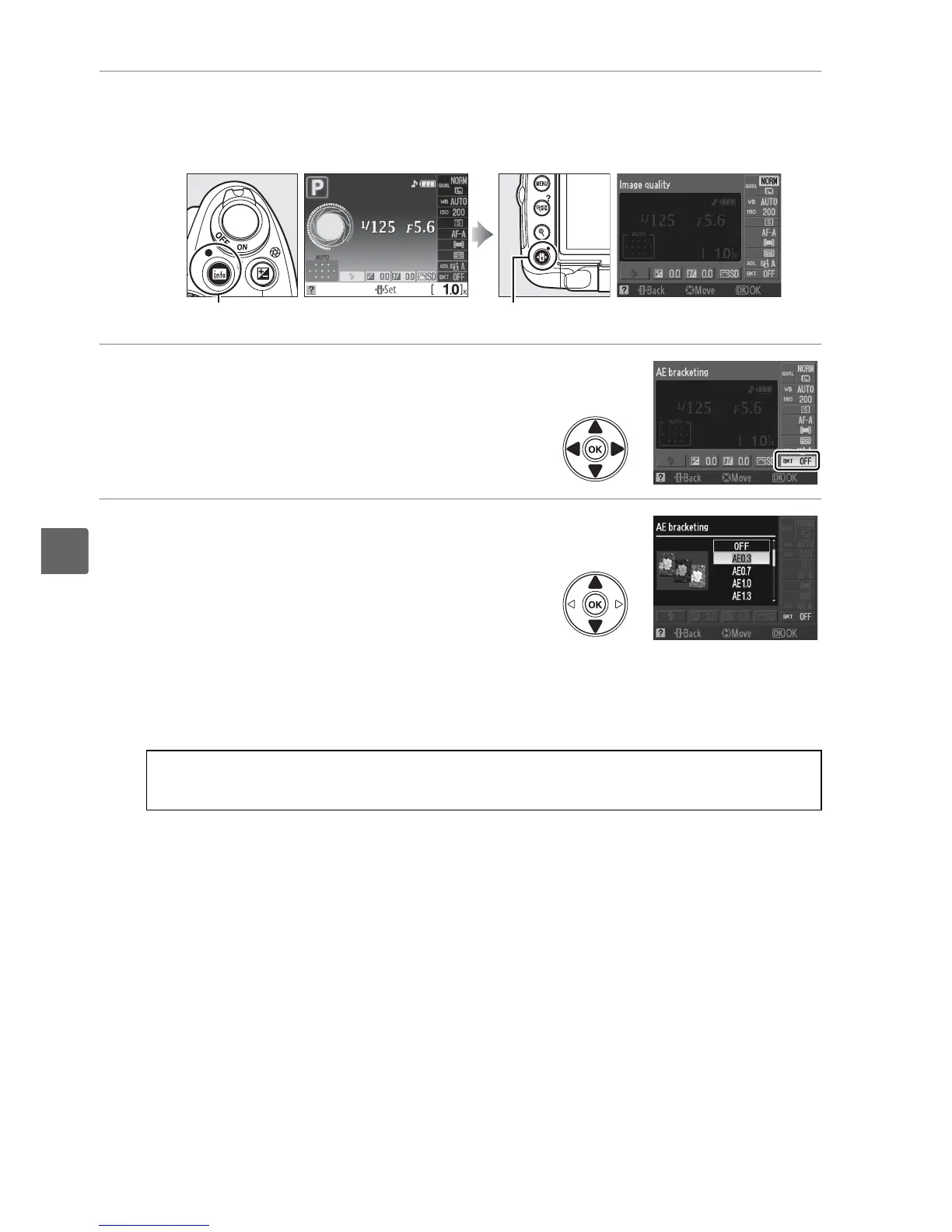
2 Place the cursor in the information display.
If shooting information is not displayed in the monitor, press the R button.
Press the P button to place the cursor in the information display.
3 Display bracketing options.
Highlight the indicator for the selected
bracketing mode and press J.
4 Select a bracketing increment.
AE bracketing: Highlight a bracketing
increment and press J.
Choose from values
between 0.3 EV (AE 0.3) and 2.0 EV (AE 2.0).
WB bracketing: Highlight a bracketing
increment and press J.
Choose from increments of 1 (WB 1), 2 (WB 2), and 3
(WB 3).
ADL bracketing: Highlight ADL and press J.
R button Information display P button
A The Fn (E) Button
Bracketing increment selection can also be assigned to the Fn (E) button (0 163).



 To Next Page