188
u
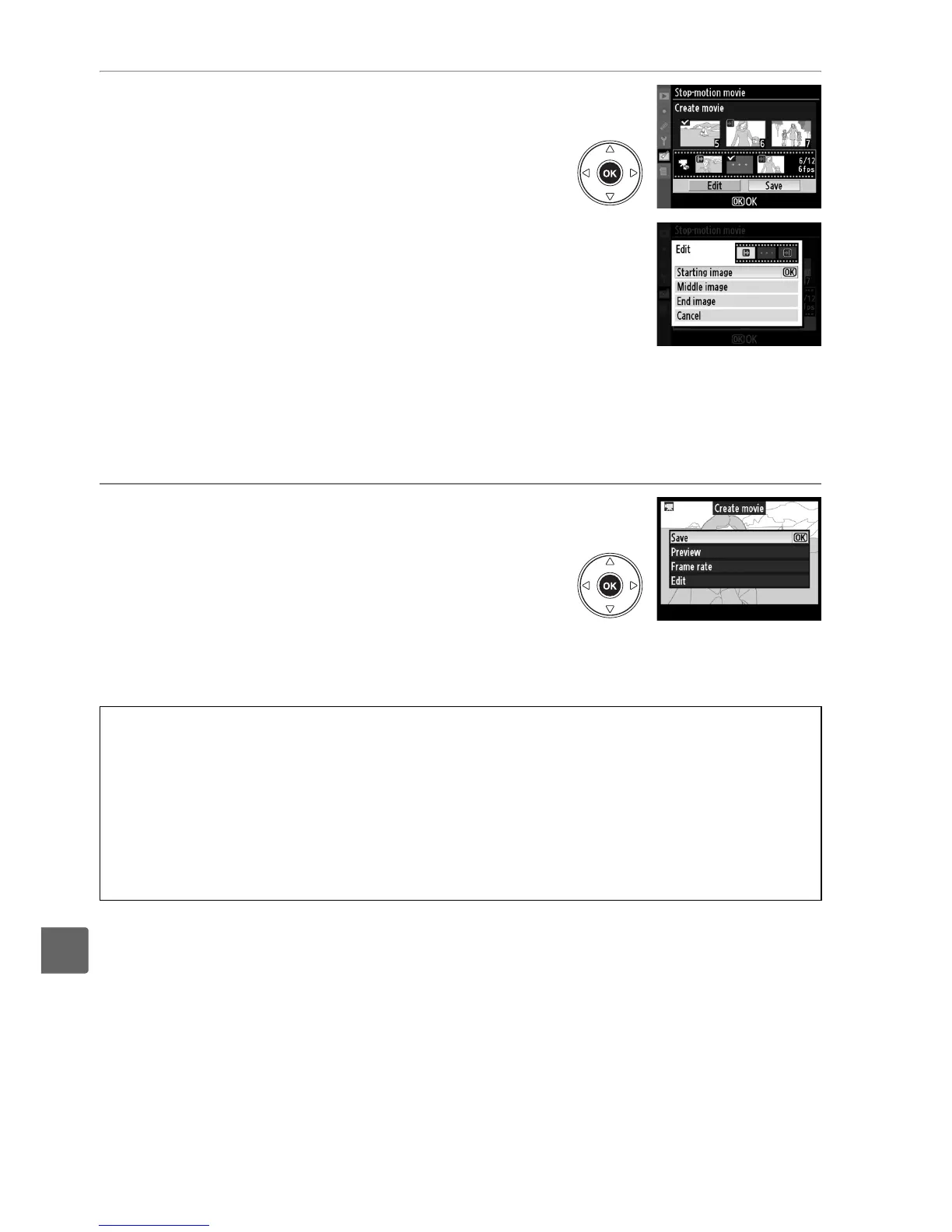
6 Select Save.
The menu shown at right will be displayed; if no
further edits are necessary, highlight Save and
press J to proceed to Step 7.
To edit the movie, highlight Edit and press J.
The following options will be displayed:
• Starting image: Choose a new starting frame.
• Middle image: Remove frames from the middle
of the movie.
Press 4 and 2 to highlight a
photo, 1 or 3 to remove the L icon.
Pictures
from which the L has been removed will be
removed from the movie when you press J.
• End image: Choose a new end frame.
• Cancel: Exit without making further changes.
7 Save the movie.
The menu shown at right will be displayed;
highlight Save and press J to save the movie. To
preview the movie, select Preview.
The movie
can be paused, rewound, or fast-forwarded
during the preview.
To choose a new frame rate,
select Frame rate; to edit the movie as described
in Step 6, select Edit.
D Stop-motion Movies
Stop-motion movies can not include cropped copies, small copies, or images created with
other devices.
A Viewing Stop-motion Movies
Stop-motion movies are marked with a 1 icon in full-frame playback.
To view a stop-motion
movie, display it in full-frame playback and press J.
Stop-motion files are named as described on page 63.



 To Next Page