Basic Camera Settings: The Setup
Menu
Info
Display
Format
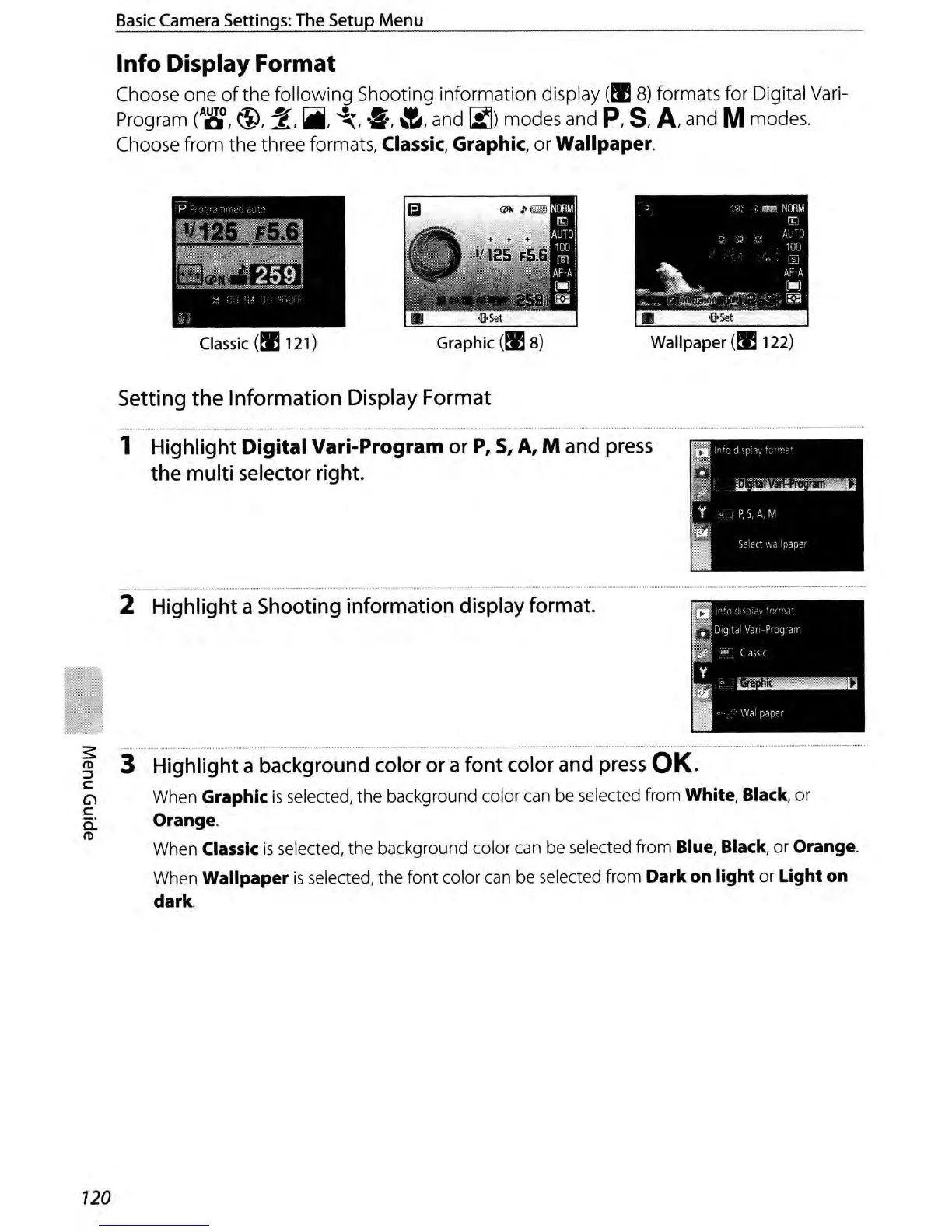
Choose one
ofthe
following Shooting information display
(II!
8)
formats for Digital Vari-
Program
(A~,
\1),
2,
~,
~,
·5,
~,
and
I::!)
modes and
P,
S,
A,
and Mmodes.
Choose from the three formats,
Classic, Graphic, or Wallpaper.
•
iJ>set
Wallpaper
(II!
122)
Classic
(II!
121)
Setting
the
Information
Display Format
1 Highlight
Digital
Vari-Program or
P,
5,
A, M and
press
the multi selector right.
~
II>
::l
c:
Cl
c:
a:
II>
-
--_.
__
..
_--_
....
_._.-_._---
........
_--_
...
__
._.
__
._-_
....
_
..
--_
...
_.
- -
.-
-----_
..
_------_
..
---
..
--.---._--~--~-_._---"
2 Highlight a Shooting information display format.
-
---
--------
3 Highlight a background color or a
font
color and
press
OK.
When Graphic
is
selected,
the
background color can be selected from White, Black, or
Orange.
When Classic
is
selected,
the
background color can be selected from Blue, Black, or Orange.
When Wallpaper
is
selected,
the
font
color can be selected from Dark on
light
or
Light
on
dark.
120



 To Next Page