The Quick Settings Display
El
?
~~
,,'--
\..
Switch
the
display
in
the
monitor
to
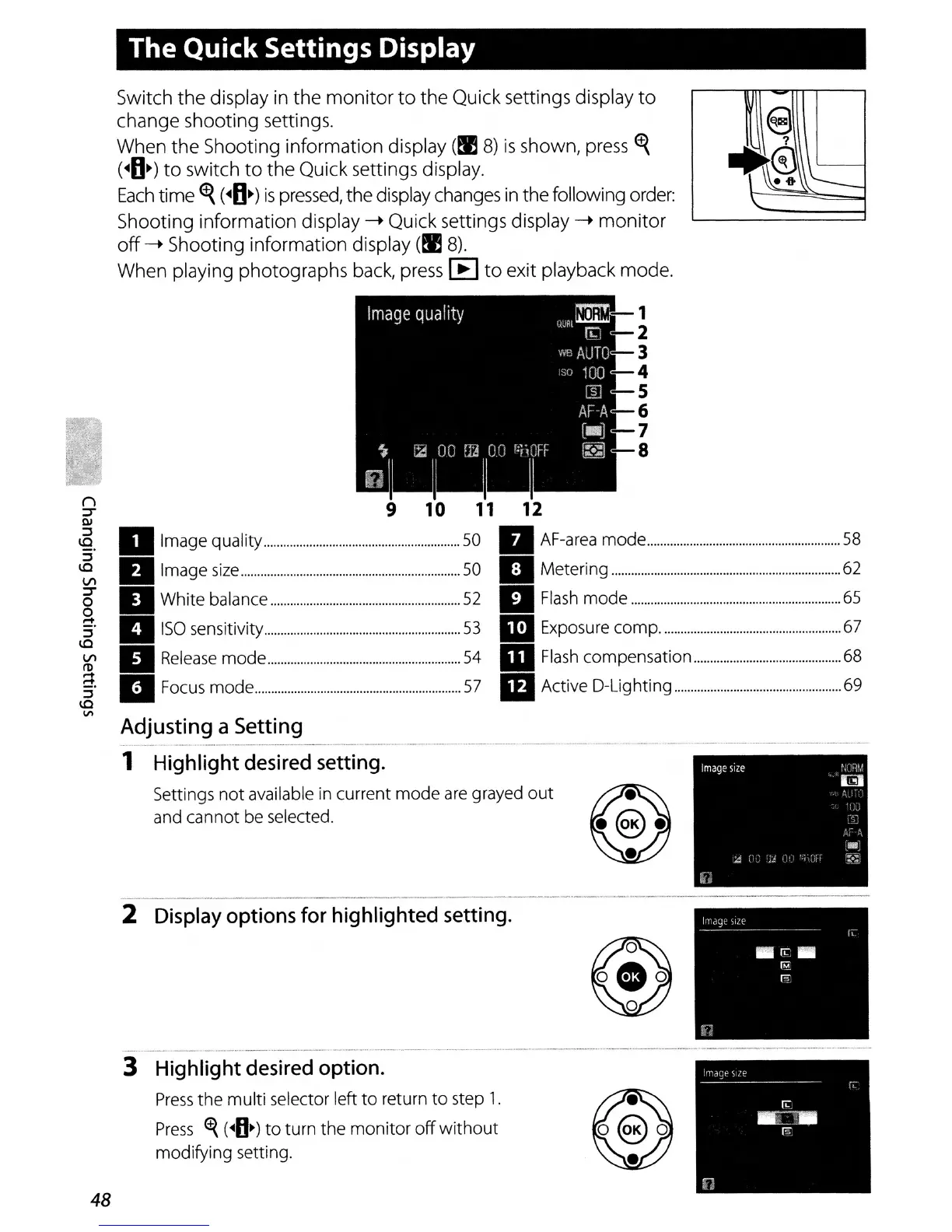
the Quick settings display
to
change shooting settings.
When the Shooting information display
(!IS)
is
shown, press
~
(~fI~)
to
switch
to
the Quick settings display.
Each
time
~
(~fI~)
is
pressed,
the display changes
in
the following order:
Shooting information display
-.
Quick settings display
-.
monitor
off
-.
Shooting information display
(!IS).
When playing photographs back, press
[B
to
exit playback mode.
9 9
10
11
12
Ql
.E
II
Image quality
50
II
AF-area
mode
58
:i'
'e,
II
Image
size
50
II
Metering
62
5"
II
White balance
52
II
Flash
mode
65
g.
II
I'P.I
::l
•
ISO
sensitivity
53
..:.
Exposure
compo
67
\Q
~
II
Release
mode
54
II
Flash
compensation
68
a'lI
m
::l
• Focus
mode
57
Active D-Lighting 69
\Q
VI
2
Display
options
for
highlighted
setting
.
Highlight
desired
option.
Press
the multi selector left
to
return
to
step
1.
Press
<t{
(~O~)
to
turn the
monitor
off
without
modifying setting.
......
__
.-
,
""",
..
, , -
..
3
48
Adjusting a Setting
1 Highlight
desired
setting.
Settings
not
available in current
mode
are
grayed
out
and cannot be selected.



 To Next Page