_______
. .
B_as.ic
Camera
Settings:
The
Setup
Menu
Shooting Info Auto
off
On
(default setting)
The eye sensor under the viewfinder
is
activated when your face comes closer
to
the
viewfinder while the exposure meters
are
on, turning the Shooting information
display
off
and the viewfinder display on. The viewfinder display remains
off
while
shooting information
is
displayed.
Off
The eye sensor function
is
disabled, and
the
viewfinder display remains on while
shooting information
is
displayed.
LCD
Brightness
Adjust
monitor
brightness.
LCD
brightness
Choose from seven
monitor
brightness levels between
-3
(darkest) and +3
(brightest). Default setting
is
O.
Auto
dim
When On (default setting)
is
selected,
monitor
brightness dims gradually while
shooting information
is
displayed.
Video
Mode
Choose
NTSC
when connecting the camera
to
an
NTSC
television or
VCR.
Choose
PAL
when connecting the camera
to
a
PAL
video device.
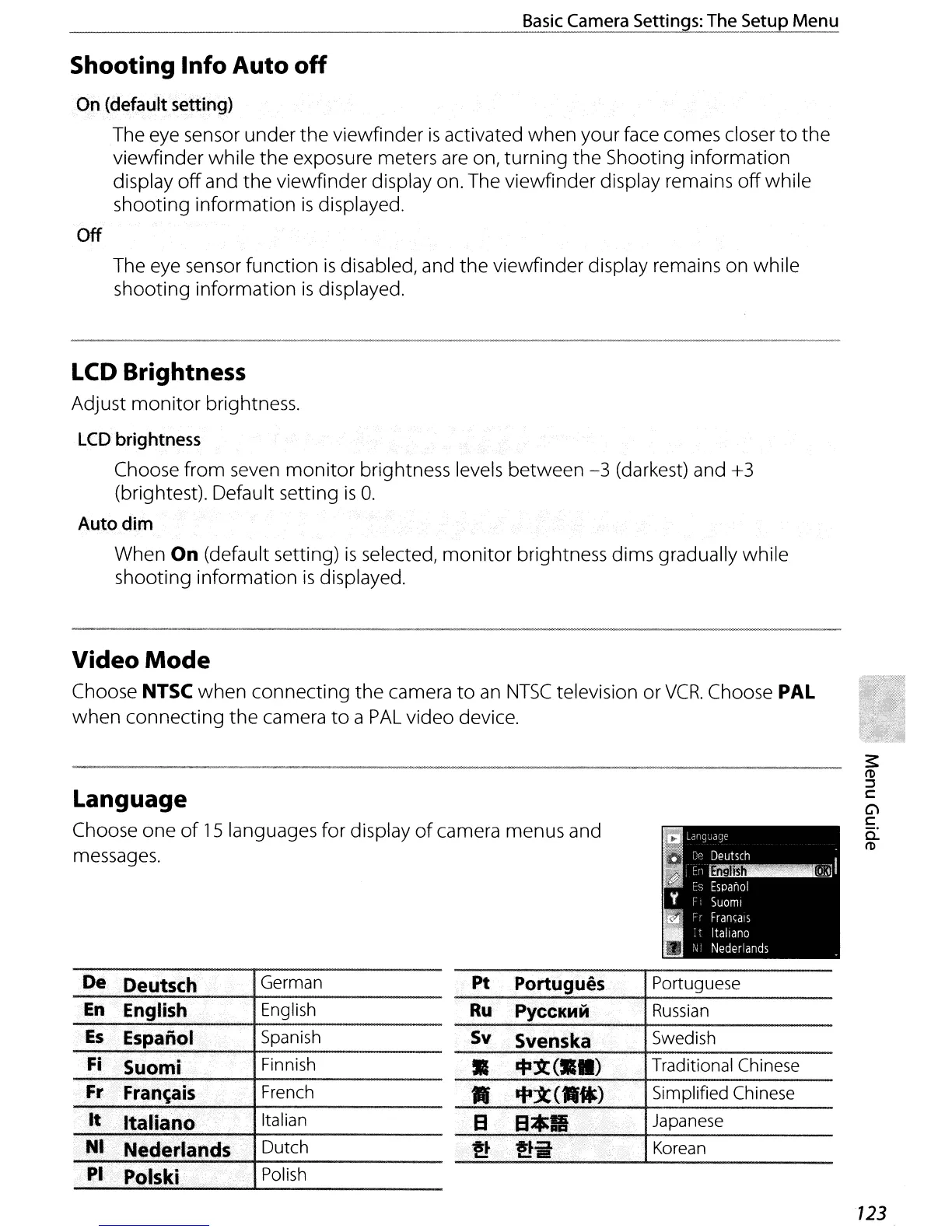
Language
Choose one
of
15
languages for display
of
camera menus and
messages.
De Deutsch German
En
English..
English
Es
Espanol
Spanish
~i
>
Suomi
Finnish
Fr
,.
Fran.~~i$
French
Hr'"
Neder.lanasi'
Dutch
Pt
Portugues.
Portuguese
Ru
PyCCKMM
Russian
Sv
S"enska
Swedish
•
~1C(
••
)
Traditional Chinese
..
if-X<.")
Simplified Chinese
EI
..
EI*II
Japanese
·.c
..
'
!t
!tit
Korean
:pl'
.•
·
•..
··Pd1ski
Polish
123



 To Next Page