4 Introduction: Getting to Know the Camera
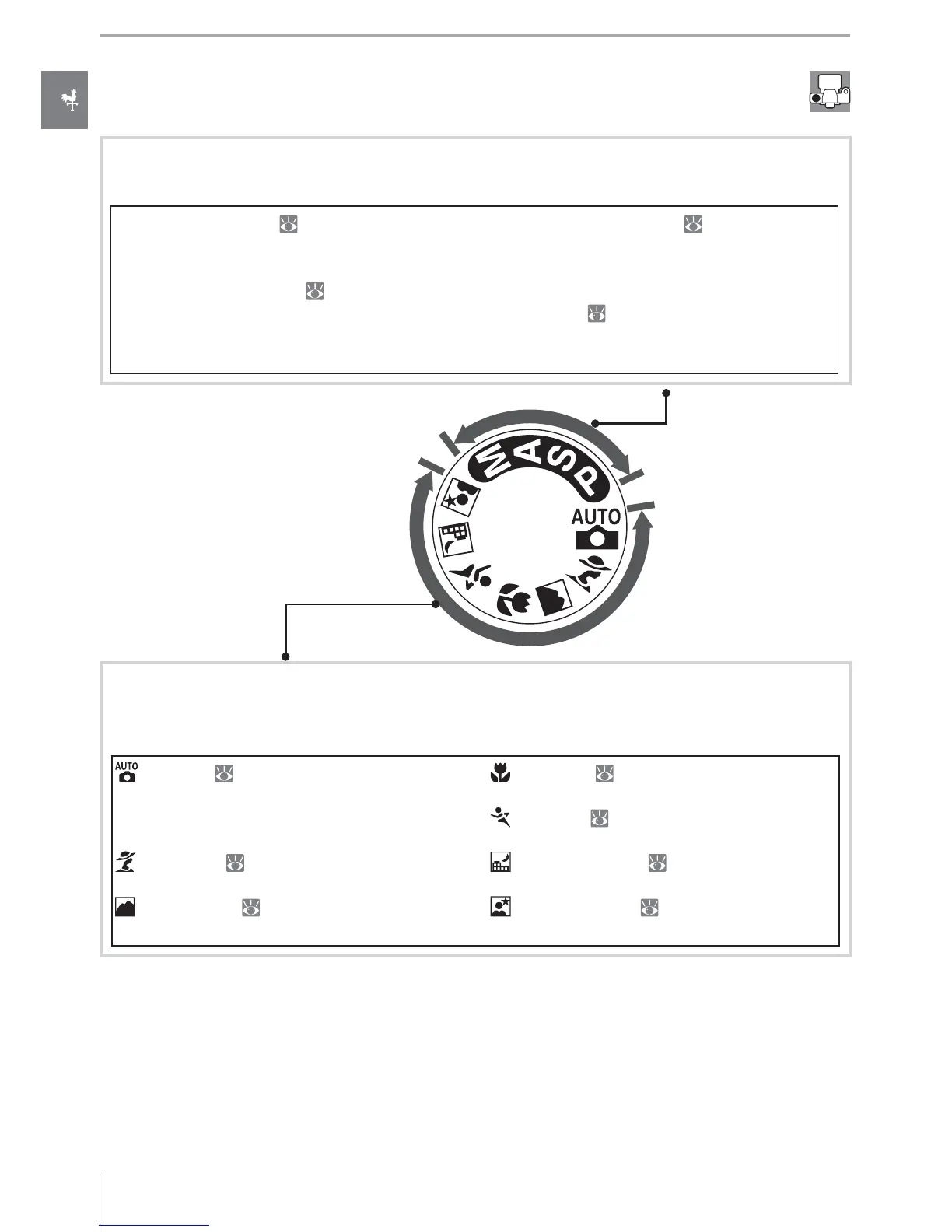
The Mode Dial
The D80 off ers a choice of the following eleven shooting modes:
Advanced Modes (Exposure Modes)
Select these modes for full control over camera settings.
P — Programmed auto ( 47): Camera chooses
shutter speed and aperture, user controls other
settings.
S — Shutter-priority auto (
48): Choose fast
shutter speeds to freeze action, slow shutter
speeds to suggest motion by blurring moving
objects.
A — Aperture-priority auto (
49): Adjust aper-
ture to soften background details or increase
depth-of-fi eld to bring both main subject and
background into focus.
M — Manual (
50): Match shutter speed and
aperture to your creative intent.
Point-and-Shoot Modes (Digital Vari-Programs)
Selecting a Digital Vari-Program automatically optimizes settings to suit the selected
scene, making creative photography as simple as rotating the mode dial.
— Auto ( 19): Camera adjusts settings
automatically to produce optimal results with
“point-and-shoot” simplicity. Recommended
for fi rst-time users of digital cameras.
— Portrait ( 24, 25): Shoot portraits with
background in soft focus.
— Landscape ( 24, 25): Preserve details in
landscape shots.
— Close up ( 24, 25): Take vivid close-ups of
fl owers, insects, and other small objects.
— Sports ( 24, 25): Freeze motion for dy-
namic sports shots.
— Night landscape ( 24, 25): Take landscape
shots at night.
— Night portrait ( 24, 25): Shoot portraits
against a dimly-lit backdrop.



 To Next Page