38 Reference: More on Photography (All Modes) / Choosing a Shooting Mode
Using a Remote Control
Use the optional ML-L3 remote control for self-portraits ( 123) or to operate the camera
remotely.
Before Using the Remote Control
Before using the remote control for the fi rst time, remove the clear plastic battery insulator sheet.
1
Mount the camera on a tripod or place the camera on a stable, level surface.
2
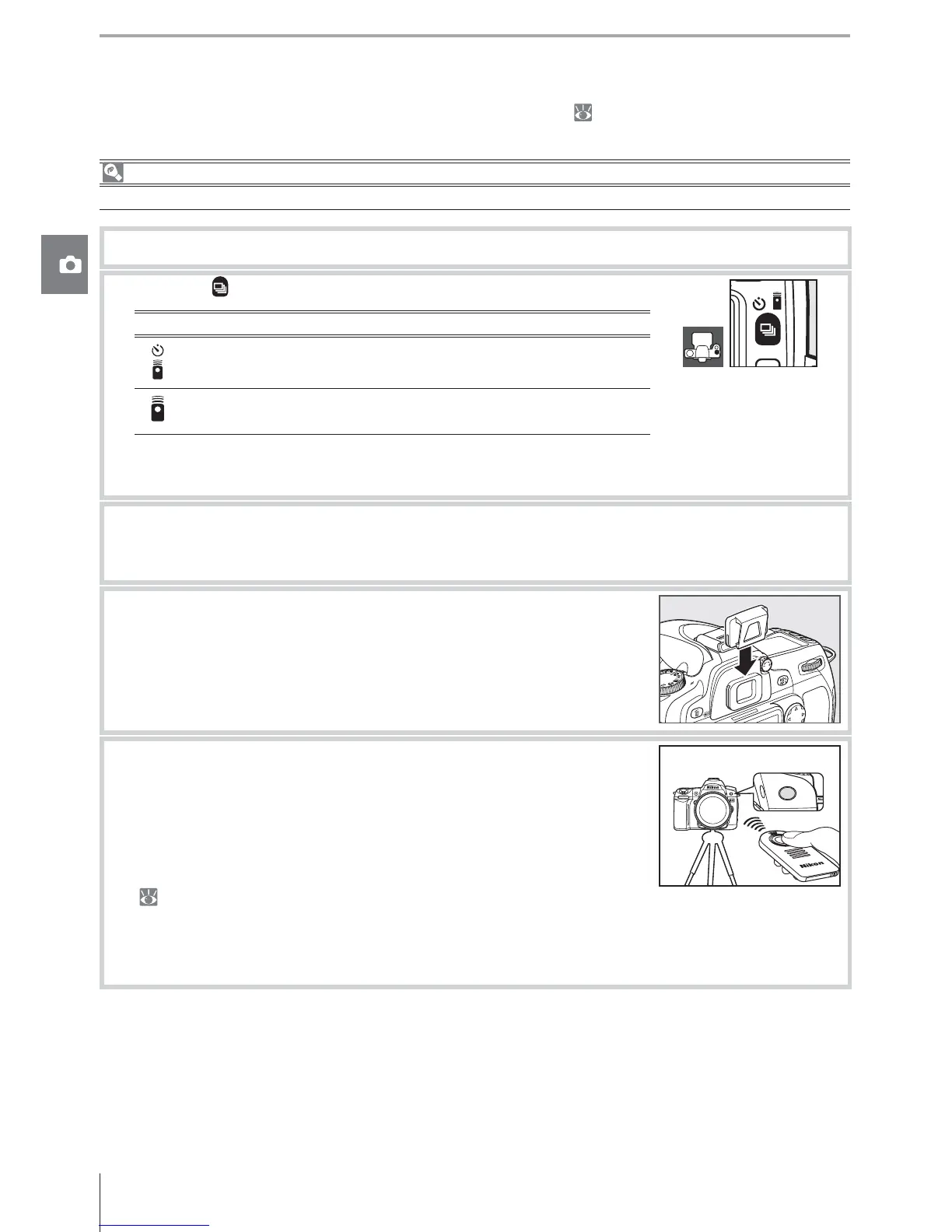
Press the button to select one of the following modes:
Mode
Delayed remote
Shutter released about 2 s after remote shut-
ter-release button is pressed.
Quick-response
remote
Shutter released when remote shutter-release
button is pressed.
The camera will enter stand-by mode. At default settings, single frame or continuous
shooting mode will be restored if no operations are performed for about a minute.
3
Frame the photograph. If autofocus is in eff ect, the camera shutter-release button can
be used to set focus, although only the shutter-release button on the remote control
can be used to release the shutter.
4
In modes other than M, remove the viewfi nder eyepiece cup
and insert the supplied DK-5 eyepiece cap as shown. This pre-
vents light entering via the viewfi nder interfering with expo-
sure.
5
Aim the transmitter on the ML-L3 at the infrared receiver on the
camera and press the shutter-release button on the ML-L3. In
delayed remote mode, the self-timer lamp will light for about
two seconds before the shutter is released. In quick-response
remote mode, the self-timer lamp will fl ash after the shutter has
been released. If AF-A or AF-S is selected in autofocus mode
( 29), the camera will return to stand-by mode without releasing the shutter if unable
to focus. The camera will release the shutter without focusing in manual focus mode,
if AF-C is selected in autofocus mode, or if the camera has already been focused using
the camera shutter-release button (see step 3).
Remote control mode can be cancelled by selecting another shooting mode. Single-frame
or continuous shooting mode will be restored if the camera is turned off or no operations
are about one minute.



 To Next Page