86 Menu Guide / Custom Settings
Custom Settings
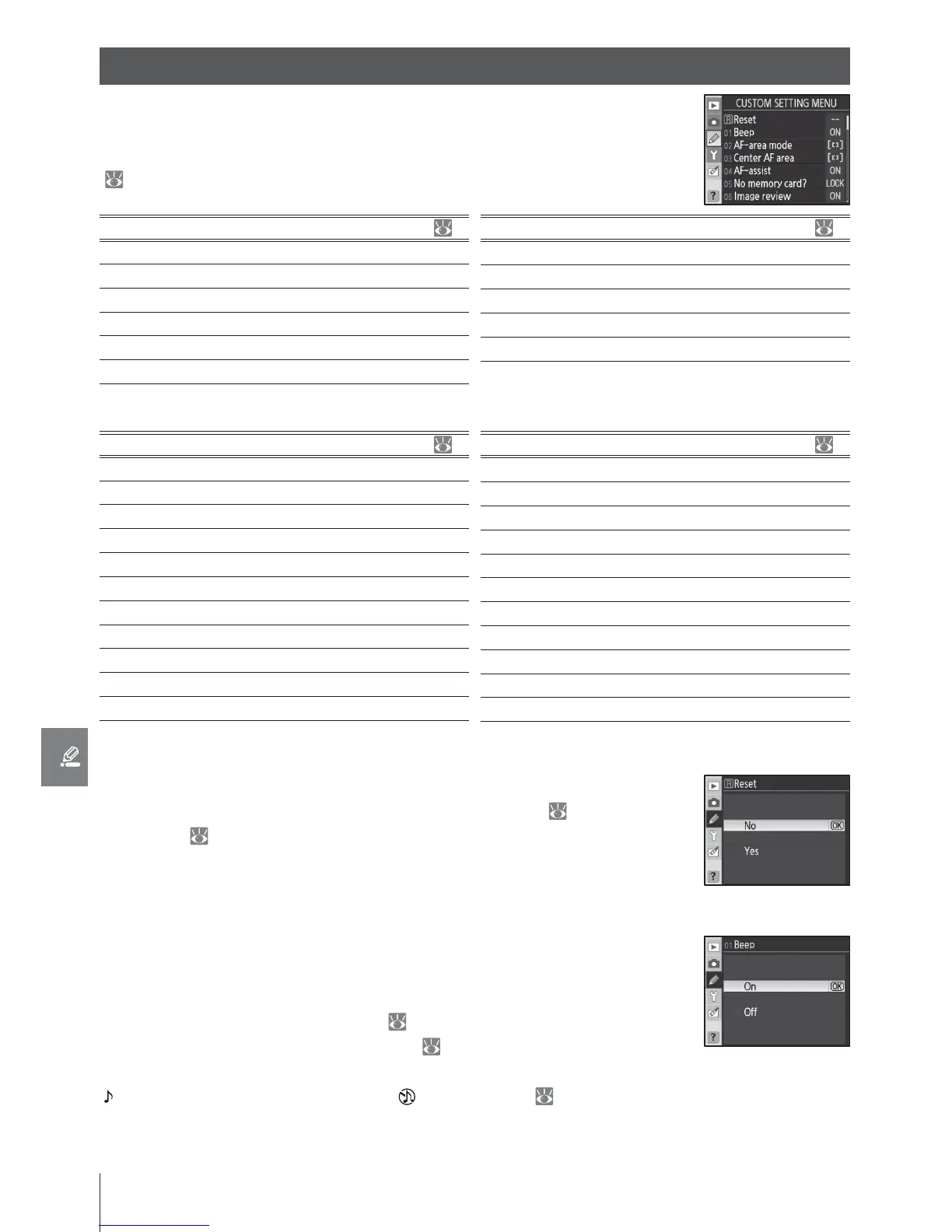
1: Beep (All Modes)
At the default setting of On, a beep will sound when the camera fo-
cuses in single-servo AF (AF-S or when shooting stationary subjects in
AF-A autofocus mode), while the release timer is counting down in self-
timer and delayed remote modes ( 37, 38), or when a photograph is
taken in quick-response remote mode ( 38). The beep will not sound
when Off is selected. The current setting is shown in the control panel:
is displayed when the beep is on, when it is off ( 5).
Custom Settings are used to customize camera settings to suit individ-
ual preferences. The following options are available when Simple (the
default option) is selected for CSM/Setup menu in the setup menu
(
101):
Option
RReset 86
1 Beep 86
2 AF-area mode 87
3Center AF area 87
4 AF-assist 87
5No memory card? 88
Option
6 Image review 88
7 ISO auto 88
8 Grid display 89
9View nder warning 89
10 EV step 89
To display the following options, select Full for CSM/Setup menu:
Option
11 Exposure comp. 89
12 Center-weighted 90
13 Auto BKT set 90–91
14 Auto BKT order 91
15 Command dials 91
16 FUNC button 92–93
17 Illumination 93
18 AE-L/AF-L 94
19 AE lock 94
20 Focus area 94
21 AF area illumination 95
Option
22 Built-in ash 95–97
23 Flash warning 98
24 Flash shutter speed 98
25 Auto FP 98
26 Modeling ash 98
27 Monitor-o 98
28 Auto meter-o 99
29 Self-timer 99
30 Remote on duration 99
31 Exp. delay mode 99
32 MB-D80 batteries 100
R: Reset
Select Reset to restore all Custom Settings to their default values, in-
cluding settings not aff ected by a two-button reset ( 44). See the
Appendix ( 134) for a complete list of default settings.
Custom Settings



 To Next Page