48 Reference: P, S, A, and M Modes / Mode S (Shutter-Priority Auto)
In shutter-priority auto, you choose the shutter speed from values between 30 s and / s
while the camera automatically selects the aperture that will produce the optimal expo-
sure. Use slow shutter speeds to suggest motion by blurring moving subjects, high shutter
speeds to “freeze” motion.
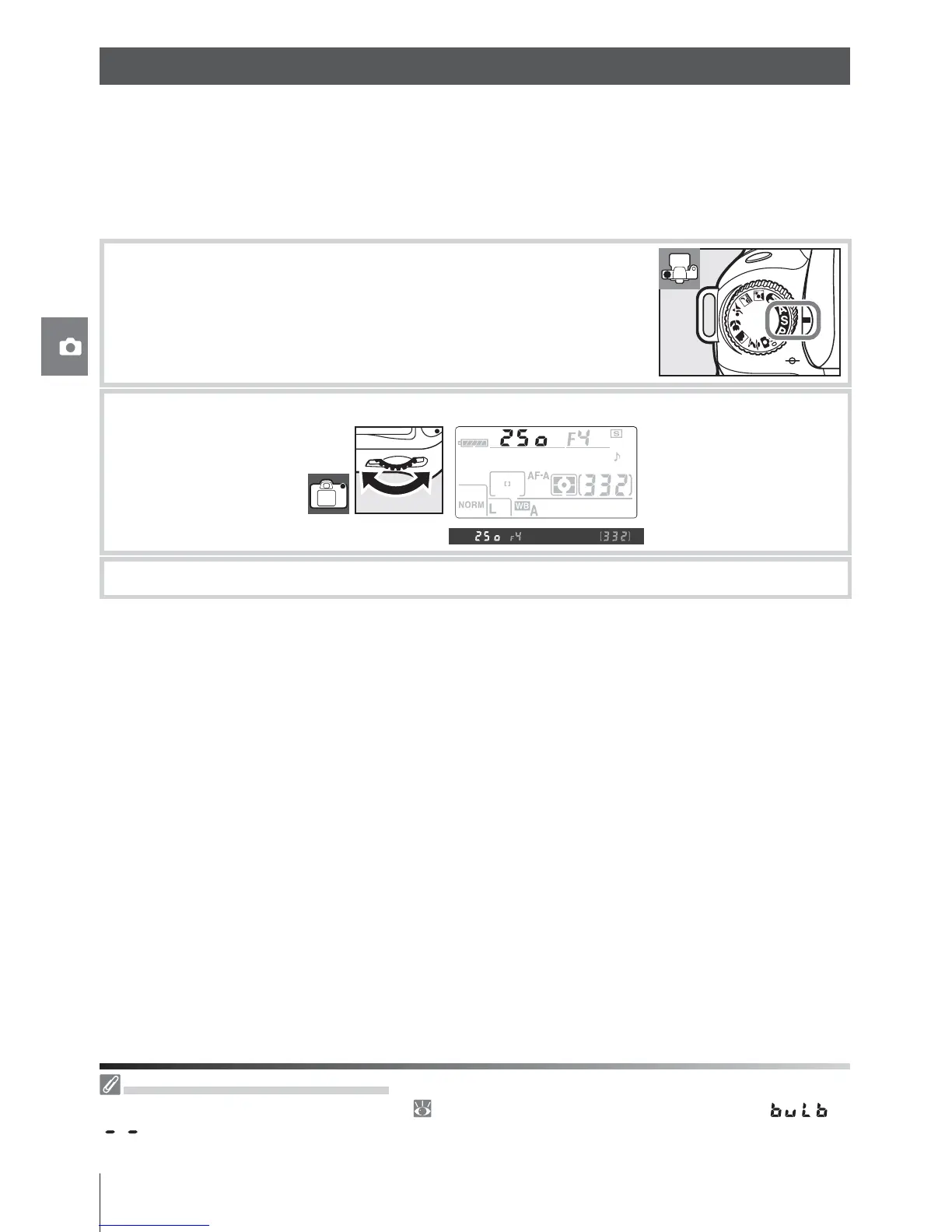
To take photographs in shutter-priority auto:
1
Rotate the mode dial to S.
2
Rotate the main command dial to choose the desired shutter speed.
3
Frame a photograph, focus, and shoot.
Flashing Shutter-Speed Display
See “Camera Error Messages and Displays” ( 132) for information on what to do if fl ashing “ ” or
“ ” indicators appear in the shutter-speed displays.
Mode S (Shutter-Priority Auto)



 To Next Page