65Reference: More on Playback / Viewing Photographs on the Camera
Protecting Photographs from Deletion
In full-frame, zoom, and thumbnail playback, the button can be used to protect photo-
graphs from accidental deletion. Protected fi les can not be deleted using the button or
the Delete option in the playback menu, and have DOS “read-only” status when viewed on
a Windows computer. Note that protected fi les will be deleted when the memory card is
formatted (
102).
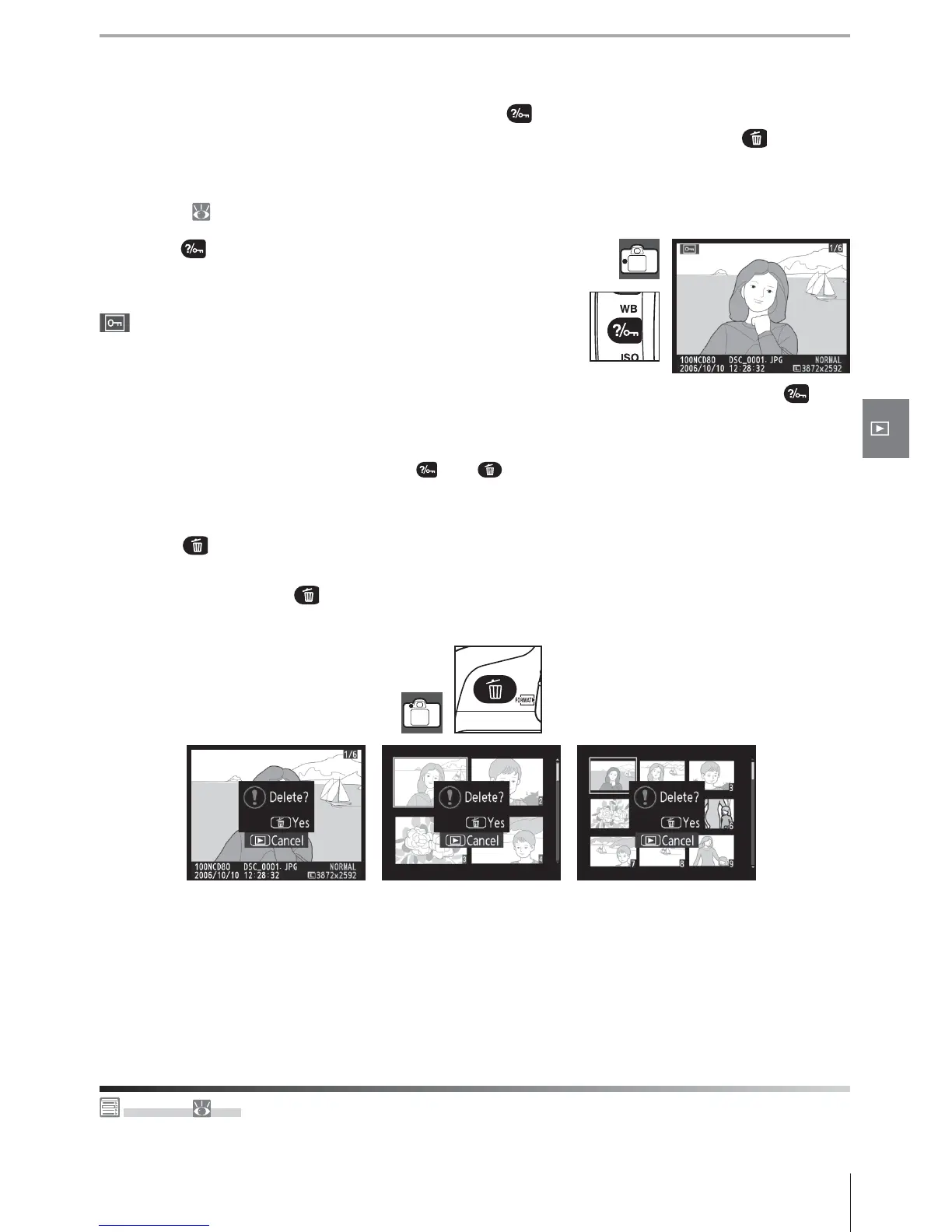
Press the button to protect the photograph currently
displayed in full-frame or zoom playback or highlighted in
the thumbnail list. The photograph will be marked with a
icon.
To remove protection from the photograph so that it can be deleted, press the but-
ton when the photograph is displayed in full-frame or zoom playback or highlighted in the
thumbnail list. To remove protection from all images in the folder or folders currently se-
lected for Playback Folder, press the and buttons together for about two seconds.
Deleting Individual Photographs
Press the button to delete the photograph currently displayed in full-frame or zoom
playback or highlighted in the thumbnail list. One of the following confi rmation dialogs will
be displayed; press the button again to delete the photograph. Press any other button
to exit without deleting the photograph.
Delete ( 74)
This option can be used to delete multiple photographs.



 To Next Page