24 Tutorial: Creative Photography (Digital Vari-Programs)
Focus Area
At default settings, the camera selects the focus area as follows:
•
, , , and modes: The camera selects the focus area automatically.
•
mode: The camera focuses on the subject in the center focus area. Other focus areas can be se-
lected with the multi selector ( 30).
• mode: The camera focuses continuously while the shutter-release button is pressed halfway, track-
ing the subject in the center focus area. If the subject leaves the center focus area, the camera will
continue to focus based on information from the other focus areas. The starting focus area can be
selected with the multi selector ( 30).
The Built-in Flash
If additional lighting is required for correct exposure in , , or mode, the built-in fl ash will pop
automatically when the shutter-release button is pressed halfway.
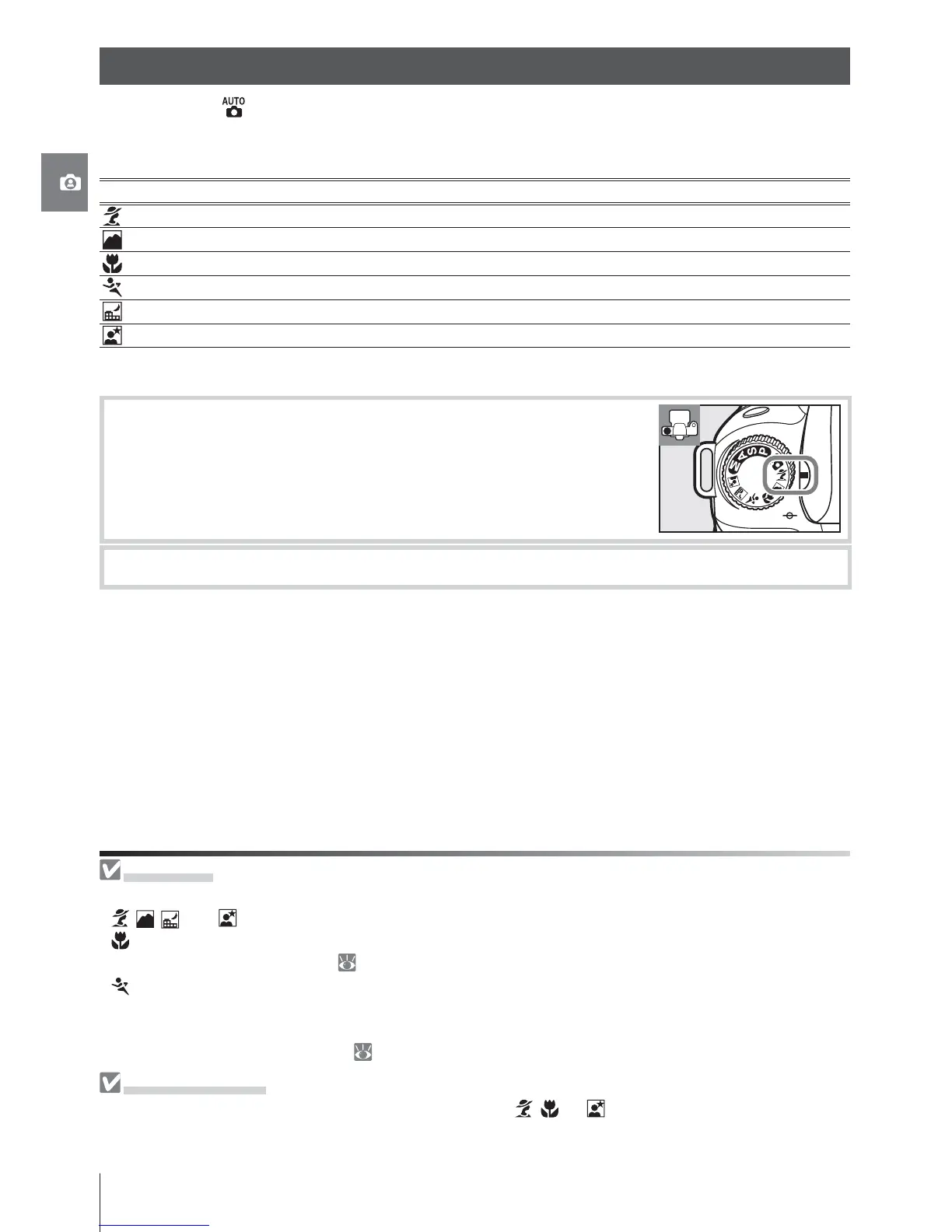
In addition to , the D80 off ers a choice of six Digital Vari-Program modes. Selecting a
program automatically optimizes settings to suit the selected scene, making creative pho-
tography as easy as rotating the mode dial.
Mode Description
Portrait For portraits.
Landscape For natural and man-made landscapes.
Close up For close up shots of fl owers, insects, and other small objects.
Sports For moving subjects
Night landscape For low-light or night scenes.
Night portrait For portraits taken under low light.
To take photographs in Digital Vari-Program modes:
1
Rotate the mode dial to select a Digital Vari-Program mode.
2
Frame a photograph, focus, and shoot.
Creative Photography (Digital Vari-Programs)



 To Next Page