52 Reference: P, S, A, and M Modes / Exposure
Exposure
Metering
Controls used: button + main command dial
The metering method determines how the camera sets exposure. The following options
are available:
Method Description
3D Color Matrix II
Recommended in most situations. Camera meters a wide area of the frame
and sets exposure according to distribution of brightness, color, distance,
and composition for natural results.
Center-weighted
Camera meters entire frame but assigns greatest weight to center area.
Classic meter for portraits; recommended when using fi lters with an expo-
sure factor (fi lter factor) over 1 × (
122).
Spot
Camera meters circle 3.5 mm (0.14 in.) in diameter (approximately 2.5 % of
frame). Circle is centered on current focus area, making it possible to meter
off -center subjects (if non-CPU lens is used or if Auto-area AF is selected
for Custom Setting 2 (
87), camera will meter center focus area). Ensures
that subject will be correctly exposed, even when background is much
brighter or darker.
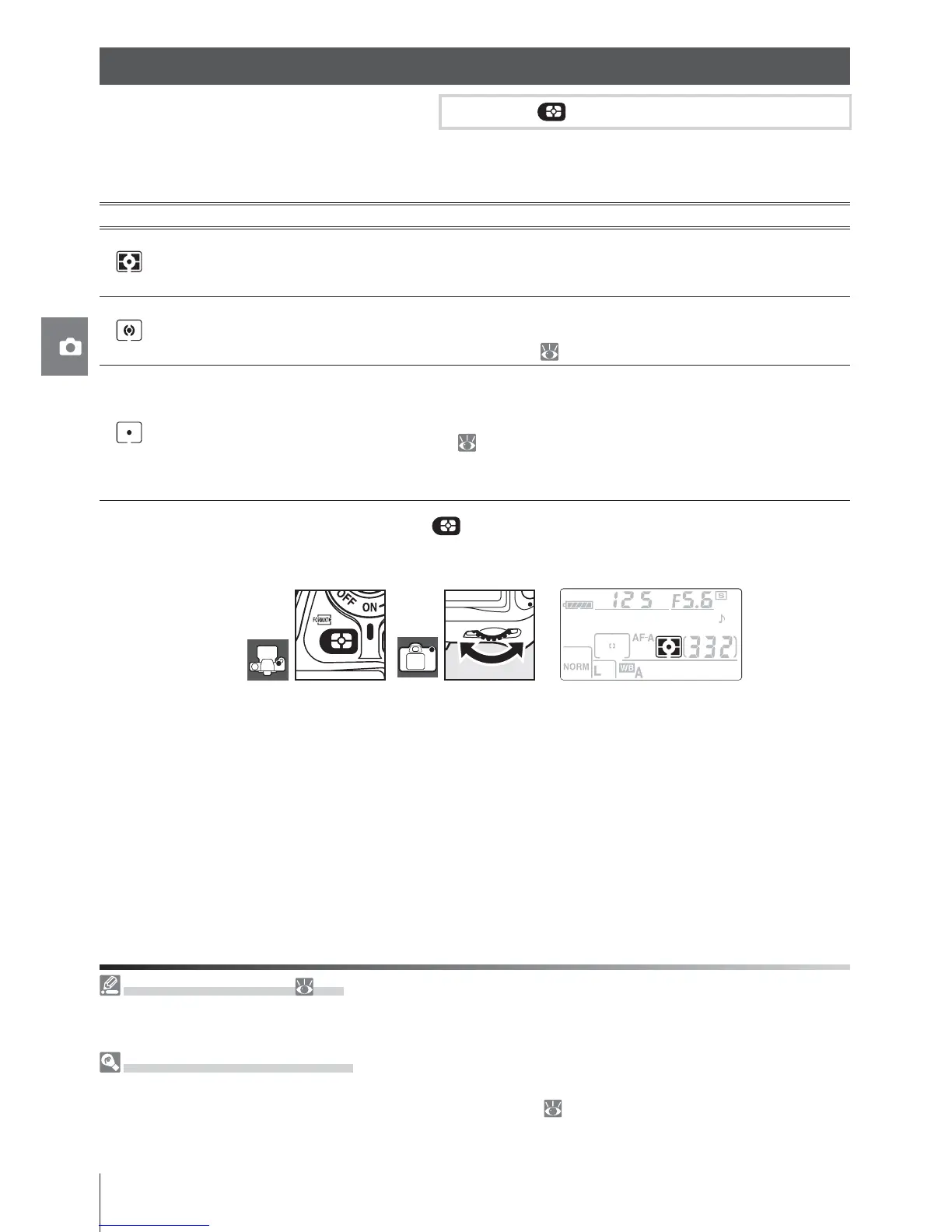
To choose a metering method, press the button and rotate the main command dial until
the desired mode is displayed.
12—Center Weight (
90)
This option controls the size of the area assigned the greatest weight in center-weighted metering.
The default is 8mm (0.31in.).
3D Color Matrix II Metering
In matrix metering, exposure is set using a 420-segment RGB sensor. Use a type G or D lens for results
that include range information (3D color matrix metering II; 117). With other CPU lenses, 3D range
information is not included (color matrix metering II).
Exposure



 To Next Page