66 Reference: Connecting to a TV, Computer, or Printer / Viewing Photographs on TV
Viewing Photographs on TV
Connecting to a TV, Computer, or Printer
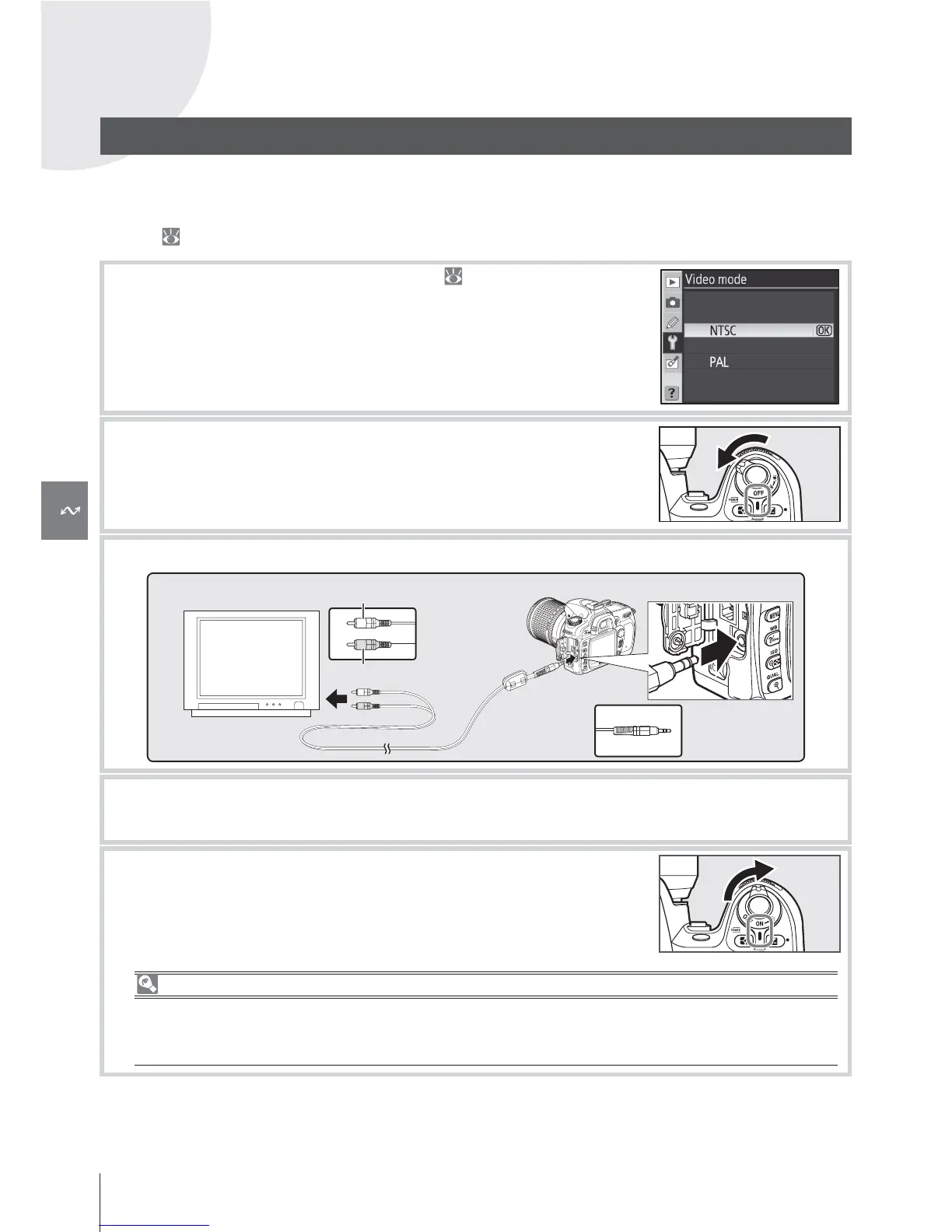
The supplied EG-D2 audio/video (A/V) cable can be used to connect the camera to a televi-
sion or VCR for playback or recording. Background music included with Pictmotion slide
shows (
75) will be played back over the television speakers.
1
Choose the appropriate video mode ( 103).
2
Turn the camera off . Always turn the camera off before con-
necting or disconnecting the A/V cable.
3
Connect the A/V cable as shown.
Connect to
camera
Connect to
video device
Video (yellow)
Audio (white)
4
Tune the television to the video channel.
5
Turn the camera on. During playback, images will be displayed
on the television or recorded to video tape; the camera moni-
tor will remain off .
Use an AC Adapter
Use of an EH-5 AC adapter (available separately) is recommended for extended playback. When
the EH-5 is connected, the camera monitor-off delay will be fi xed at ten minutes and the expo-
sure meters will remain on indefi nitely.
Video connector



 To Next Page