8 Introduction: Getting to Know the Camera
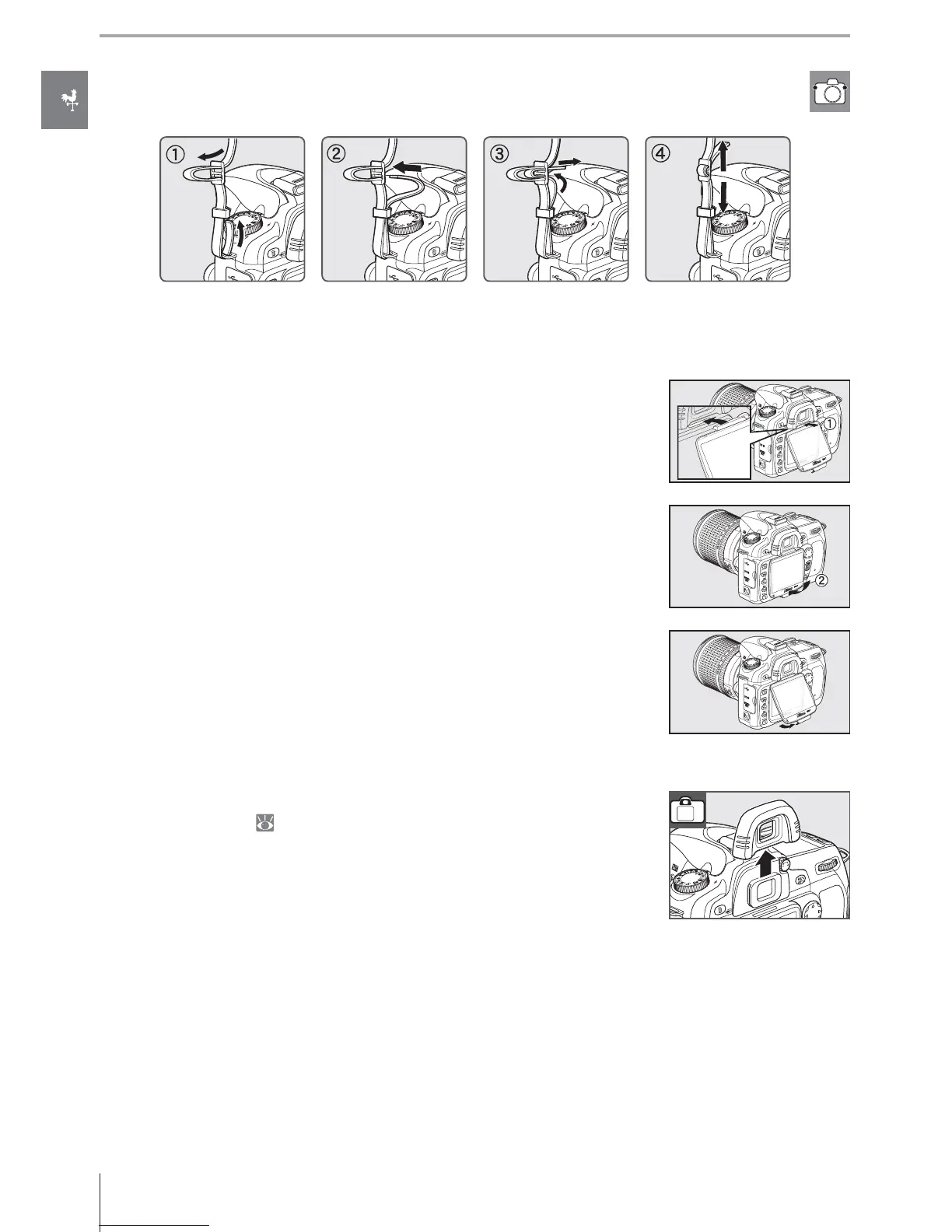
To remove the cover, hold the camera fi rmly and pull the bottom of
the cover gently until outwards as shown at right.
The DK-21 Viewfi nder Eyepiece Cup
Before attaching the DK-5 viewfi nder eyepiece cap and other view-
fi nder accessories ( 122), remove the viewfi nder eyepiece cup by
placing your fi ngers underneath the fl anges at either side and slid-
ing it off as shown at right.
The Camera Strap
Attach the camera strap as shown below.
The BM-7 LCD Monitor Cover
A clear plastic cover is provided with the camera to keep the moni-
tor clean and protect it when the camera is not in use. To attach the
cover, insert the projection on the top of the cover into the match-
ing indentation above the camera monitor (
) and press the bot-
tom of the cover until it clicks into place (
).



 To Next Page