10 Introduction: Using Camera Menus
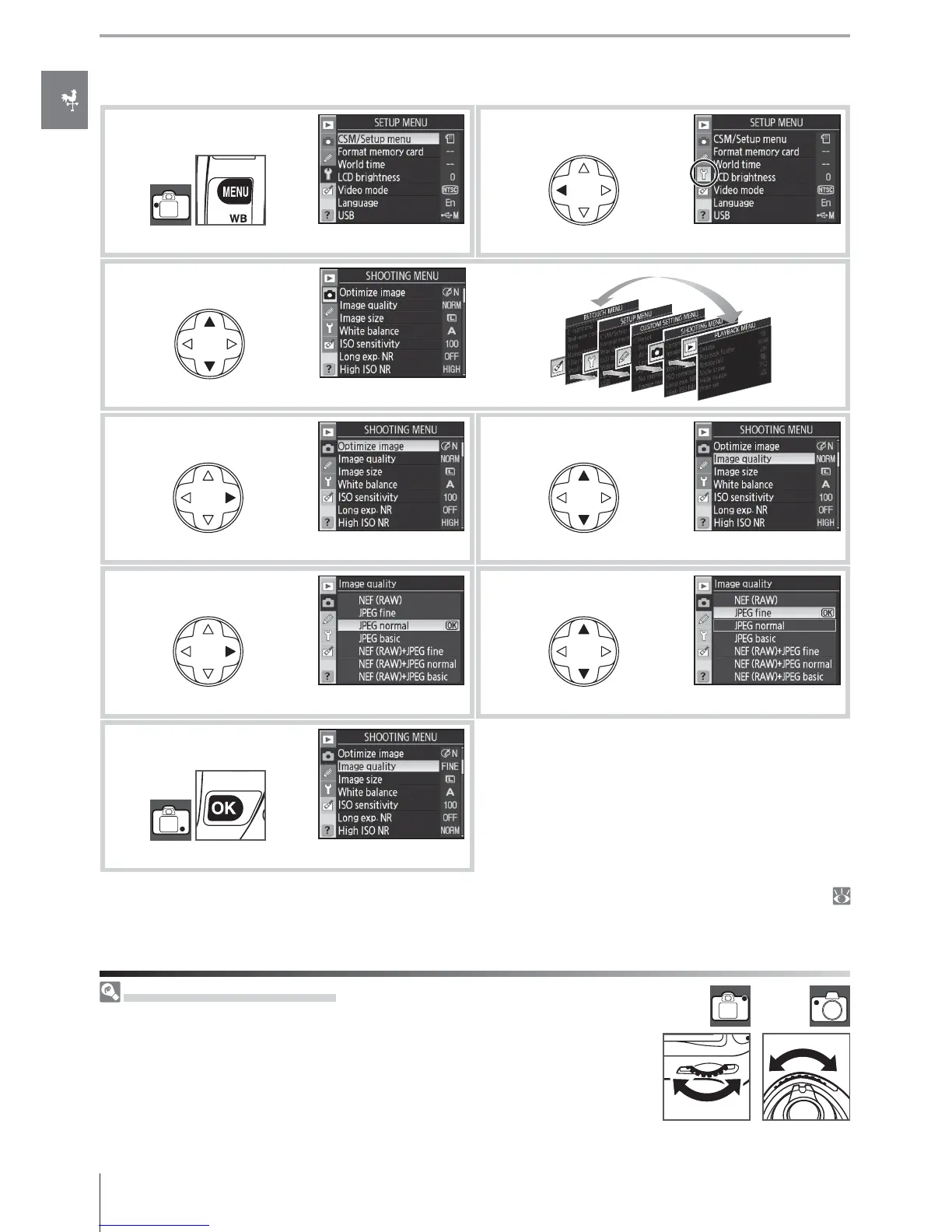
To modify menu settings:
1
Display menus.
2
Highlight icon for current menu.
3
Select menu.
4
Position cursor in selected menu.
5
Highlight menu item.
6
Display options.
7
Highlight option.
8
Make selection.
Menu items that are displayed in gray are not cur-
rently available.
Press the shutter-release button halfway to exit the menus and return to shooting mode (
19, 28). The monitor will turn off .
Using the Command Dials
The main command dial can be used to move the cursor up and down, the
sub-command dial to move the cursor left and right. The sub-command
dial can not be used to make a selection.



 To Next Page