42 Reference: More on Photography (All Modes) / Using the Built-in Flash
22 — Built-in Flash ( 95)
Choose how the built-in fl ash fi res.
26 — Modeling Flash ( 98)
Preview the eff ects of the fl ash.
The Built-in Flash
Use with CPU lenses with focal lengths of 18–300 mm or non-CPU lenses with focal lengths of
18–200 mm ( 118; note that auto fl ash level control is available with CPU lenses only). Remove lens
hoods to prevent shadows. Lenses that block the subject’s view of the red-eye reduction lamp may
interfere with red-eye reduction. The fl ash has a minimum range of 60 cm (2 ft.) and can not be used
in the macro range of macro zoom lenses.
If the fl ash fi res in continuous shooting mode (
36), only one picture will be taken each time the
shutter-release button is pressed.
The shutter release may be briefl y disabled to protect the fl ash after it has been used for several con-
secutive shots. The fl ash can be used again after a short pause.
See the Appendix for more about the built-in fl ash, including fl ash control, shutter sync speeds, and
range. For information on optional fl ash units (Speedlights), see “Optional Flash Units (Speedlights)” (
119). See “FV Lock” for information using FV lock ( 92).
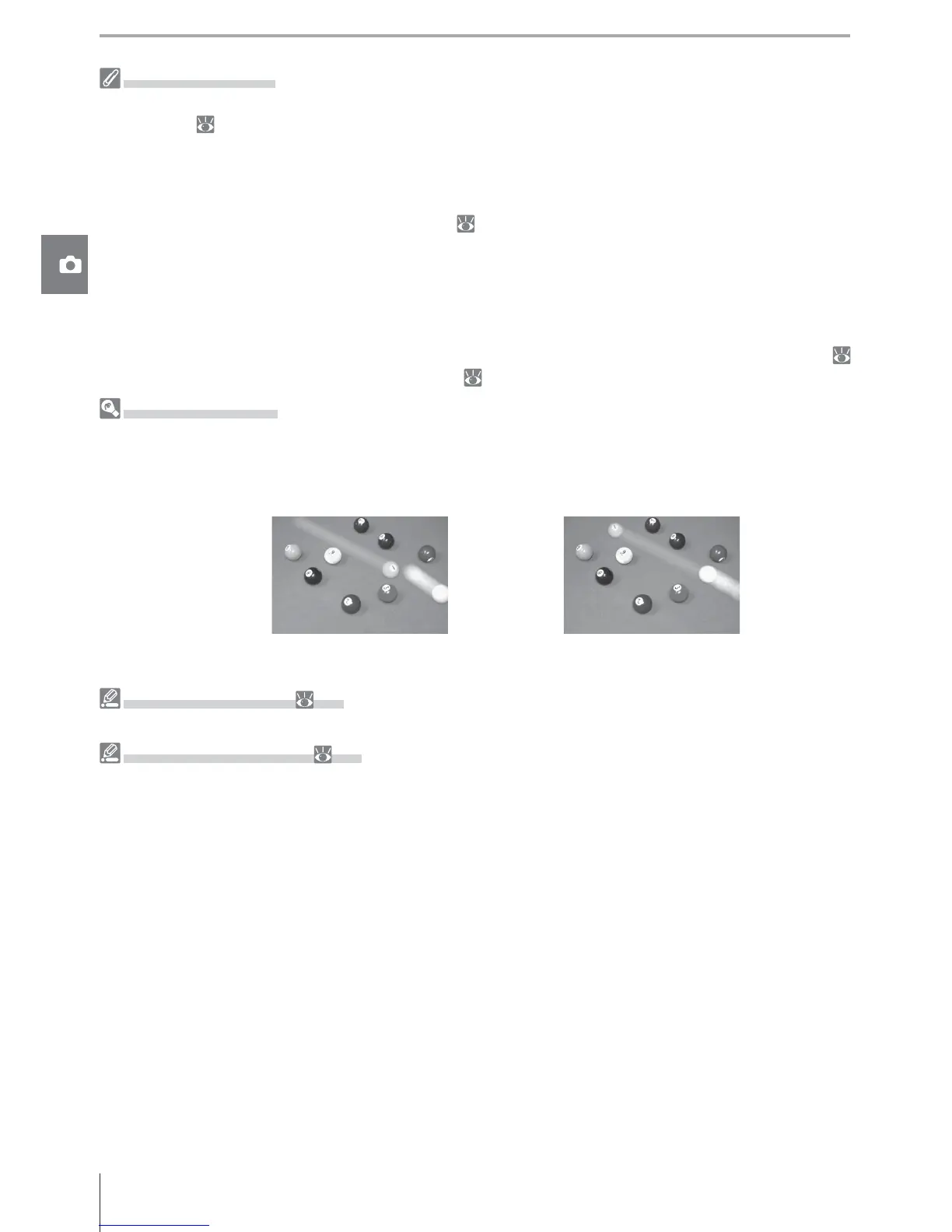
Rear-Curtain Sync
Normally the fl ash fi res as the shutter opens (“front curtain sync”; see below at left). In rear-curtain
sync, the fl ash fi res just before the shutter closes, creating the eff ect of a stream of light behind moving
subjects.
Front-curtain sync Rear curtain sync



 To Next Page