2
PREPARATION
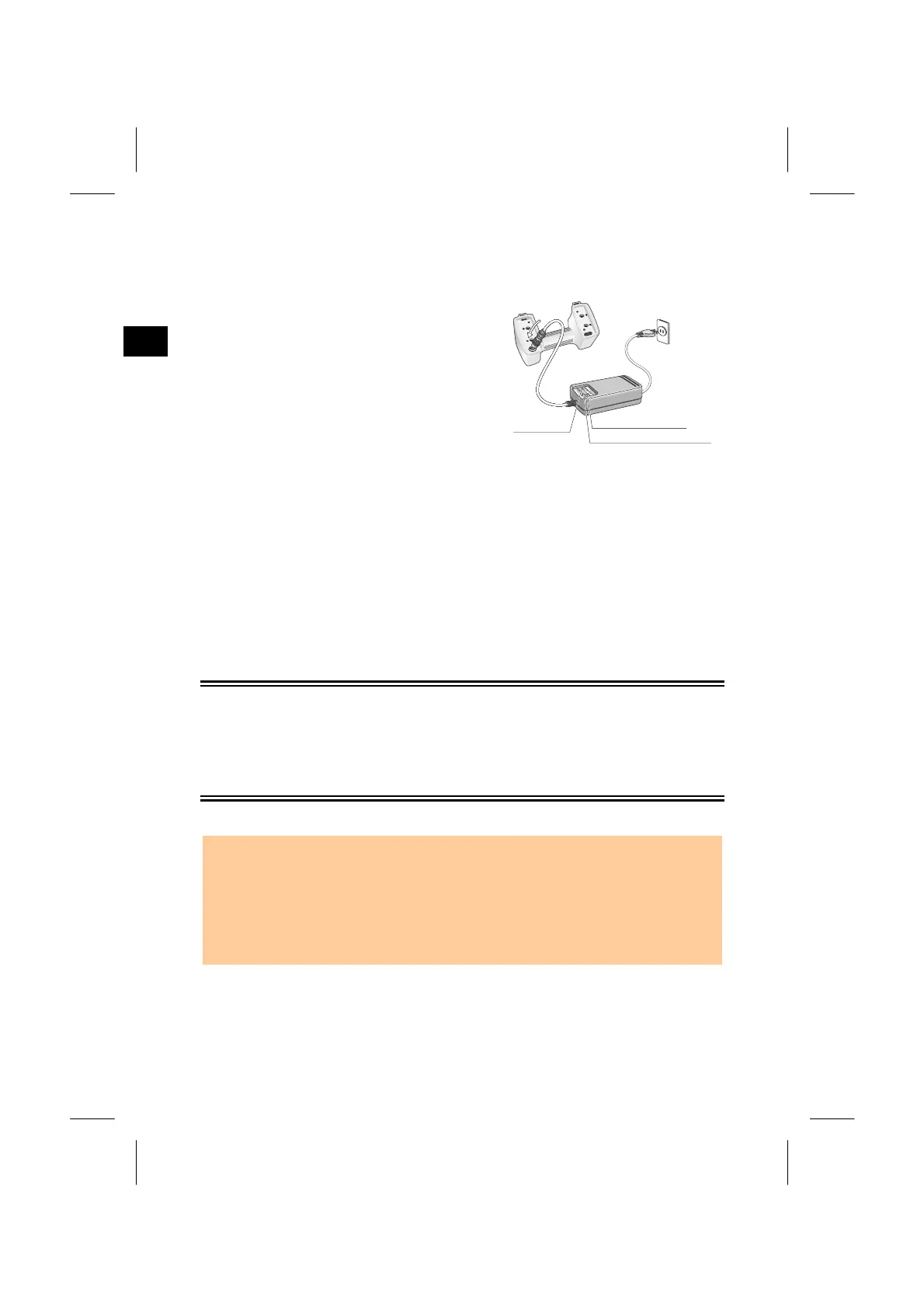
1) Recharging Procedure
(1) Insert the power plug of charger into an
AC outlet.
(2) Connect the charging plug to the battery
pack’s charging connector.
(3) Quick charging will then start
automatically. Check that the charging
indicator lights.
(4) When charging is completed, the
charging indicator goes out.
2) Discharging Procedure
(1) Insert the power plug into an AC outlet.
(2) Connect the charging plug to the battery pack’s charging connector.
(3) Press the discharge starting switch to start discharging. Check that the
discharging indicator will light.
(4) When discharging is completed, the discharging indicator goes out and quick
charging starts automatically. During charging, the charging indicator lights.
NOTE • To stop discharging before completion, press the discharge starting
switch again. The discharging will stop and quick charging will start
automatically. During quick charging the charging indicator lights.
• Discharging the battery pack once every 10 recharging cycles is
effective.
2-4
harging
ndicator
Discharging indicator
Discharging starting swit
Discharging Operation
The battery pack is designed for repetitive recharging and use. However, if the
battery pack is recharged while it still has enough power to operate the surveying
instrument, the battery power will last for shorter periods. (Memory effect) In such
a case, discharging the battery pack first can refresh its capacity for normal
performance.



 To Next Page