STN
3
BC
STN
7
2) Instrument Station Setup
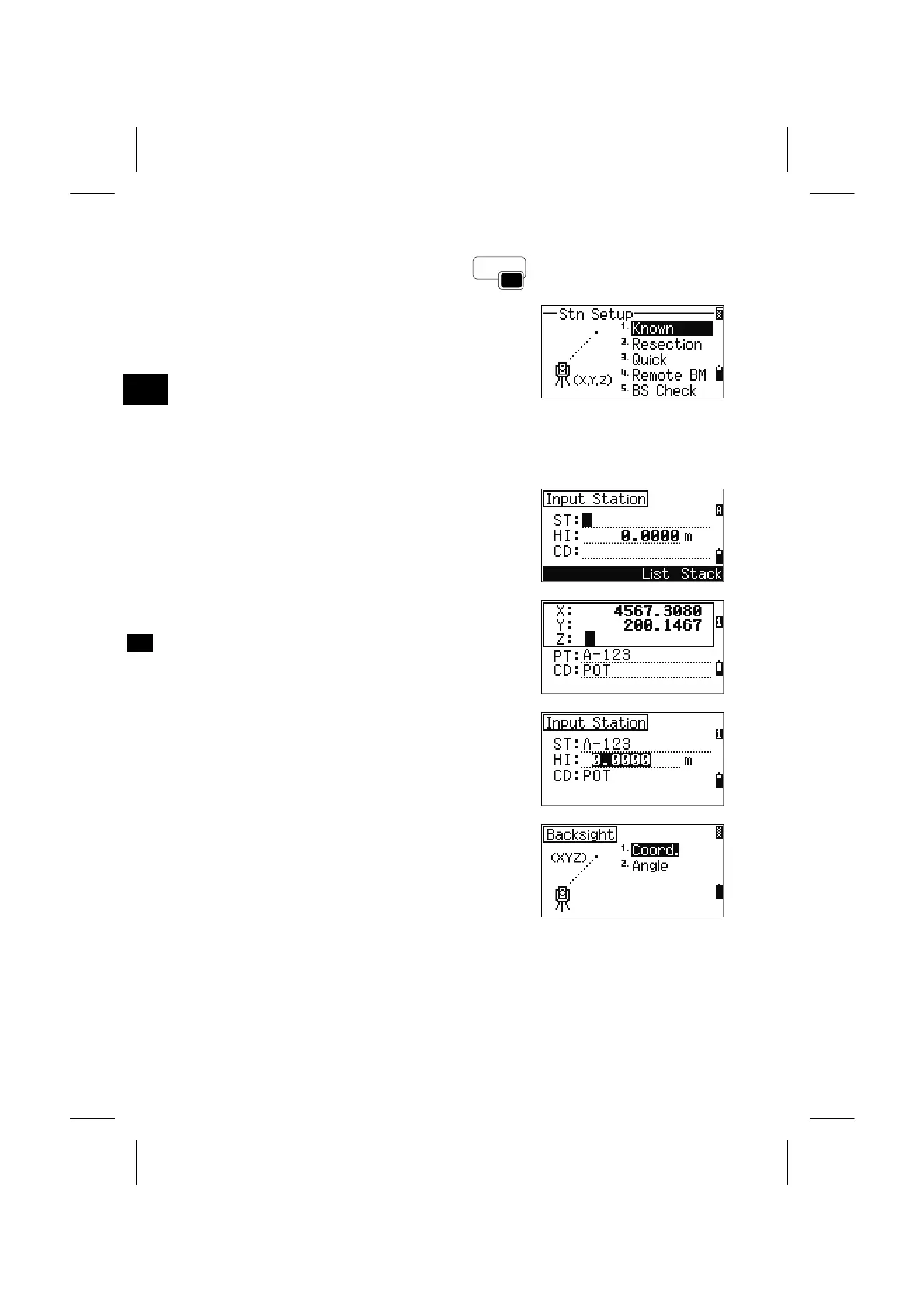
Press the [STN] key on the BMS to display the STN
menu screen.
1. Known Stn
Station Setup with Known Coordinates or Azimuth
Press the [1] key on the STN menu.
If the input point number/name is an existing point,
its coordinates are displayed and it automatically
proceeds to Height of instrument field.
When the point is new, a coordinate input screen is
shown. Input coordinates and press [ENT] on each
line, the newly input point will be stored by the
[ENT] key on the last line (CD field).
Input the Height of Instrument and press [ENT]. If
the specified point has a code, it is displayed in the
CD: field.
Select the method to define the Backsight point
(Input coordinate or azimuth).
3-35



 To Next Page