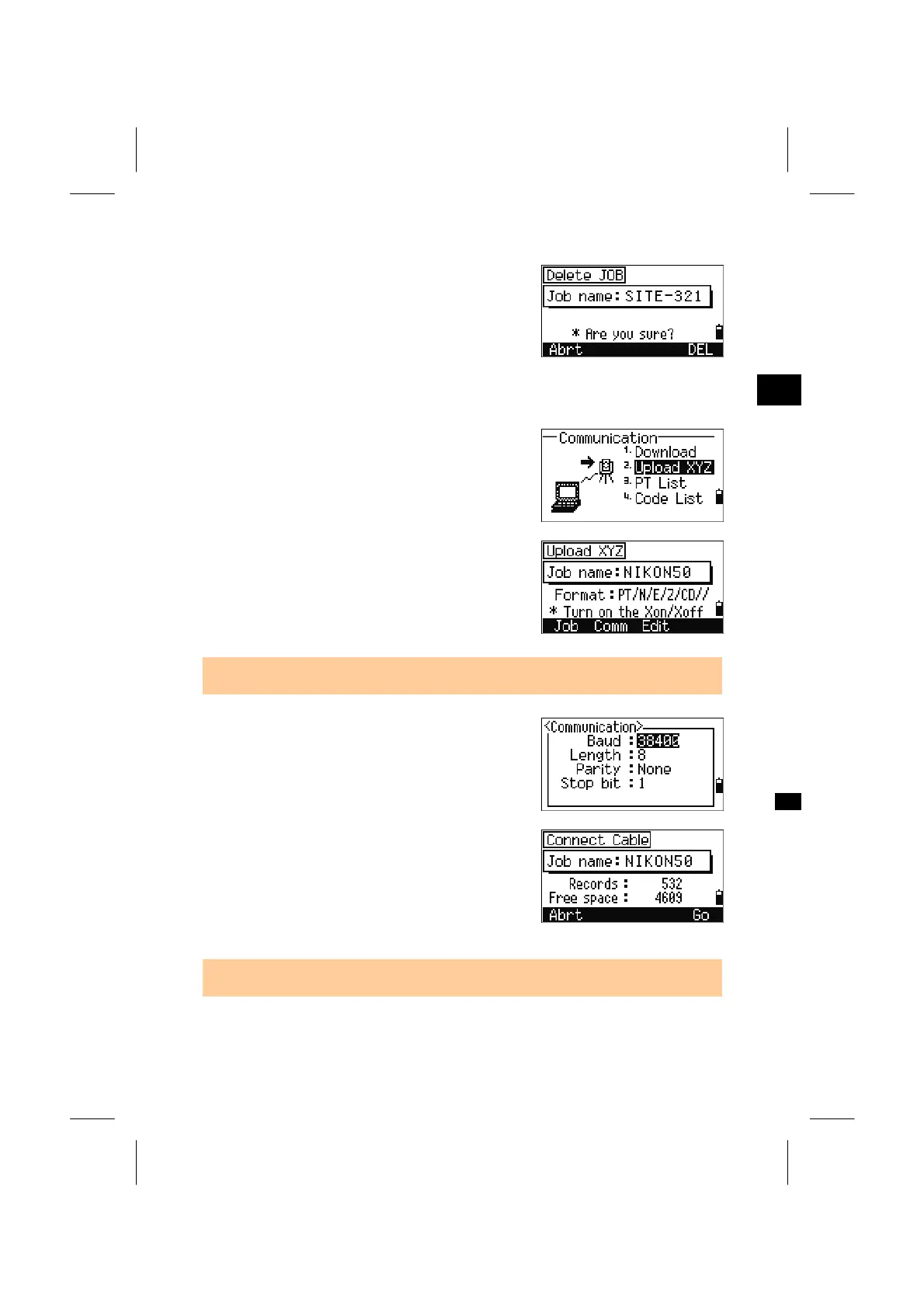
Press the [4] key to delete the current Job. Pressing
the [Abrt] softkey or the [ESC] key returns you to
the BMS.
3
MENU: 5. Comm
5-2. Upload Coordinate Data
Press the [2] key to upload coordinate data via
cable.
The default data format is displayed. If you would
like to change the order of data fields, you can press
[Edit] (See p.3-126 for details).
Otherwise, just press the [ENT] key.
• [Job] will jump to the Job Manager screen. (See p.3-85)
The communication settings can be changed by
pressing [Comm]. Serial port settings have to match
with the terminal software on your PC.
Connect the instrument and your computer by
RS-232C cable. “Free Space” is the total number of
points that can be stored.
Press the [ENT] key and start sending data from
your computer via a communication program
(usually by “SEND Text file”).
• “Flow control” must be set to “Xon/Xoff” in your communication program.
3-124



 To Next Page