3
Input Point Name/Numbe
3-2. Pre-Start
1) Input Point Name/Number
You can use point number or name up to 16 digits in length.
Basically, the default PT is given by “Last recorded PT+1”. When the last digit is
alphabetical, the same PT name is shown.
While the cursor is in a PT field, there are several ways to specify a point (or input
coordinates).
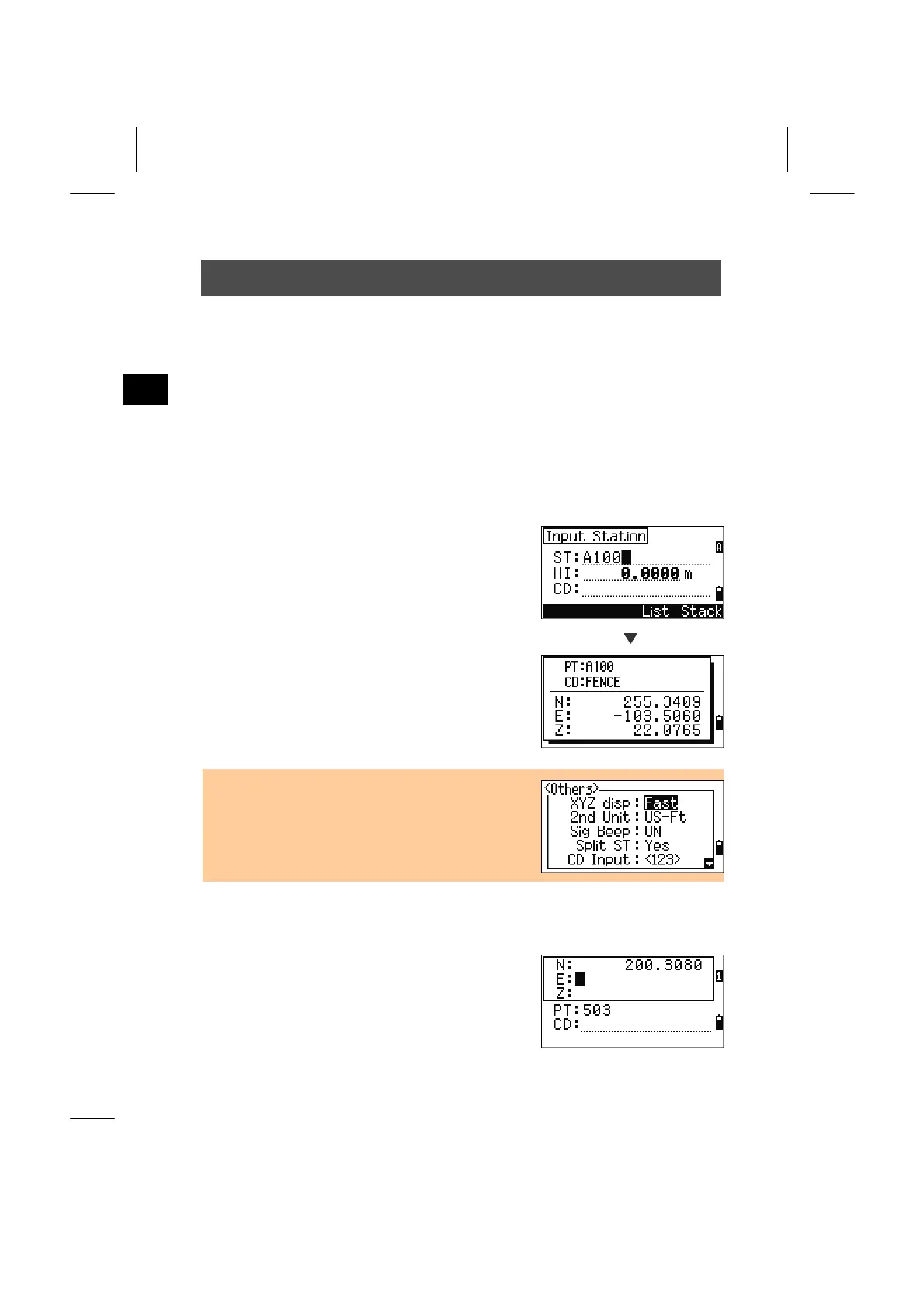
1. Inputting an Existing PT
When a known point name/number is input, its
coordinates are displayed briefly with a short beep
before going to the next screen/field.
ENT
• By “XYZ disp” setting in [MENU] → [3.Settings] →
[9.Others], it is possible to adjust the duration of the
coordinate window. When the “+ENT” is set, the
window doesn’t close until the [ENT] key is
pressed. (See p.3-102)
2. Inputting a New PT
When you input a new point name/ number, a
coordinate input screen is shown. “NE(EN)”,
“NEZ(ENZ)”, or elevation only (Z) coordinate can
be recorded.
3-7



 To Next Page