4-2-3. Delete data by Station
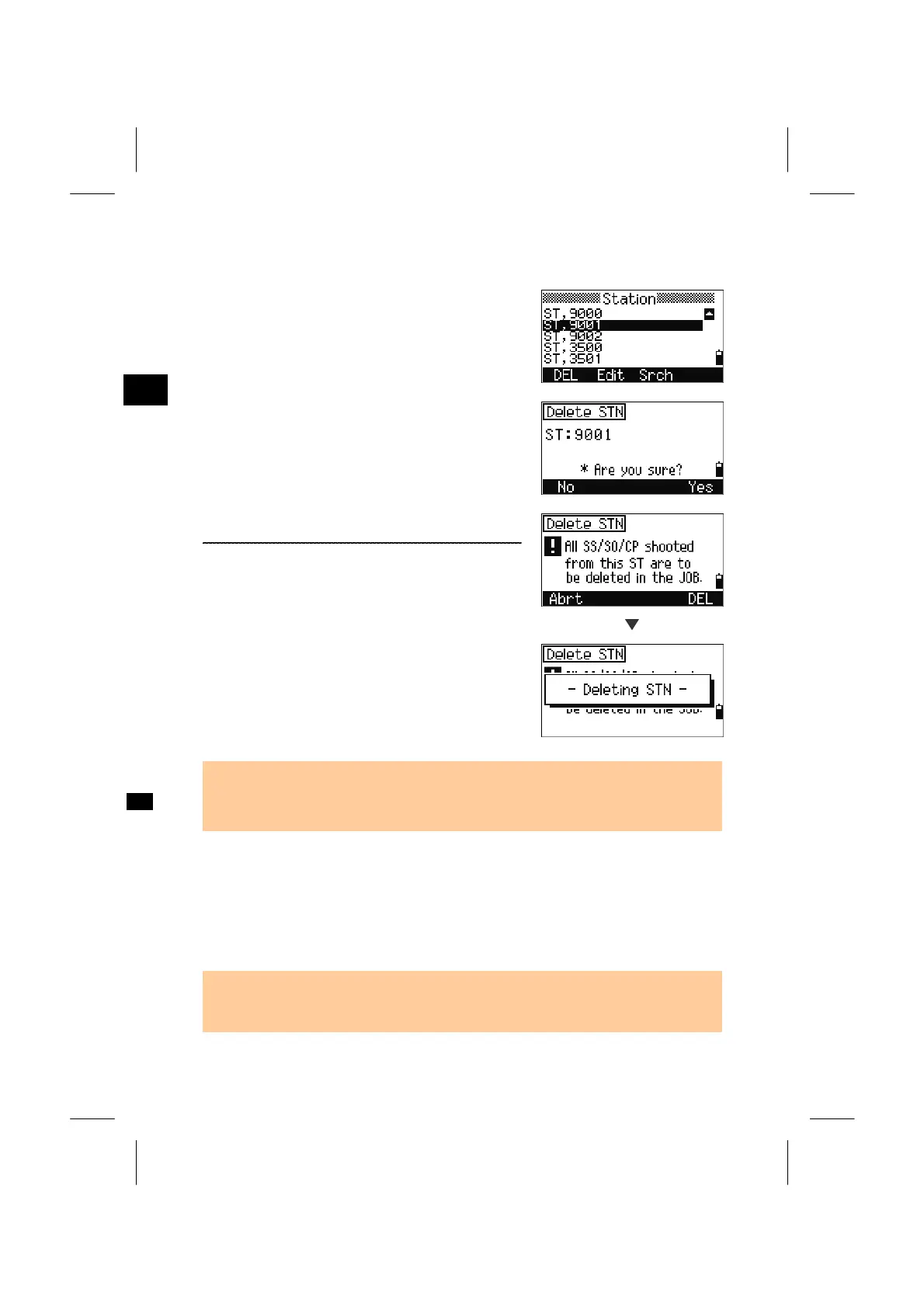
Move the cursor to the ST record you are to delete
and press the [DEL] softkey.
3
MENU: 4. Data
A confirmation screen is displayed.
Press the [ENT] key or [Yes] softkey to proceed.
A reconfirmation screen is to be shown.
There is no undelete function on the instrument.
If you want to clear data, press [DEL]. ([ENT] key
does not work on this screen.)
[DEL]
All observations from the ST you selected are
cleared.
• When you delete a ST record, all the observation data from the ST is also deleted.
It is the same in both [1.RAW data] view and [3.ST → SS/SO/CP] data view
functions.
4-3. Edit Records
You can edit the point number/name and code of point records. Also the height of
target (HT), height of instrument (HI), backsight point (BS), and backsight azimuth
(Az) can be edit.
• There is no edit CD field for SO/F1/F2 records.
• HA/VA/SD cannot be changed.
3-111



 To Next Page