4-2-2. Delete Coordinate data
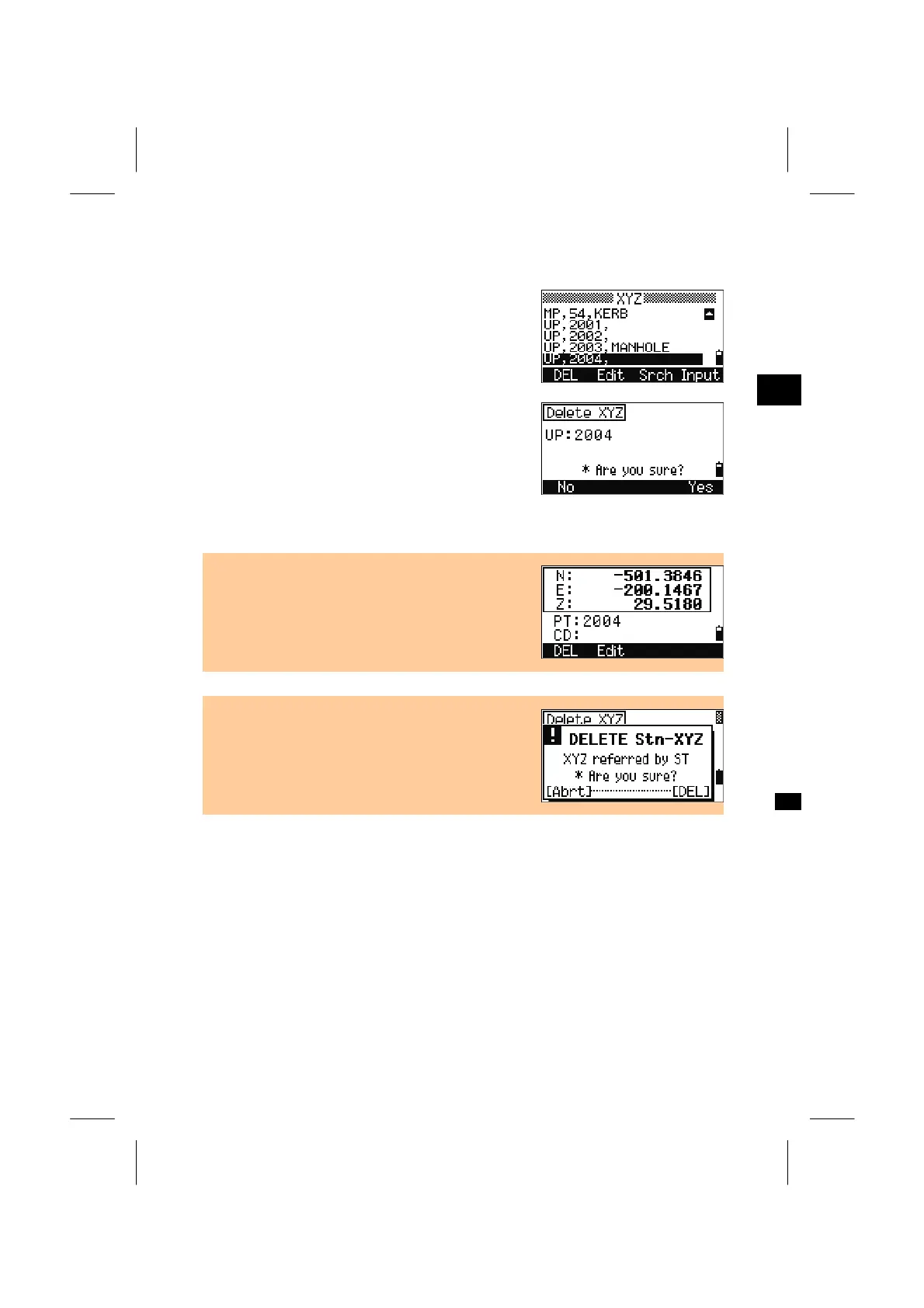
Place the cursor using the Up/Down arrow keys to
the record you want to delete, then press the [DEL]
softkey.
3
MENU: 4. Data
A confirmation screen is displayed. Press the [ENT]
key or the [Yes] softkey to delete the specified
record.
Press the [ESC] key or the [No] softkey to cancel
deleting data.
• Deleting coordinate data can also be done in the
detail data screen shown right. Press the [DEL]
softkey.
• If the selected data you are to delete is referred by
ST record, a confirmation message is displayed to
avoid accidental error.
3-110



 To Next Page