3
How to Input a Code
3. Code List
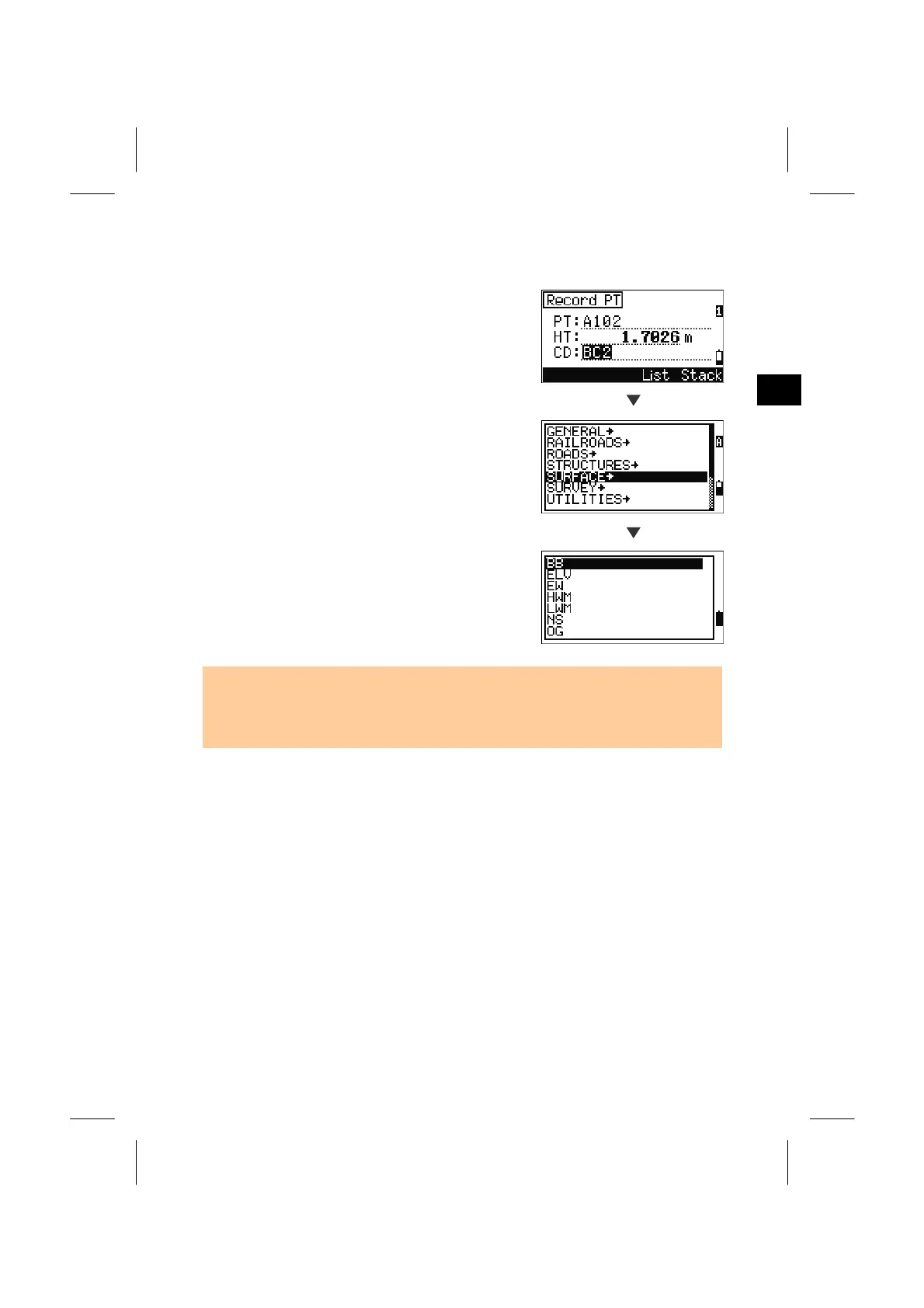
Press the [List] softkey while the cursor is in CD:
field to show the feature code List.
To edit the Code List, you can go into
MENU/4:Data/5:Code List. (See p.3-118)
List
A “Layer” has a right arrow at the end of its label.
When you press the [ENT] key while highlighting
“SURFACE→”, the codes and layers in the
“SURFACE” layer are displayed.
ENT
Press the [ENT] key on the desired code. The
selected code is copied to the CD: field. (CD field is
replaced by the selected code.)
• Items are shown in alphabetical order on the List.
• The “first character search” is also available to find a desired code quickly.
(See next page)
3-12



 To Next Page