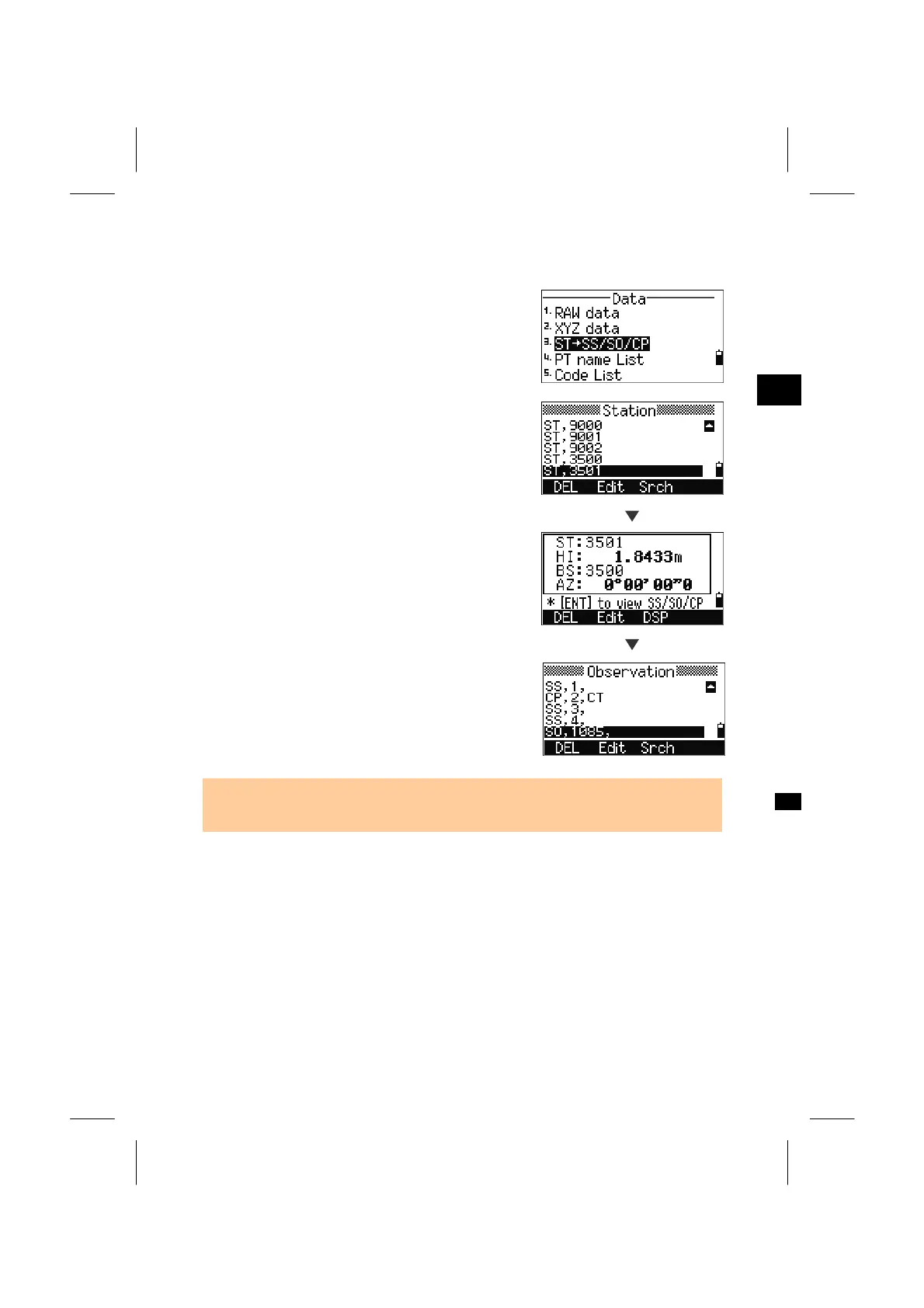
4-1-3. View data by Station records
Press [3] in the Data menu to view records by
Station records.
3
MENU: 4. Data
A list of all Stations is displayed first.
Use Up/Down (or Right/Left for Page-Up/
PageDown) to place the cursor on the Station name
you want to check.
[ENT]
Press the [ENT] key to view the detail data of the
Station.
[ENT]
When you press the [ENT] key again, all the
observation data from this station are displayed in
chronological order.
• For an explanation of each point type and format, See p.3-104 to 3-106. Detail data
is just the same as RAW data.
3-108



 To Next Page