===================== Advanced Features ======================
Edit data order for Upload
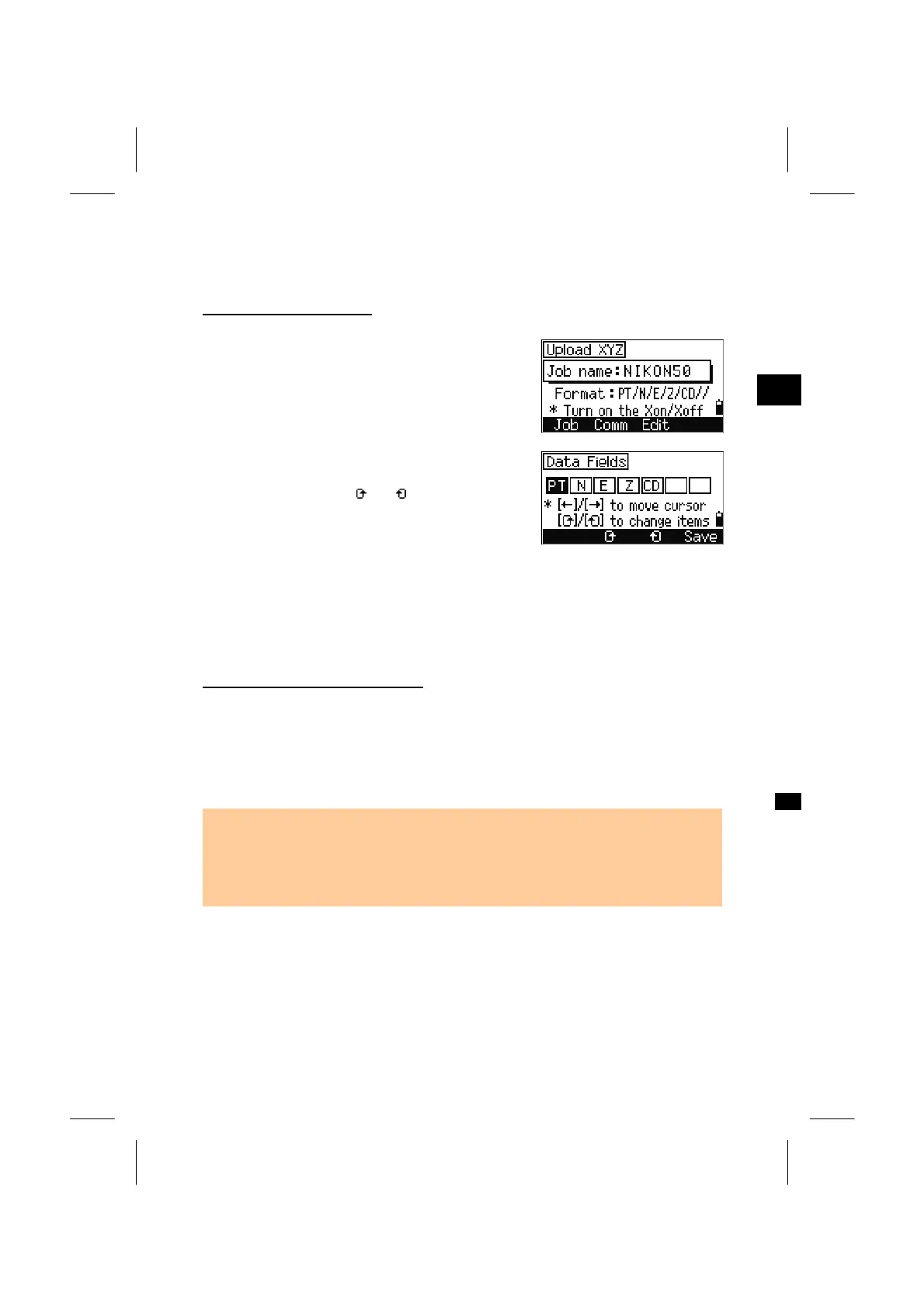
Press the [Edit] softkey and the Edit data fields
screen is shown.
3
MENU: 5. Comm
To move the cursor among the fields, press
Left/Right arrow keys. To change the item in each
field, press either of the [
] or [ ] softkeys to toggle
the field among PT, N, E, Z, CD and blank.
Press [Save] to save changes and return to the
previous screen.
Ex.) Your data (original) : 1, UB, 30.000, 20.000, L1
Defined format : PT/ /N/E/CD
Uploading data to a job : PT=1, N=30.000, E=20.000, CD=L1
Uploading coordinates without PT
It is possible to upload data without PT in this system.
When no PT is included in the format definition, the available PT number (the
largest PT number in the job) will automatically be given to each line of data. In this
case, in order to select a point efficiently in the field, keeping some identifier in CD
would be recommendable.
• Format cannot accept duplicate data items. PT, N, E, Z and CD should be used
once each in one format.
• If you would like to skip some items in your original file, set “blank” to the field you
are to ignore.
===========================================================
3-126



 To Next Page