STN
3
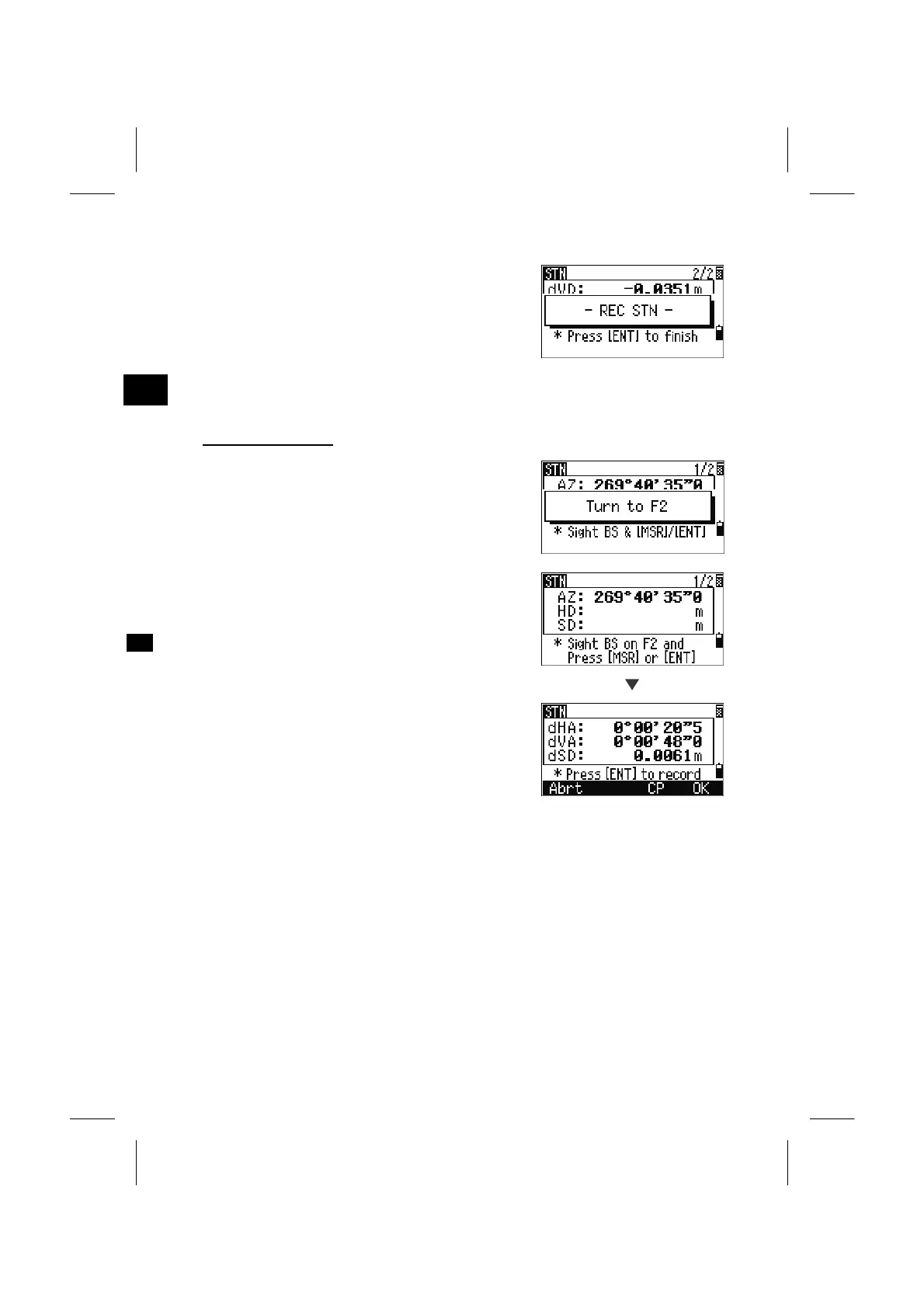
After taking a distance measurement, press the
[ENT] key to finish the station setup. ST and F1
records are stored to the current Job.
===================== Advanced Features ======================
F1/F2 measurement
The [F2] softkey is to take an angle shot and
proceed to the next measurement on Face2.
When you take a distance measurement to the BS on
Face1, you can directly go to Face2 measurement by
just flipping the telescope. (F1/F2 is automatically
detected by the system.)
[ENT]
After pressing [ENT] on Face2, the delta screen will
be displayed.
The [CP] softkey will record a CP record holding
the averaged HA/VA/SD from the F1/F2 data. [OK]
will record only the ST and F1/F2 records without a
CP record.
===========================================================
3-37



 To Next Page