3
S-O
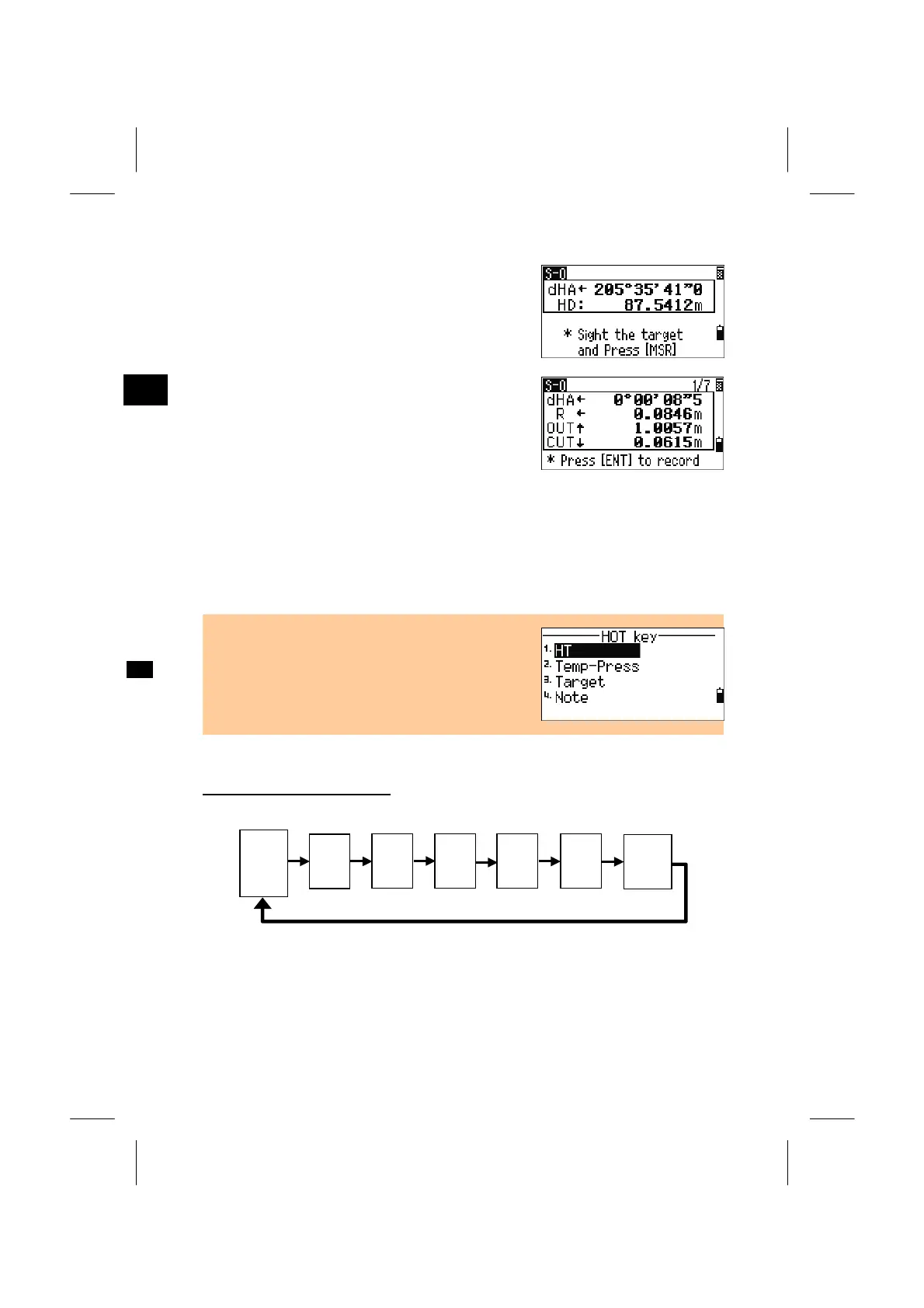
Rotate the instrument until the dHA is close enough
to 0º00’00”.
Sight the target and press the [MSR1] or [MSR2]
key.
When the measurement is completed, the
differences between the target position and the
stake-out point are displayed.
dHA: Difference in horizontal angle to the
target point
R/L: Right/Left (Lateral error)
IN/OUT: In/Out (Longitudinal error)
CUT/FIL: Cut/Fill
Once a measurement is taken, the Cut/Fill value and
Z-coordinate will be updated as the VA is changed.
Switching screen by [DSP]
HA:
VA:
SD:
dX:
dY:
dZ:
rSD:
rVD:
rHD:
dHA←
R ←
OUT ↑
CUT ↑
S-O1/7
*
S-O2/7
*
S-O3/7
S-O5/7
S-O6/7
S-O7/7
X:
Y:
Z:
HA:
VD:
HD:
HL:
V%:
HD:
*
S-O4/7
• When the [HOT] key is pressed on any observation
screen, the HOT- menu is displayed. HT and T-P
can be changed at any time.
* S-O2/7, S-O3/7 and S-O4/7 can be customized by holding down [DSP]
key for one second. (See p.3-24)
3-47



 To Next Page