3
S-O
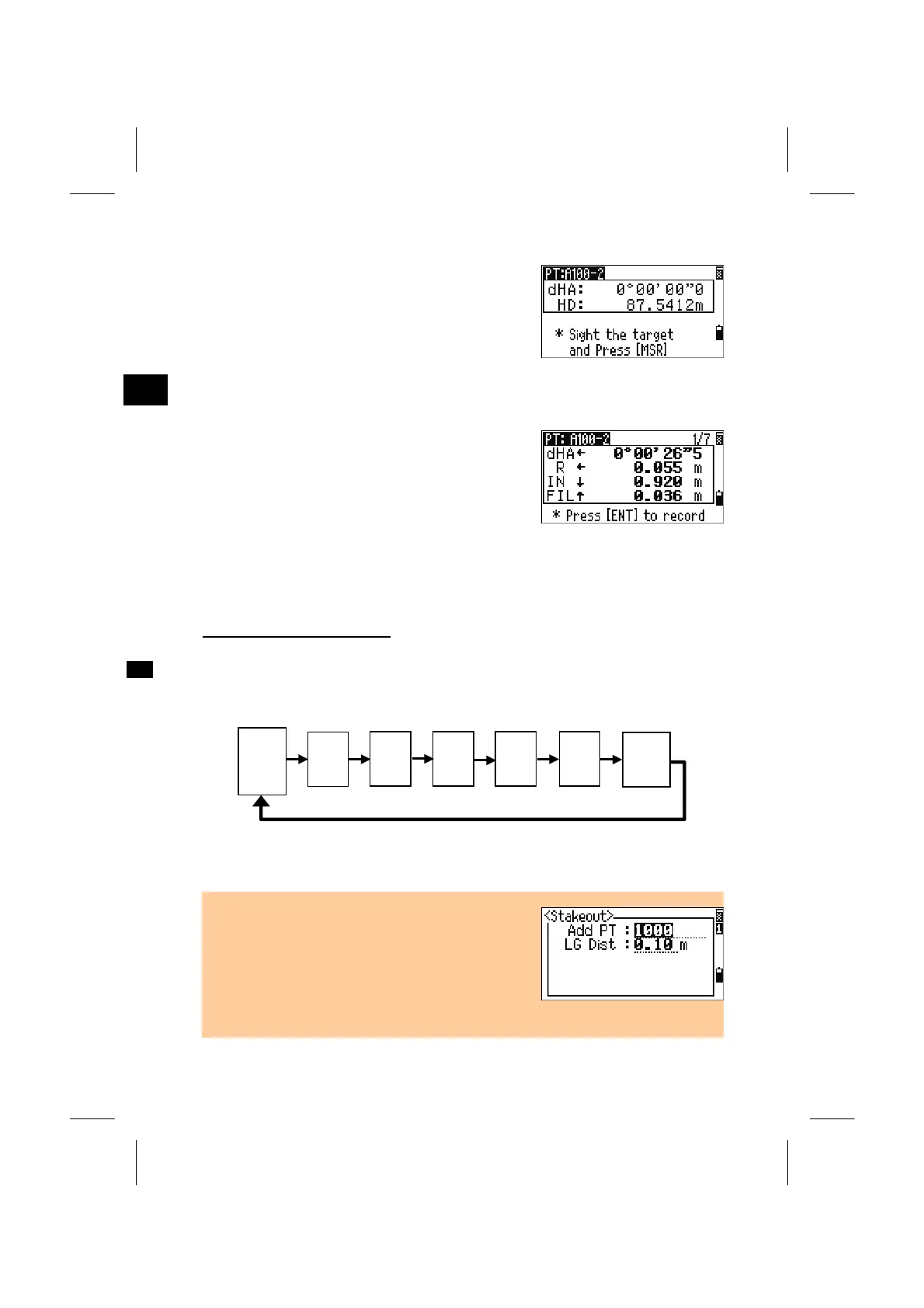
The delta angle and the distance to the target are
shown. Rotate the instrument until the dHA is close
enough to 0°00’ 00”. Press the [MSR1] or [MSR2]
key.
dHA: Difference in Horizontal angle to the
target point
HD: Distance to the target point
Advise the rodman to adjust the target position.
When the target is on the intended position, the
displayed errors become 0.0000 m/ft.
dHA: Difference in Horizontal angle to the
target point
R/L: Right/Left (Lateral error)
IN/OUT: In/Out (Longitudinal error)
CUT/FIL: Cut/Fill
Switching screen by [DSP]
When the Secondary distance unit is set, one more screen (HD/VD/SD) is added.
Although the screen counter (S-O1/8) is not displayed, the [DSP] key works
exactly the same as in the Angle-Distance stakeout.
HA:
VA:
SD:
dX:
dY:
dZ:
*
X:
Y:
Z:
*
HA:
VD:
HD:
*
HL:
V%:
HD:
dHA←
R ←
OUT ↑
CUT ↑
rSD:
rVD:
rHD:
(*) Contents in these three screens can be customized by holding down the
[DSP] key for one second. (See p.3-24)
• Distance guide by flashing LG (Lumiguide) is
available during the observation.
The tolerance for the flashing speed is changed
(LG Dist) can be set by pressing [S-O] key from any
observation screens. (See p.3-100)
• Once a measurement is taken, the Cut/Fill value
and Z-coordinate will be updated as the VA is changed.
3-49



 To Next Page