3
USR1/USR2
7) USR Key
Assign a function you frequently use in the field to a key so that it can be activated
by just one key-press. You can select a function from the below list.
• Input HT
• BS Check
• Select Target
• Cogo functions
• O/S functions
• PRG functions
Either an individual function or
sets of functions can be assigned
at your discretion.
T
US
US
• Input Temp-Press
• Input Note
The [USR1] key is defaulted to “Input HT” and the [USR2] to “(none)” to begin
with.
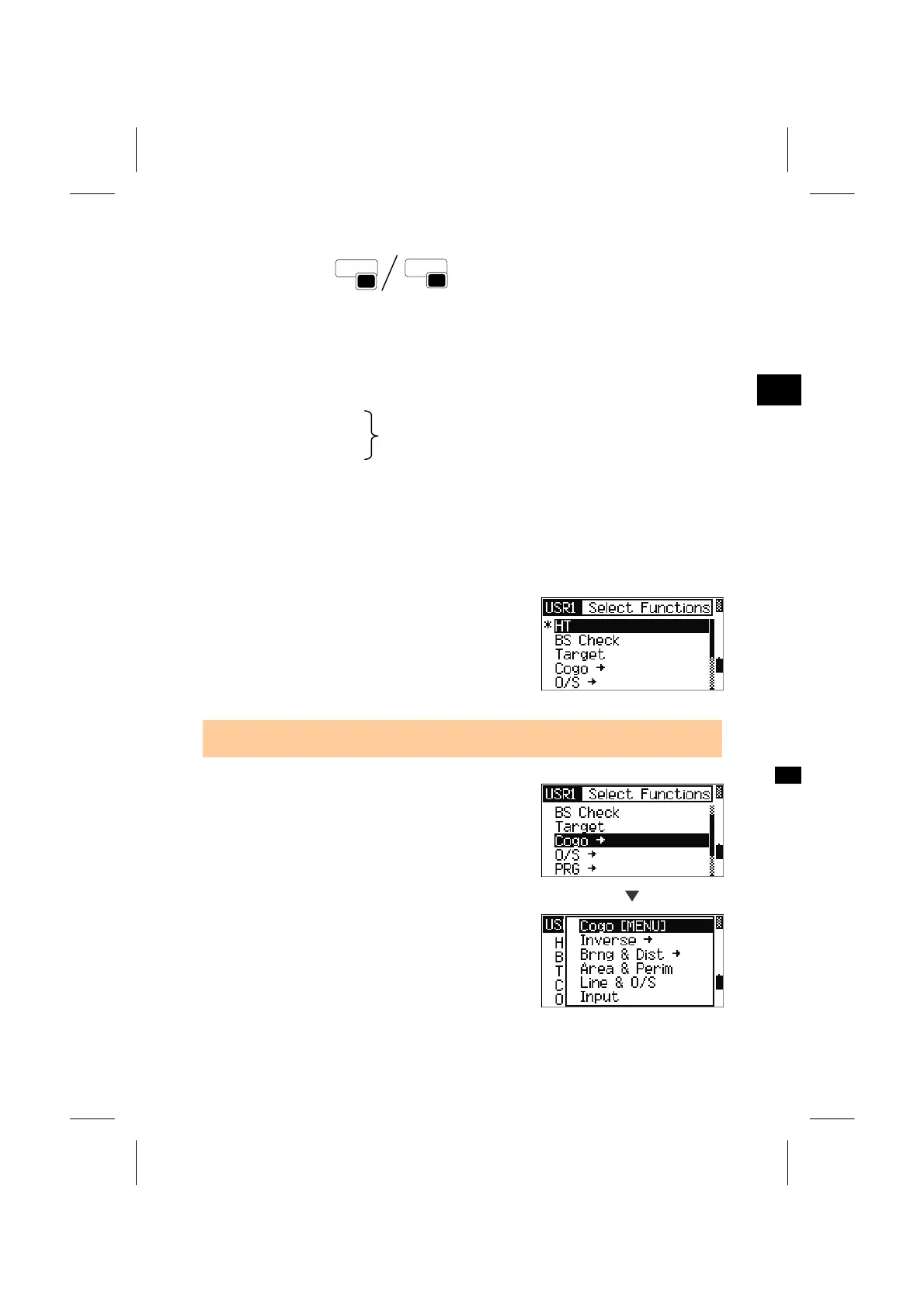
Holding down the [USR] key for one second shows
the list of functions available for USR key.
Select the function by Up/Down arrow key and
pressing the [ENT] key.
• “*” mark is displayed on the item currently assigned to the key.
Item with a “→” mark has more functions
underneath. When you press the [ENT] key on such
a function name, a sub-menu is shown.
[ENT]
When you select the item with “[MENU]” at the end
of its name, the whole menu is to be assigned to the
[USR] key.
If you want to assign one specific function, you can
choose it by Up/Down arrow key and pressing the
[ENT] key.
3-82



 To Next Page