3
About Jobs
5) About Jobs
When you record data on the instrument, you must create or open a Job.
Please check the settings
when you use the
instrument for the first time.
When Creating the first Job
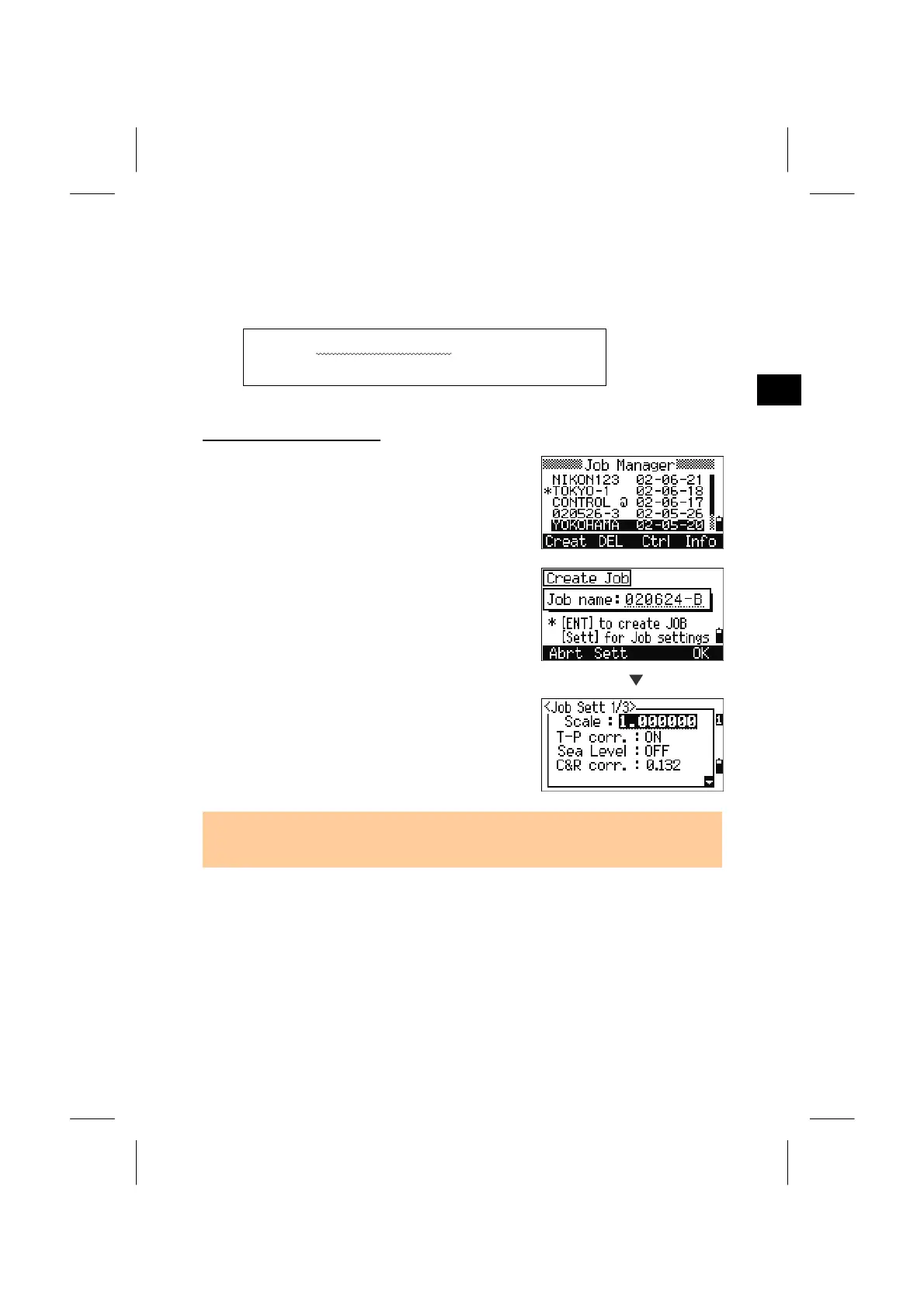
(1) Press [1] on the MENU screen to enter the
Job Manager and press the [Creat] softkey.
(2) Input the Job name.
When you create the first Job, please press the
[Sett] key to check the Job settings.
Sett
Job settings cannot be changed after creating
the Job. By pressing the [ENT] at the last
item in the settings, a new Job is created.
• If you see “MAX 32JOBs” or “Data Full” error, you must delete an old Job. Free
space cannot be created by deleting records in an existing Job.
3-16



 To Next Page