2. Customizing Items on the BMS
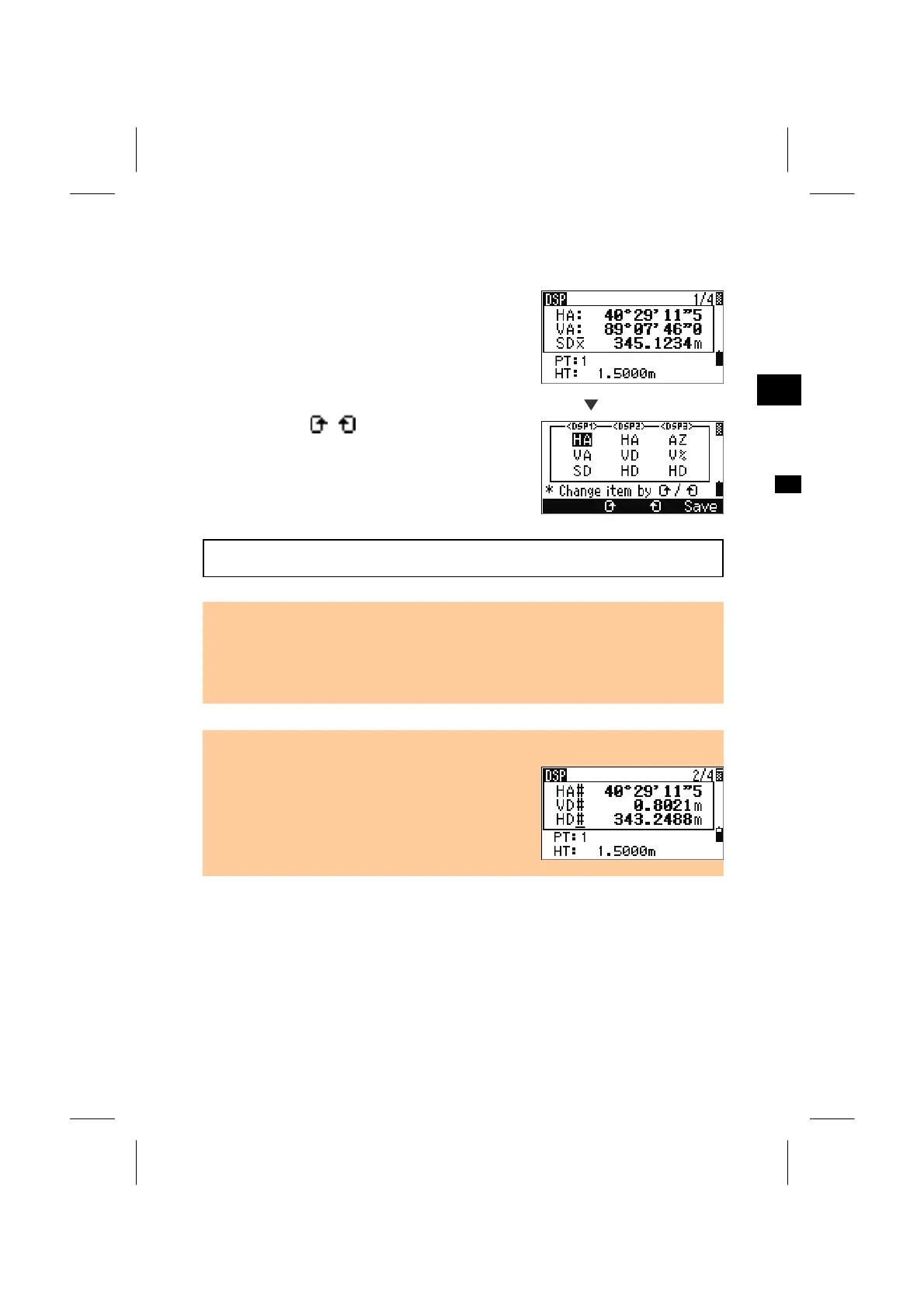
Hold down the [DSP] key for one second to
customize the screen on the BMS.
DSP1/4, DSP2/4, and DSP3/4 can be edited to show
desired items. (*)
3
DSP
Holding down [DSP]
Change items by
/
keys. The cursor can be
moved by Up/Down or Right/Left arrow keys.
Press [ENT] on the last item for <DSP3> or press
[Save] to put the screen changes into effect.
(*) Available items : HA/AZ/HL/VA/V%/SD/VD/HD/Z/(none)
• None of the items can be displayed in two lines except for (none) .
• The items showed in DSP1/4, 2/4, 3/4 and 4/4 are also used in Stakeout (S-O2/7,
3/7, 4/7 and 5/7).
• Setting the display items can be done in Stakeout as well.
Header characters
• ":" indicates Tilt correction applied.
• "#" indicates Tilt adj. set to OFF.
• "_" under Tilt correction character indicates Sea
Level Correction or Scale factor applied.
3-24



 To Next Page