O/S
9
6) Offset Measurements
1. Tape Offset Measurements
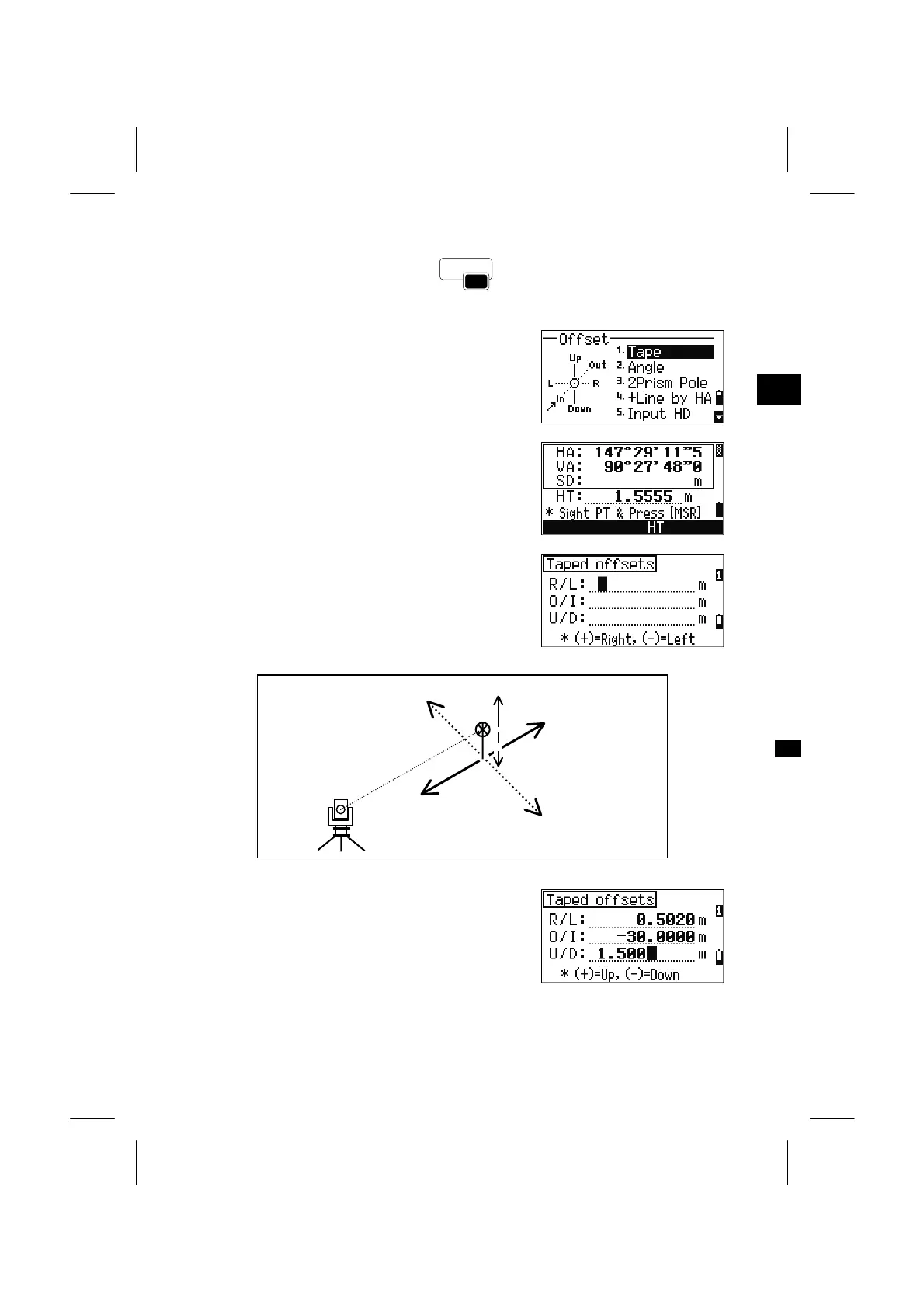
Press the [O/S] and [1] key from the BMS to enter
the Taped offset function.
3
O/S: 1. Tap
When no distance measurement was taken before
pressing [O/S] → [1], a temporary measurement
screen is displayed.
Sight the target and press the [MSR1] or [MSR2].
Input offset distances from the measured point. By
Up/Down arrow keys, place the cursor on the field
you are to take an offset.
Down(-)
Up(+)
Out (+)
Right (+)
Left (-)
In (-)
You can enter any combination of taped offset
distances to specify the point.
Press [ENT] at the last line to proceed to the
recording PT screen.
3-70



 To Next Page